

Introduction
Social media marketing can feel tricky to measure because so much of it moves fast and looks good on the surface. A few likes here, a reel that suddenly takes off, yes, nice to see, but they don’t explain much. And unlike sales or performance teams, the social team doesn’t always get clear numbers to prove what’s actually happening. Still, there are ways to measure it properly.
These days, tracking social media marketing performance isn’t optional anymore. Most brands aren’t posting just for activity; they’re posting to gain something real, like steady visibility, stronger trust, qualified leads, and eventually revenue. You only understand whether that’s happening when the data is checked with intention. Performance tracking helps sort out what actually pushes results and what just sits there looking good on the surface. Some posts lift the whole page, others barely move. Happens everywhere. With the right metrics in place, those patterns stop feeling vague. Let’s explore this topic further.
What is Social Media Marketing Performance?
Social media marketing performance is about checking whether all the posts, reels, stories, and daily activity are actually doing something meaningful for the brand. It’s the link between what you publish and the outcomes you want, real outcomes, not just surface-level numbers. Some teams look at it weekly, others monthly, but the goal stays the same: understanding if the content is pushing the brand forward.
It usually connects back to things like:
- Stronger brand awareness
- A more active community
- Steady website traffic
- Leads or sign-ups
- Revenue, at some point
Most platforms offer analytics dashboards for a reason. They show how many people saw your content, what formats sparked genuine interaction, and how many users took the next step, like clicking through or converting. These dashboards exist so brands don’t have to guess their way through decisions.
In short, performance tracking shows whether your efforts are working or just filling space on the calendar.
Why Measuring Social Media Marketing Performance Matters
When teams track performance properly, they start spotting what truly works. Some topics pull people in immediately, while others fall flat no matter how polished they look. Without measurement, it’s impossible to know the difference.
A few things this clarity helps with:
- Avoiding posts that look good but don’t contribute anything
- Shaping strategy based on real patterns instead of hunches
- Planning campaigns, creator collabs, and posting schedules with more confidence
- Improving overall engagement and customer experience
- Supporting budget decisions with actual numbers rather than “gut feel”
Once the right metrics are tracked consistently, the entire approach becomes steadier. Growth stops feeling random, and the content stops feeling like guesswork.
How to Measure Social Media Marketing Performance
Most teams skip this part or treat it like a formality, which is why their content keeps swinging between random highs and lows. A little structure fixes that.
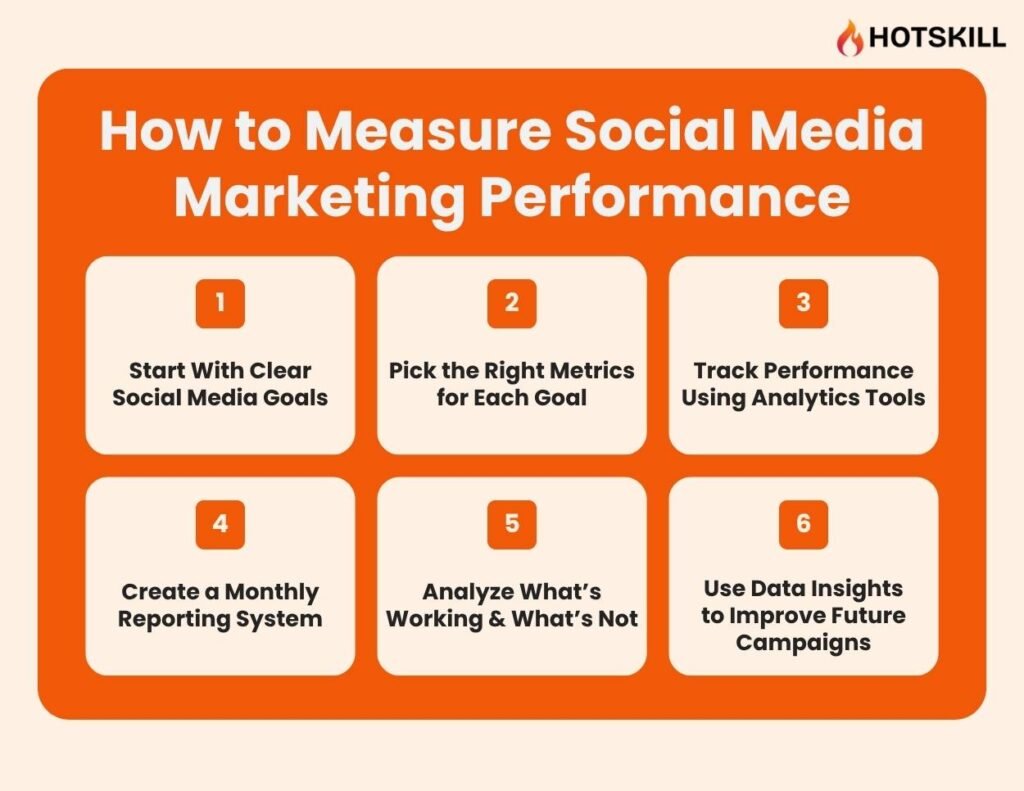
1. Start With Clear Social Media Goals
Everything becomes easier when the goals are not fuzzy. Before diving into metrics, the team needs to agree on what social media should achieve. Some brands want more people to notice them. Others want comments and shares. Plenty of businesses want direct leads.
Clear goals keep everyone grounded.
- If the aim is awareness, visibility metrics matter.
- If the aim is engagement, interactions matter.
- If the aim is sales, conversions matter.
Simple. But a lot of teams ignore this step and end up chasing the wrong numbers.
Once the goals are pinned down, the rest falls into place without much confusion.
2. Pick the Right Metrics for Each Goal
Metrics make sense only when they connect back to what the team is trying to achieve. Otherwise they pile up and feel pointless. Grouping them by intent keeps things clearer and a lot less noisy.
- Awareness: reach and impressions show how far posts actually travelled. Simple signals, but they help.
- Engagement: likes, comments, shares, saves, and the engagement rate paint a more honest picture of how people reacted.
- Traffic: clicks and CTR tell whether the content nudged anyone toward the website.
- Growth: follower growth rate shows momentum better than the big follower number everyone quotes.
- Sales: sign-ups, leads, purchases, and conversion rate show whether the content moved people to act.
- Paid: cost per result and ROI help check whether the money went into the right place.
Each metric has its own role. Once they’re lined up with the right goals, the whole tracking routine feels more grounded and far less overwhelming.
3. Track Performance Using Analytics Tools
Most platforms already offer enough data to understand what’s happening, even if the dashboards aren’t fancy.
- Instagram: reach, interactions, story insights, and audience behaviour.
- LinkedIn: post performance, impressions, CTR, and follower trends.
- YouTube Studio: watch time, retention, and traffic sources.
- X (Twitter): impressions, engagement, profile visits.
For anything website-related like traffic, sign-ups, scroll depth, or purchases, Google Analytics will fill the missing pieces. Teams managing multiple accounts often rely on Sprout Social, Hootsuite, Buffer, or Metricool. These tools don’t fix strategy, but they keep reporting clean.
Most of the important signals already sit inside the native dashboards. Extra tools just make the work smoother.
4. Create a Monthly Reporting System
A steady monthly report does more than people think. It shows patterns, trims guesswork, and keeps everyone aligned. It doesn’t need design-heavy slides, just a structure.
Include simple blocks like:
- Main KPIs for the month
- Month-over-month changes
- Top-performing posts and reasons
- Underperforming posts
- Format-level insights (reels, carousels, static, stories)
- Best-performing days and times
This rhythm builds clarity over time. You start seeing what your audience reacts to and what they scroll past. And yes, even a plain spreadsheet works perfectly for this.
5. Analyze What’s Working & What’s Not
This part needs honest reflection. Some posts click instantly. Some quietly die. Instead of shrugging it off, break it down.
Look at:
- Formats: Which ones your audience naturally leans toward.
- Topics: Which themes spark comments and which ones flop.
- Timing: Strong posts often fail simply because they were posted at the wrong hour.
- Weaker posts: Weak hook, unclear visual, too many ideas, or dull pacing.
These small observations snowball into clearer direction.
6. Use Data Insights to Improve Future Campaigns
Insights only matter when they shape the next move. Avoid overthinking and just adjust based on repeated patterns.
- If a format keeps pulling engagement, use more of it.
- If CTR drops, tweak the hook or make the caption tighter.
- If timing feels off, shift to when the audience is more active.
- If a post gains traction on its own, boost it.
- If a series keeps underperforming, pause or rework it.
The cycle stays simple: look at the numbers, make a small adjustment, put it into practice, then review it again. Slow, steady changes usually end up driving the strongest results.
Key Social Media Metrics to Track
1. Reach & Impressions
Reach shows how many different people actually saw a post, and impressions reflect how many total times it appeared on screens. These two give a quick sense of visibility. When they rise steadily, awareness usually moves in the right direction. A sudden dip often signals weak timing or a post that didn’t land well.
2. Engagement Rate
Engagement rate puts interactions into context instead of letting raw likes fool anyone. It compares activity to reach or followers, which feels more honest. Smaller pages often surprise everyone here because their audience pays closer attention. Checking this regularly helps spot what truly connects.
3. Clicks & CTR
Clicks show whether people cared enough to step away from the feed. CTR tells how often viewers turned that interest into action. Both matter a lot when traffic is the goal. A post may look popular on the surface but send nobody to the site. Happens more than teams admit.
4. Conversions & Conversion Rate
Conversions track actions that actually count like sign-ups, leads, purchases, whatever the brand values. Conversion rate shows how many took that step compared to how many viewed or clicked. When this stays strong, the message and landing page usually line up well. When it doesn’t, something in the path needs tightening.
Conclusion
A practical way is to tie every goal to a specific set of numbers and keep checking those at a steady pace. Platform dashboards already lay out most of what teams need, i.e., reach, interactions, profile activity, traffic coming in. Nothing fancy. When these figures are reviewed often, the small changes become easier to spot, and teams can adjust before anything drifts too far. Some weeks look steady. Others dip for no dramatic reason. That’s normal. What really helps is the pattern that forms over a month or two. That longer view usually tells the truth about whether the strategy is holding up or drifting off course.
FAQs: Social Media Marketing Performance
Q1. What’s the best way to measure social media performance?
There isn’t one magic method, but this basic system might work for most: Set clear goals, track the metrics tied to those goals, and check the numbers often enough to spot changes. Most teams also rely on the built-in analytics from each platform because they’re straightforward and usually accurate, plus you get to track each platform’s analytics separately. Do it monthly and tie it all together.
Q2. How often should brands track their social media metrics?
A quick look every week keeps things on track, especially when something suddenly drops or spikes. A deeper monthly review helps make sense of the bigger patterns. Both matter. Weekly for small tweaks. Monthly for real decisions.
Q3. Which social media metrics matter most for beginners?
Beginners don’t need to track everything. A small set is enough in the early stages: reach, impressions, engagement rate, clicks, and basic follower growth. These give a good idea of whether people are seeing the content, responding to it, and taking the next step. No need to complicate it on day one.
Q4. How do you track conversions from social media?
Tracking conversions usually comes down to two things: proper links and the right tags. UTM links help see where traffic came from. Tools like Meta Pixel or LinkedIn’s tag show what actions people took after clicking. Once these are set up, conversions start showing up clearly in your analytics. It’s mostly a setup job at the start.
Q5. What tools help measure social media performance easily?
Most of the tracking gets handled by the platforms themselves. Instagram, LinkedIn, Facebook, YouTube, all of them show the basics clearly enough like reach, interactions, and how people moved around the page. It’s usually enough for day-to-day work.
When managing multiple accounts, teams often rely on tools like Metricool, Sprout Social, or Hootsuite. They don’t solve strategy. They just keep the numbers organized, make reports less messy, and save the team some back-and-forth. It’s not flashy. But it does make managing several accounts a lot easier in practice.