
Creating good content takes real effort. You know the kind hours (sometimes days) of thinking, researching, filming, editing… all for one blog post or one podcast. You finally hit publish, post it out into the world, and it kind of just floats off unnoticed. A few likes. Maybe a comment. Then silence.
Feels familiar?
That’s where content repurposing comes in and frankly, it changes everything.
This isn’t about squeezing the last drop out of a lemon. It’s more like slicing that lemon into wedges to flavor ten different dishes. You already did the hard part. Now it’s time to make that effort work way harder for you.
In this guide, we’re going to walk through how to repurpose content across different channels without it feeling forced or like a boring rerun. You’ll get the practical stuff: where to start, what to avoid, and how to stretch one piece of content into ten without losing your voice or style.
Let’s dive in.
Understanding Your Original Content
Before anything else, you’ve gotta know what you’re working with.
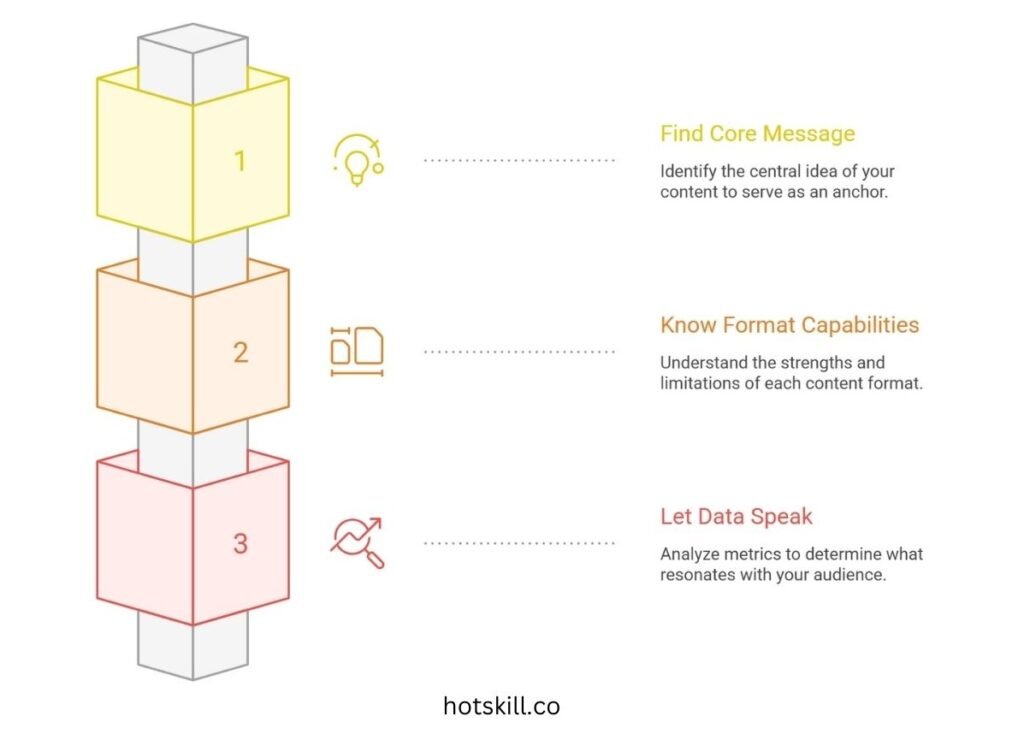
Find the Core Message
What’s the one idea your content is really saying?
Is it a deep-dive on remote work burnout? A success story around bootstrapping a startup? An explainer on new AI tools?
Strip everything back until you hit that one big “aha.” That’s your anchor. No matter how wild and wide you go with repurposing, you keep coming back to that point.
Know What the Format Can (and Can’t) Do
Each content format carries its own vibe. Some lend themselves well to visual flipping. Others, not so much. Here’s how to think about it:
- A long blog post is a goldmine. You’ve already sculpted structured thoughts. Break it into emails, social threads, even scripts for video.
- Podcasts give you real, unscripted moments. Those conversational nuggets? Great pull-quotes, punchy clips, personal stories.
- Webinars tend to be rich with data and examples. That’s infographic heaven. Also perfect for cutting into short lessons or explainer decks.
Trying to shove every format into the same box? That’s where repurposing goes wrong.
Let the Data Speak
If you’re guessing what worked, stop. Your readers have already voted with their clicks and comments. Just listen.
Go through your metrics scroll rates, engagement spikes, average watch time. What parts lit up? What got ignored?
Maybe your podcast tanked halfway through, but a 30-second story in the intro got clipped and passed around. That’s the gold. That’s what you spin into more.
Look for:
- Quotes people reacted to
- Sections folks saved or reposted
- Questions in your DMs or comment sections
When you know what hit home, everything else gets easier.
Picking the Right Channels to Repurpose Content
You wouldn’t copy-paste a 10-page report onto Instagram. But maybe you slice it into bold stats and eye-popping visuals, then it fits.
The trick is understanding what each platform actually asks of you.
Match Content to Platform Flow
Every channel has its own rhythm. Here’s a quick-reference breakdown:
- Quick hits & visuals → Instagram, TikTok, Pinterest, YouTube Shorts
- Professional/educational → LinkedIn, Medium, SlideShare
- Conversations & opinions → Twitter/X, Threads
- Deep dives & nuance → Blogs, long YouTube videos, Podcasts
- Intimate connection → Email newsletters, communities, webinars
So say you have a podcast interview that runs 20 minutes. That one conversation could become:
- Three Instagram Reels with story-driven hooks
- A quote-packed Twitter thread
- A highlight blog post
- A downloadable checklist based on the advice
- A “why this guest changed how we think” LinkedIn note
- A short email recap sharing what surprised you most
Same source, six different voices. All speaking the native language of the platform.
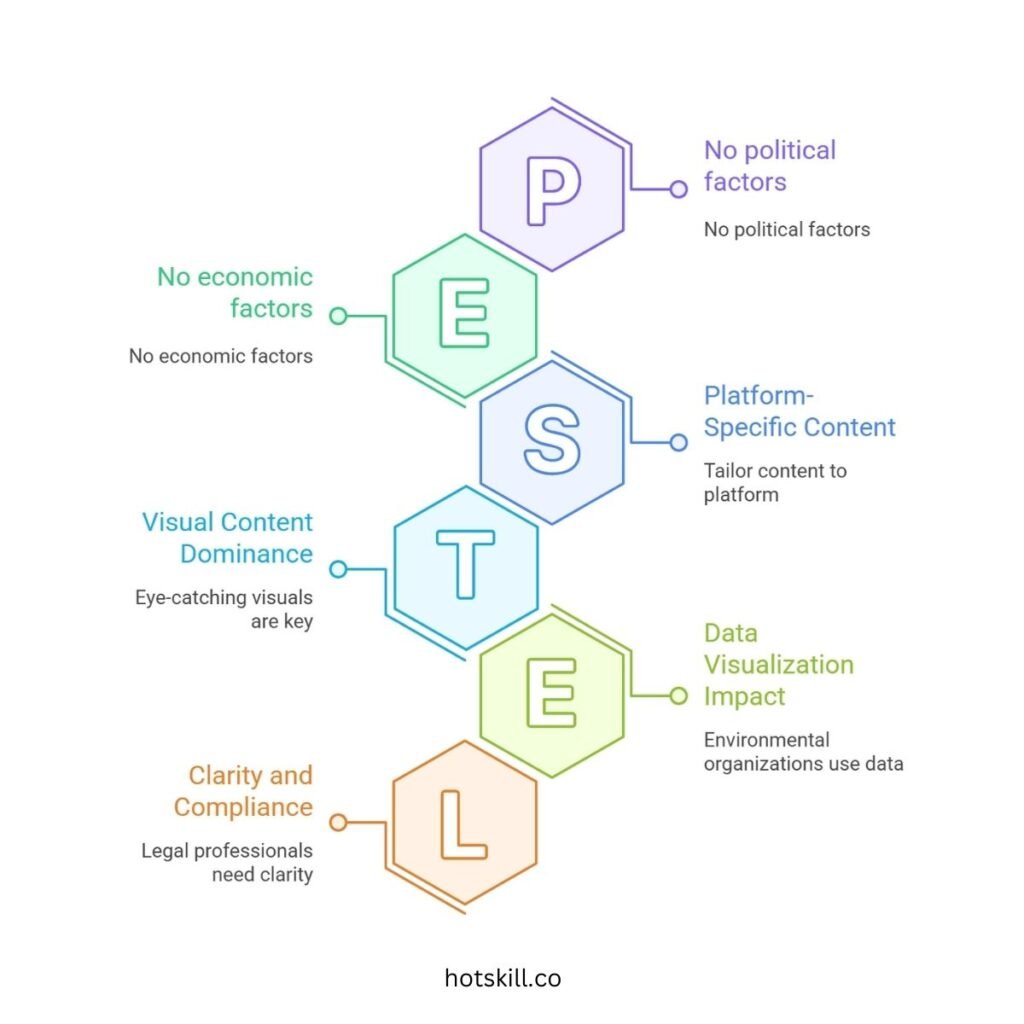
Go Beyond Platforms—Think Industry
Here’s where things get interesting: the way content lands shifts depending on the audience’s world.
For example:
- Environmental organizations crush with data viz, maps, and time-lapses.
- Healthcare pros trust you more when you bring expert webinars or case summaries.
- Educators? Give them clear, actionable cheat sheets or breakdown videos.
- Roles in finance often lean into charts, side-by-side comparisons, and polished reports.
- Legal or compliance folks want clarity. Think slides, bulleted insights, and no fluff.
So yeah, don’t just ask, “Where do we post?” Ask, “Who are we trying to reach, and how do they prefer to learn?”
How to Actually Repurpose Content (Without It Feeling Lazy)
You’ve got the material. It’s solid. You’ve got the channels picked. Now the magic part turning one great idea into several without sounding like a broken record.
Let’s unpack how to do this right.
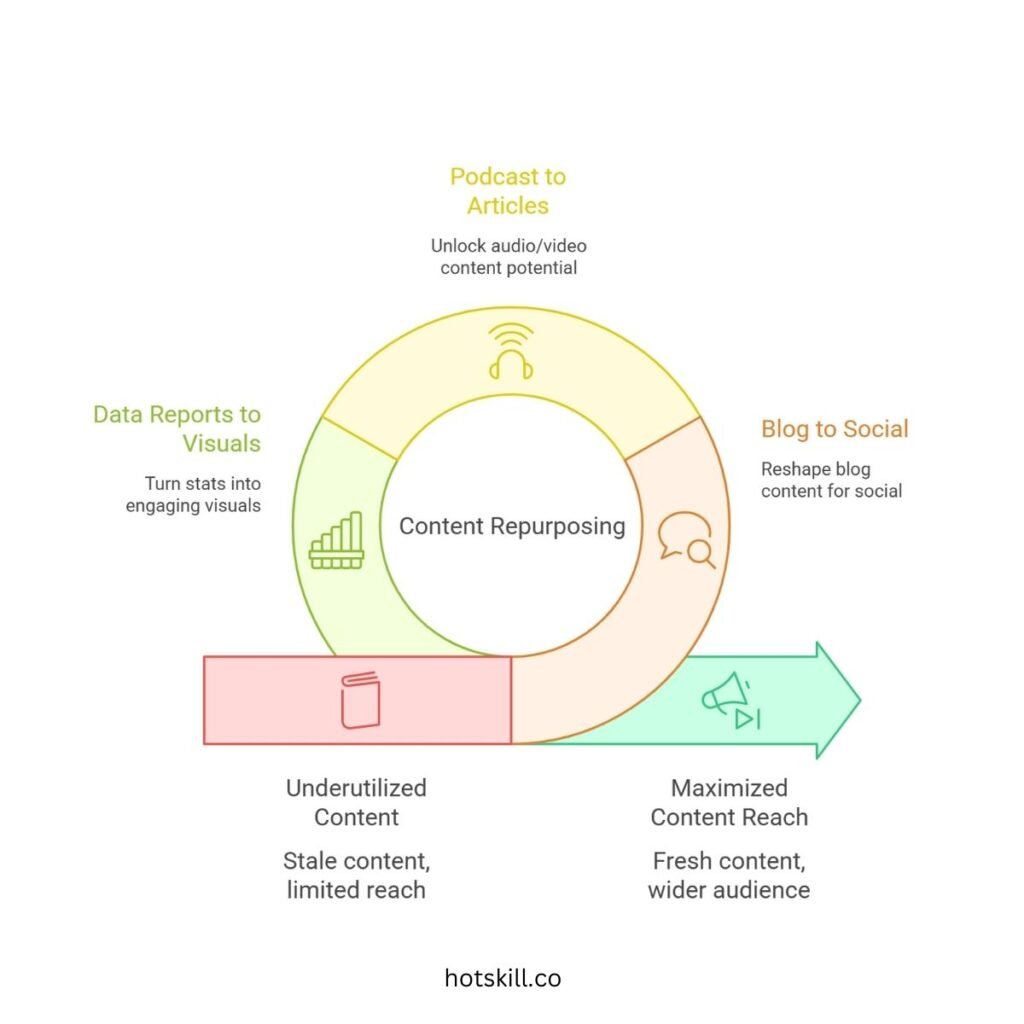
Blog → Social Content That Pops
Your blog is full of good stuff. Quotes, data, listicles… all begging to be reshaped.
Here’s a basic flow:
- Blog headline → tweet
- Every subheader (H2) → Instagram or LinkedIn post idea
- A bold quote → slide or graphic
- Blog summary → short email teaser
Picture this. You have a post titled “How to Nail Business Financing in Year One.”
Now repurpose like this:
- Twitter thread: One tweet for each financing option
- LinkedIn carousel: “Top 5 Mistakes Founders Make When Raising Capital”
- Instagram Reel with a clip that starts, “You think banks care about your pitch deck? Here’s what actually matters…”
See what just happened? Same idea. Totally fresh formats.
Podcast/Webinar → Articles, Clips, Visuals
Long audio and video content might be your most underused asset.
Here’s how to unlock it:
- Run a full transcript (Descript or Otter works fast)
- Pull out the lines that made you nod while listening
- Turn your best quote into a pull-graphic
- Write an editorial-style post based on the dominant theme
- Clip 60-second takes for Reels, TikToks, LinkedIn videos
So if you just recorded “The Future of Remote Hiring,” you now have:
- A headline: “Why Remote Hiring Isn’t About Geography Anymore”
- A podcast clip: “This one hiring mistake costs remote teams thousands”
- A quote visual: “‘Culture fit’ is dead. Hire for alignment instead.”
- Bonus: Send the full episode recap in your next newsletter
That’s how you scale without boredom.
Data Reports → Everything, Basically
If you’ve got stats, trends, or original research, you’ve struck gold.
Turn these into:
- Infographics that grab instant attention
- Slide decks with one powerful insight per frame
- A carousel with: “5 Stats Changing the Industry in 2024”
- Daily posts featuring one stat, one takeaway
And don’t forget email. Stats add weight. They tell people “Hey, we didn’t just pull this from thin air.”
By the way, infographics are 3 times more shared on social media than any other type of content. Don’t sleep on visuals. (HubSpot said that, and they’re usually spot-on.)
Best Practices: Keep Your Voice in Every Format
You’re not just pushing out copies. This is still your brand, your tone. So don’t lose that along the way.
Here’s how to stay true:
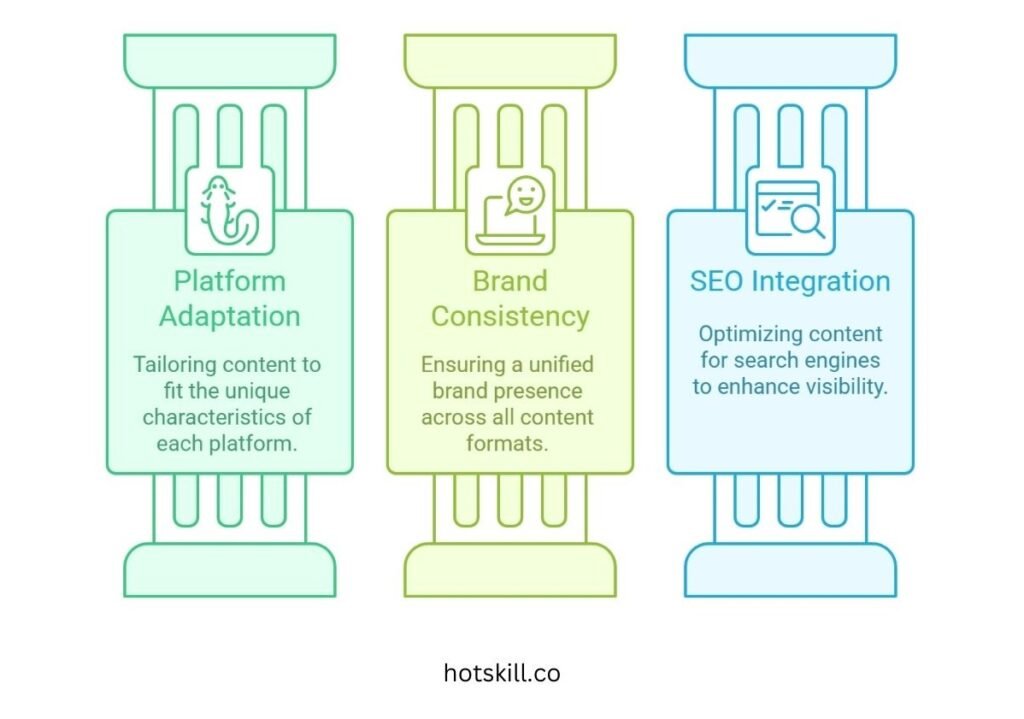
Adapt for the Platform, Not Just the Format
Saying the same sentence everywhere? That’s how followers start tuning you out.
Instead, tweak it. Let it live natively.
- LinkedIn? More detailed, solution-focused.
- Instagram? Emotional, bold, visual.
- Twitter? Insight plus attitude.
- YouTube? Story-driven, open, human.
Every format has its language. Speak it.
Stay On-Brand (Even in a 15-Second Clip)
People should see your content and instantly know: That’s you.
Keep:
- Consistent design—colors, fonts, logos
- A familiar tone—playful, grounded, smart, whatever fits
- Shared phrases—even quirky sayings or ways you sign off
That brand consistency builds familiarity. Familiarity builds trust.
SEO Still Matters—In Every Format
Here’s the quiet killer: content that doesn’t get found. So yes, even when you’re repurposing, keep SEO in mind.
Things to hit:
- Use keywords naturally (aim for that 4% density)
- Add alt text to every image or slide
- Keep URLs clean and easy to read
- Link back to internal resources for more depth
Tools like Ahrefs or Clearscope can help make this way easier. Don’t skimp here.
Handy Tools to Make Repurposing Less Painful
This whole thing can feel overwhelming. Good news? There are tools. Lots of them.
Here’s what helps most:
- WordPress and Webflow: Quick republishing with nice SEO plugins
- Canva, Adobe Express: Design visuals and quote cards that don’t look basic
- Buffer, Later, Hootsuite: Schedule and analyze across platforms
- CapCut, Adobe Premiere: Cut up video like a pro
- Descript, Audacity: Tidy up your podcast audio and make clips
- Otter, Temi, Rev: Fast AI transcriptions from audio to blog
You don’t need to use every single one. Pick a few, get comfortable, and start small.
Real Examples of Repurposing That Actually Worked
No theory here. Real companies. Real wins.
1. A marketing agency turned a blog called “Creating Killer Case Studies” into short Instagram Reels, a punchy LinkedIn slideshow, and a downloadable guide.
Results? The carousel hit 120% higher engagement than usual. Reels hit 10,000 views.
2. One health tech company ran a webinar on telemedicine. They sliced it into a mini podcast saga, two blog deep-dives, an infographic, and even added it to their investor deck.
That move? Brought in 15% more retention and helped land over $1.2 million in potential revenue.
3. A nonprofit molded a dense climate report into short TikToks, story-powered IG posts, and hosted a live Q&A discussing it.
They didn’t just triple engagement—they got mentioned by new corporate sponsors tracing it back to that content.
Proof that smart repurposing doesn’t dilute your message. It multiplies it.
Watch Out for These Common Pitfalls
Even great content can fumble if you’re not careful. Here’s what tends to go wrong:
❌ Pitfall 1: Overdoing It
Saying the same thing across five places in the same way feels… robotic.
Mix it up slightly. Switch the hook. Add a new insight. Give context for the audience you’re speaking to.
❌ Pitfall 2: “This Takes Too Long”
Fair. But only if you’re winging it every time.
Reuse outlines. Build a library of assets. Use templates. The right upfront systems save you dozens of hours later.
Think in webs, not lines one blog should lead to 10 things.
❌ Pitfall 3: Things Get Sloppy
When shifting formats, little things can drop. That clever line in audio might not land on a slide. Misspelled names. Broken links.
Always have another human give it a once-over. You’ll catch 90% more that way.
Final Thoughts: You’re Not Copying—You’re Reimagining
Here’s the truth. Great content doesn’t get made overnight. But that doesn’t mean it should get one chance and done.
You’ve already done the hard part though through big ideas, made them make sense. Don’t let that sit in a single post.
Repurposing gives your work more life. More reach. More teeth. It’s how your message finally gets into the hands of the person who needs it.
And for brands in any space from tech to finance to education—it’s the edge that pays off in trust, visibility, leads, and maybe revenue that wasn’t possible before.
So yeah don’t wait.
Get back into your archives. Pick that one thing you were proud of. Open it up.