

Open any freelancer forum and you’ll find the same thread repeated a hundred different ways: “What tools should I be using?” The answers usually pile up into a list of fifteen apps, most of which the person answering doesn’t even use anymore. That’s how a lot of freelancers end up paying for six subscriptions a month while still tracking half their invoices in a Google Doc.
The truth is, your freelancer tools stack should be small. Most freelancers don’t need a CRM, a dedicated time tracker, and three project management apps running at once. They need two or three tools that actually get used, and the discipline to say no to the rest.
This guide breaks down every category of freelance tool that actually matters, what each one does, where it’s genuinely useful, and where it’s just subscription bloat dressed up as productivity. By the end, you’ll know exactly what to install and what to skip.
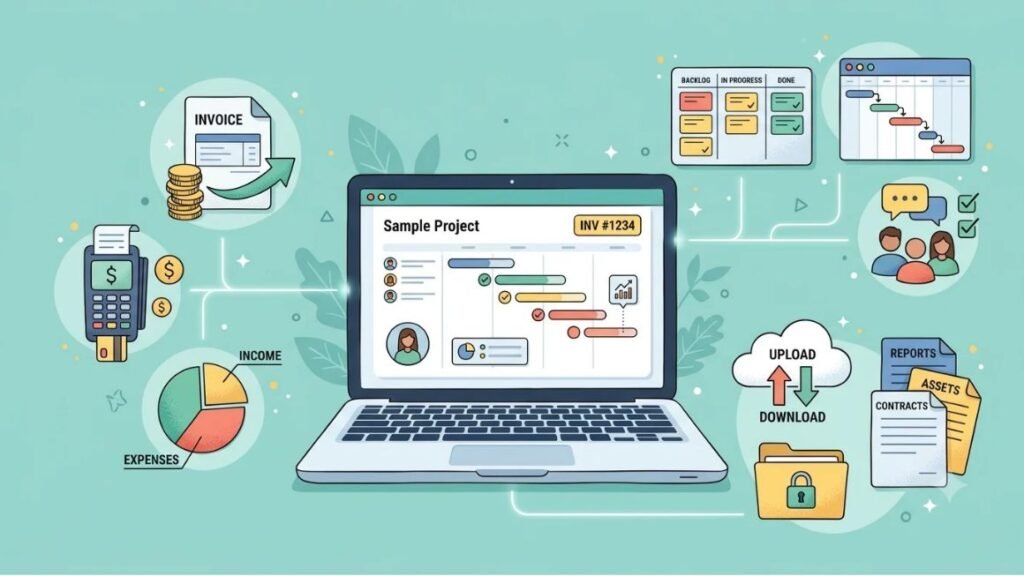
Invoicing and Payments: The One Tool You Can’t Skip
If you only adopt one piece of software as a freelancer, make it this one. Invoicing and payment tools are non-negotiable because getting paid on time is the actual point of freelancing.
Wave is the obvious starting point. Its Starter plan is free and covers unlimited invoicing, basic bookkeeping, and expense tracking, according to Wave’s own 2026 pricing page. Bank reconciliation and priority support sit behind Wave Pro, which runs around $16 to $19 a month depending on billing cycle. For a freelancer sending fewer than ten invoices a month, the free tier genuinely covers it.
FreshBooks costs more (plans start around $23 a month as of 2026) but adds cleaner client-facing invoices and built-in time tracking, which matters if you bill hourly. PayPal and Stripe remain the simplest way to actually collect the money once an invoice goes out, and both integrate directly with Wave and FreshBooks.
Where this gets overkill: paying for a full accounting suite before you have accounting to do. If you’re sending three invoices a month to two retainer clients, you don’t need FreshBooks’ automation tier. You need Wave’s free plan and five minutes a week.
Wave’s free Starter plan covers unlimited invoicing and basic bookkeeping for freelancers, with Wave Pro adding bank reconciliation at roughly $16 to $19 a month as of 2026. Most solo freelancers sending fewer than ten invoices a month don’t need to upgrade past the free tier.
Project Management: Do You Need Asana, or Is a Notion Page Enough?
For a solo freelancer with two or three active clients, a full project management platform is usually more setup than value. Notion works fine as a single page with a task database, and it’s free for individual use. It’s also flexible enough to double as your client notes, content calendar, and proposal drafts in one place.
Trello is the next step up if you like visual boards. Its free plan covers up to ten boards with unlimited cards, which is more than enough for most solo operators. Asana, meanwhile, is genuinely better once you’re managing multi-phase projects with a client team on the other end, since it handles task dependencies that Trello simply doesn’t support natively.
Here’s the honest take: Asana gets recommended constantly in freelancer roundups, but it’s built for teams coordinating across departments. A solo freelancer managing their own deliverables is usually better served by Notion or Trello, and can add Asana later if a client insists on using it.
Best for: Notion if you’re solo and want flexibility. Trello if you think visually. Asana only once you’re managing client-facing teams or complex dependencies.
Pricing (as of 2026): Notion is free for individuals, Plus starts around $8/user/month. Trello’s free plan covers most solo use; Standard starts at $5/user/month. Asana’s free plan supports up to 15 collaborators; Starter begins at $10.99/user/month.
Time Tracking: Necessary or Overkill for Solo Freelancers?
Is time tracking software actually necessary for freelancers? Only if you bill hourly, manage multiple concurrent projects, or need documentation for client disputes. If you charge flat project fees, you can skip it entirely.
Toggl Track and Harvest are the two most common standalone options, both with usable free tiers for a single user. If you’re already using a broader business suite like Bonsai, time tracking is built in on every plan, which removes the need for a separate app.
The honest problem with most freelancer time-tracking advice is that it assumes everyone bills hourly. A lot of freelancers, especially in design, writing, and development, work on flat retainers or fixed project fees. For them, a time tracker is a tool solving a problem they don’t have.
Best for: Hourly billers managing multiple clients. Skip it entirely if you invoice by project or retainer.
Contracts and Proposals: What Actually Protects Your Business
This category is where freelancers most often either overpay or underprotect themselves. A contract isn’t optional. What software you use to generate one is very much optional.
HoneyBook built its reputation on a polished client journey from inquiry to signed contract to payment, but it raised its entry price sharply in 2025 and now starts around $36 to $39 a month, only serving the US and Canada. Hello Bonsai covers similar ground starting around $15 to $25 a user per month depending on tier, with attorney-vetted contract templates and global availability, which matters if you work with international clients.
To be fair, both tools are genuinely good at what they do. But if you sign two or three contracts a month, paying $36+ monthly for a booking flow is a lot of money for something a $15 e-signature tool like HelloSign handles just as legally, minus the branded client portal.
The question worth asking before you subscribe to either: are you paying for the contract, or the pipeline visibility and automation around it? If it’s just the contract, you’re overpaying.
HoneyBook and Bonsai both handle proposals, contracts, and client payments, but HoneyBook now starts around $36 to $39 a month after a 2025 price increase, while Bonsai starts closer to $15 to $25 a user per month. Freelancers who only need e-signatures and don’t need the client pipeline features are usually better served by a lighter, cheaper tool.
File Storage and Backup: The Boring Tool That Saves Your Business
Nobody gets excited about cloud storage until the day their laptop dies mid-project with no backup. Google Drive covers most freelancers with 15GB free, and Google Workspace plans add more storage plus a professional email address. Dropbox remains stronger for large file syncing, which matters more for video editors and photographers moving large raw files.
This is one category where “overkill” barely applies. The real risk isn’t over-subscribing, it’s under-protecting. If your client deliverables, contracts, and invoices live only on one laptop, you’re one hardware failure away from a very bad week.
Best for: Everyone. This isn’t optional, it’s insurance.
Accounting and Taxes: When Spreadsheets Stop Working
New freelancers can get by tracking income and expenses in a spreadsheet for the first six months to a year. Once you’re juggling quarterly estimated taxes, multiple income streams, or deductible expenses across several categories, a spreadsheet stops being a system and starts being a liability.
Wave doubles as an accounting tool if you’re already using it for invoicing, keeping everything in one free-to-start platform. QuickBooks Self-Employed is built specifically around estimated quarterly taxes and mileage tracking, which makes it worth the cost for US-based freelancers who drive for client work or juggle 1099 income from several sources.
Where this becomes overkill: buying a full small-business accounting suite (payroll, inventory, multi-entity reporting) when you’re a solo operator with one income stream. You’re paying for features built for a five-person company.
Best for: Wave if you want one free tool doing double duty. QuickBooks Self-Employed if quarterly taxes are genuinely complicated for you.
CRM and Lead Tracking: Do Freelancers Actually Need This?
Most solo freelancers do not need a dedicated CRM (customer relationship management software that tracks leads, deals, and client communication history). If you have five to ten active or prospective clients, you can track that in a Notion table or even a spreadsheet without losing anything meaningful.
Where a CRM earns its place is once you’re running a consistent pipeline of inbound leads and can’t remember who you followed up with last week. HubSpot’s free CRM tier is the easiest starting point since it costs nothing and covers basic contact and deal tracking. HoneyBook and Bonsai both include pipeline views if you’re already paying for one of them for contracts.
The honest take here: a lot of freelancer tool roundups recommend a CRM as a default. It isn’t. It’s a tool for volume, and most solo freelancers don’t have volume, they have a handful of relationships they already remember.
AI Tools for Freelancers: Where They Actually Help vs Where They’re Hype
Generative AI is the term for AI systems, like ChatGPT and Claude, that produce new text, images, or code from a prompt rather than just analyzing existing data. According to Upwork’s 2026 Future Workforce Index, roughly 39% of the US workforce freelanced in some capacity that year, and freelancers have consistently been faster adopters of generative AI tools than traditionally employed workers.
Where AI genuinely earns a spot in your stack: first drafts of proposals, cleaning up client emails, brainstorming project structures, and summarizing long client feedback threads. ChatGPT and Claude both handle this well, and Grammarly remains useful for a final pass on client-facing writing.
Where it’s overhyped: fully automated client communication, AI-generated contracts without a human review, and any tool promising to “run your freelance business” end to end. In our experience at Hotskill, freelancers who treat AI as a fast first draft, not a finished product, get the real time savings. Those who skip the review step end up doing damage control with clients instead.
Best for: Drafting, summarizing, and brainstorming. Not for anything client-facing without a human editing pass first.
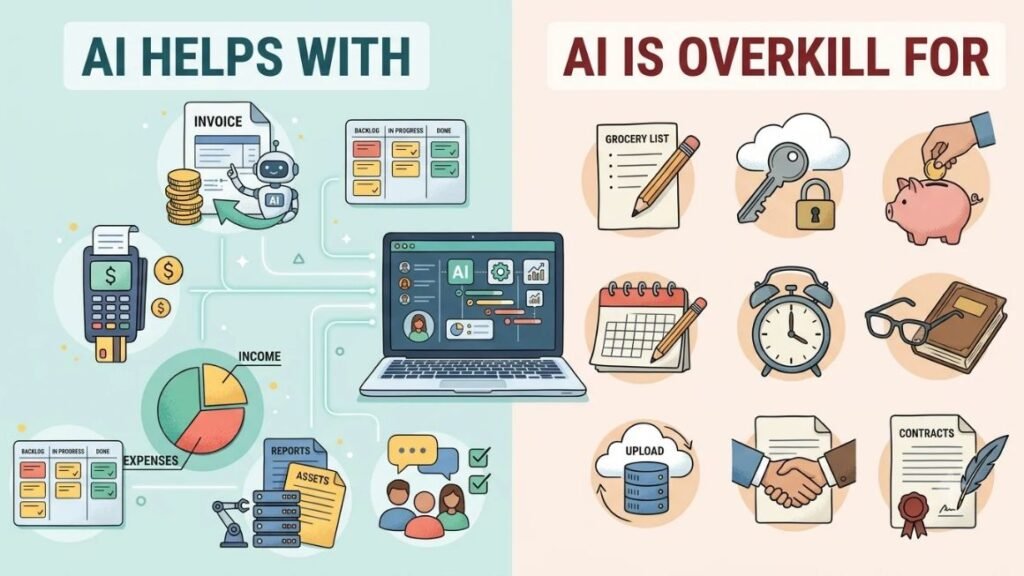
Building Your Stack by Freelance Stage
A brand-new freelancer with one client doesn’t need the same freelancer tools stack as someone running a six-figure solo consultancy. Match your tools to where you actually are, not where you hope to be in two years.
- Just starting out: Wave (free) for invoicing, Notion (free) for project tracking, Google Drive (free) for storage. Total cost: $0.
- Steady client base, 3 to 8 active projects: Add a lightweight contract tool like HelloSign, and consider Wave Pro if bank reconciliation is eating your time. Total cost: roughly $20 to $35/month.
- Running it like a real business, hiring subcontractors or managing a pipeline: This is where Bonsai or HoneyBook, plus a CRM, start earning their cost. Total cost: $60 to $120/month depending on tier.
Most freelancers stay in stage one or two far longer than tool marketing wants them to believe. Don’t upgrade your freelancer tools stack because a listicle told you to. Upgrade it when a specific, named problem in your current workflow is actually costing you time or money.
The Bottom Line
Your freelancer tools stack doesn’t need to include everything on this list. It needs three things working reliably: a way to get paid, a way to track your work, and a way to keep your files safe. Everything past that is a judgment call based on how you actually work, not what a roundup article says you should be running.
Start with the free tiers. Add a paid tool only when a specific, recurring problem justifies the cost. And before you pay for a fourth app this month, ask whether the last three are actually solving something, or just sitting open in a browser tab.
If you want to get sharper at using the AI tools already in your stack, like turning ChatGPT or Claude into a real first-draft partner instead of a novelty, Hotskill has structured, bite-sized lessons built for exactly that. Download the app on iOS or Android at hotskill.co/download.
FAQ
What is a freelancer tools stack?
A freelancer tools stack is the combination of software a freelancer uses to run their business, typically covering invoicing, project management, contracts, file storage, and communication. Most solo freelancers need three to five tools, not the ten or fifteen often recommended in generic listicles.
What’s the minimum tools stack a new freelancer actually needs?
At minimum, you need one invoicing tool, one place to store files with backup, and one way to track tasks or deadlines. Wave, Google Drive, and Notion cover all three for free, which means a new freelancer can start with a $0 monthly software cost.
Do I need project management software if I only have one or two clients?
Not really. A single Notion page or even a shared Google Doc with deadlines works fine for one or two clients. Dedicated project management software starts paying off once you’re juggling multiple concurrent projects with distinct phases and deadlines.
HoneyBook vs Bonsai, which one should I actually pick?
Bonsai is the better pick if you want lower cost and global availability, since HoneyBook only serves the US and Canada and raised its starting price to around $36 to $39 a month in 2025. HoneyBook is worth the premium if you’re a creative professional who wants a polished, branded client booking experience and works exclusively with US or Canadian clients.
Is time tracking software worth it if I charge flat project fees?
No, not really. Time tracking mainly matters for freelancers who bill hourly or need documentation for scope disputes. If you charge flat fees or retainers, a time tracker is solving a problem you don’t have, and the time spent logging hours is time you’re not billing for anyway.
Do I really need a CRM if I already keep client info in Notion?
Most solo freelancers don’t need a dedicated CRM. A Notion table with client names, status, and follow-up dates does the same job for free. A CRM starts making sense once your lead volume gets high enough that you’re losing track of who you followed up with and when.
Why isn’t my invoicing tool giving me the reports I need?
Free-tier invoicing tools like Wave’s Starter plan often limit bank reconciliation and advanced reporting to paid tiers. If you need detailed profit and loss statements or multi-category expense reports, check whether you’re actually on the free plan versus the paid Pro tier, since that’s usually the gap.
Can AI tools like ChatGPT actually replace a CRM or project manager?
Not currently. AI tools are strong at drafting content, summarizing feedback, and brainstorming, but they don’t reliably track deadlines, payment status, or client history over time the way dedicated software does. Treat AI as a writing and thinking assistant layered on top of your stack, not a replacement for it.
Do I need to know how to code to set up a freelancer tools stack?
No. Every tool mentioned here, from Wave to Notion to Bonsai, is built for non-technical users and requires no coding knowledge. Most can be set up in under an hour, including your first invoice template and project board.
How much should a solo freelancer actually be spending on tools per month?
A freelancer just starting out can run entirely on free tiers, spending $0 a month. Once you have a steady client base, expect to spend somewhere between $20 and $50 a month on a lean but functional stack, with $60 to $120 a month being reasonable only once you’re managing a real client pipeline or subcontracting work.