
Introduction to Meta Ads
You’ve probably been there.
You spend hours crafting the perfect ad—great copy, slick visuals, strong offer. You hit publish… and then nothing. No clicks. No leads. Just silence.
That sting? It’s real.
That’s where Meta Ads step in.
These aren’t random social posts hoping for likes. Meta Ads are built to perform across Facebook, Instagram, and Messenger—and their real power lies in precision targeting. Instead of shouting into the void, you reach people who have already shown interest in what you offer.
With billions of users, rich behavioral data, and real-time optimization, Meta Ads turn guesswork into strategy.
Let’s break the silence.
Setting Up Meta Ads
Before targeting the right audience, you need a solid foundation. Skip this, and even great ads can fail.
Create a Meta Business Manager Account
Start by setting up Meta Business Manager. This is where everything lives:
- Ad accounts
- Business pages
- Pixels
- Access permissions
Always use a business email, not a personal one. It makes collaboration and scaling much easier.
Link Your Facebook & Instagram Accounts
Connect your Facebook and Instagram business profiles so your ads run seamlessly across platforms.
Your audience switches platforms constantly. Your brand presence should feel consistent wherever they see you.
Get Familiar with Meta Ads Manager
Ads Manager can feel overwhelming at first—charts, toggles, breakdowns everywhere.
Give it time.
Once you understand it, you’ll be able to:
- Spot performance drops early
- Optimize campaigns faster
- Predict trends before they cost money
Think of it as your ad control room.
Types of Meta Ads
Different goals require different ad formats. Choosing the right one directly affects performance.
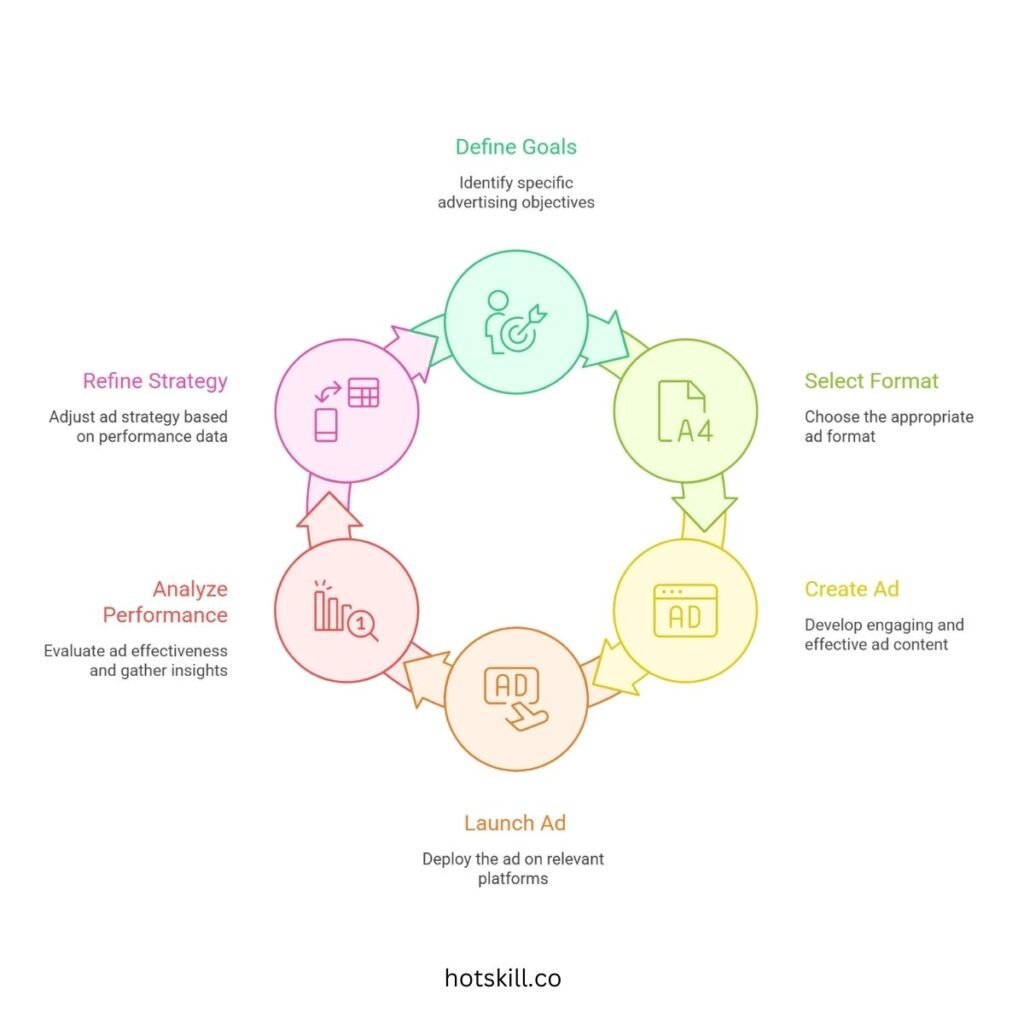
Image Ads
Simple. Clean. Direct.
Best for:
- Product launches
- Announcements
- Offers
A single strong visual with sharp copy can still outperform complex ads.
Video Ads
Built for attention.
Videos stop the scroll—especially on mobile. Use them for:
- Product demos
- Testimonials
- Storytelling
Short, engaging, and authentic wins here.
Carousel Ads
Perfect when you have more to show.
Use multiple swipeable cards to:
- Highlight product features
- Showcase collections
- Tell a step-by-step story
Great for ecommerce and service breakdowns.
Collection Ads
A mobile-first shopping experience.
Users can browse your catalog without leaving Meta. Ideal for:
- Fashion brands
- Gadgets
- Home & lifestyle products
Smooth, fast, and conversion-friendly.
Instant Experience Ads
A full-screen, immersive experience inside Meta.
Use this format when you need more space to:
- Explain complex offers
- Highlight premium services
- Create a wow factor
It’s like a mini landing page inside the app.
Targeting Options in Meta Ads
Even the best ad fails if the wrong people see it. This is where Meta truly shines.
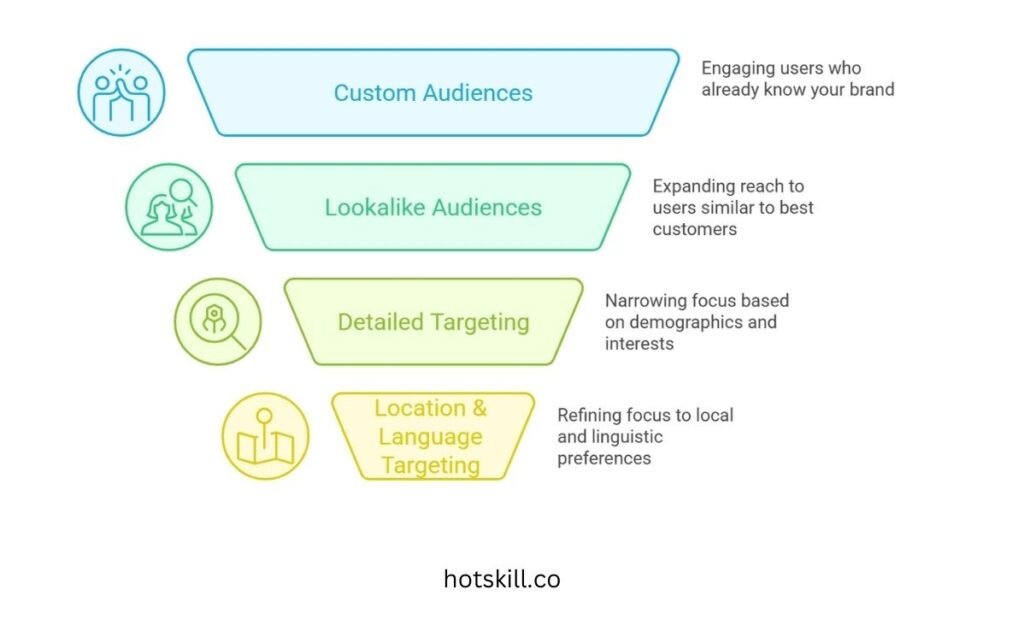
Custom Audiences
Your warm audience.
Target people who:
- Visited your website
- Watched your videos
- Engaged with your page
- Are on your email list
These users already know you—conversion is easier.
Lookalike Audiences
Meta finds people similar to your best customers.
Upload a list of buyers or leads, and Meta builds a new audience with similar behaviors and interests.
This is one of the highest-ROI targeting methods available.
Detailed Targeting (Demographics, Interests & Behaviors)
Target users by:
- Age, gender, job role
- Interests and hobbies
- Online behaviors
Start broad. Narrow only after data shows what works.
Location & Language Targeting
Essential for:
- Local businesses
- Events
- Regional campaigns
You can target users within a radius or by language preference—no wasted impressions.
Creating Effective Meta Ads Campaigns
Good campaigns are intentional, not accidental.
Define Clear Objectives
Meta optimizes based on your selected goal:
- Brand Awareness
- Traffic
- Engagement
- Leads
- App Installs
- Conversions
Choose wisely—Meta will follow your instruction exactly.
Budgeting & Bidding Strategy
Choose between:
- Daily budgets for steady delivery
- Lifetime budgets for flexible optimization
Beginners should start with automatic bidding and let Meta learn before going manual.
Create Scroll-Stopping Ad Creative
Creative is everything.
Use:
- Clear headlines
- Strong visuals
- Simple CTAs
- Natural, conversational copy
Avoid generic stock images. Test multiple versions to see what truly resonates.
A/B Testing (Split Testing)
Never assume—test.
Compare:
- Headlines
- Images
- Videos
- CTAs
Change only one element at a time so you know what caused the improvement.
Measuring & Analyzing Meta Ads Performance
Performance data tells the truth—always.
Key Metrics to Track
Focus on:
- CTR – Are people clicking?
- CPC – How much does each click cost?
- CPM – Cost per 1,000 impressions
- ROAS – Are you profitable?
Look for trends, not daily fluctuations.
Use Meta Ads Reporting Tools
Break performance down by:
- Age
- Location
- Device
- Time of day
Combine this with Google Analytics or CRM data for full-funnel insight.
Optimize with Intention
If an ad isn’t performing:
- Pause it
- Reallocate budget
- Refresh creative
Optimize based on data—not emotion.
Common Meta Ads Challenges & Solutions
Ad Rejections & Policy Issues
Common in finance, health, and housing.
Solution:
- Follow Meta ad policies
- Avoid exaggerated claims
- Request manual review if needed
Ad Fatigue
If frequency rises and performance drops, your audience is bored.
Refresh:
- Headlines
- Visuals
- Formats
Even small changes help.
Audience Overlap
Competing against yourself wastes money.
Use the Audience Overlap Tool to merge or exclude overlapping audiences.
Advanced Meta Ads Strategies
Once the basics are solid, scale smarter.
Dynamic Product Ads & Retargeting
Show users exactly what they viewed—but didn’t buy.
Perfect for:
- Ecommerce
- Courses
- SaaS products
High intent = high conversion.
Meta Pixel for Smarter Tracking
The Pixel tracks:
- Purchases
- Leads
- Page views
- Add-to-cart actions
Without it, optimization is limited.
AI & Automation (Advantage+ Campaigns)
Let Meta’s AI:
- Test creatives
- Optimize placements
- Scale winners automatically
The more data you feed it, the smarter it gets.
Conclusion: Where to Go from Here
Meta Ads aren’t magic—but when done right, they feel close.
They’re not about shouting louder.
They’re about speaking clearly to the right people.
From setup to targeting, creative to optimization—success comes from treating ads as an ongoing conversation.
Stay curious. Keep testing. Keep refining.
Because in the end, it’s not the loudest brand that wins.
It’s the one that connects.