

Managing five or six social accounts by hand used to be a full-time job on its own. Now marketers are expected to do that plus repurpose content across formats, keep up with algorithm changes on every platform, and still find time to actually look at the analytics. That’s the gap most tools on this list are trying to close.
We tested and researched the tools that come up again and again when marketers ask what’s actually worth paying for in 2026, not just what shows up in a sponsored ad. Some of these are full social media management suites with AI bolted on. Others are AI-first tools built specifically for content generation or repurposing. Both categories matter, and we’ve been specific about which is which.
Here’s what you’ll get from this list: what each tool actually does, where it’s genuinely strong, where it falls short, who it’s built for, and what it costs as of 2026.
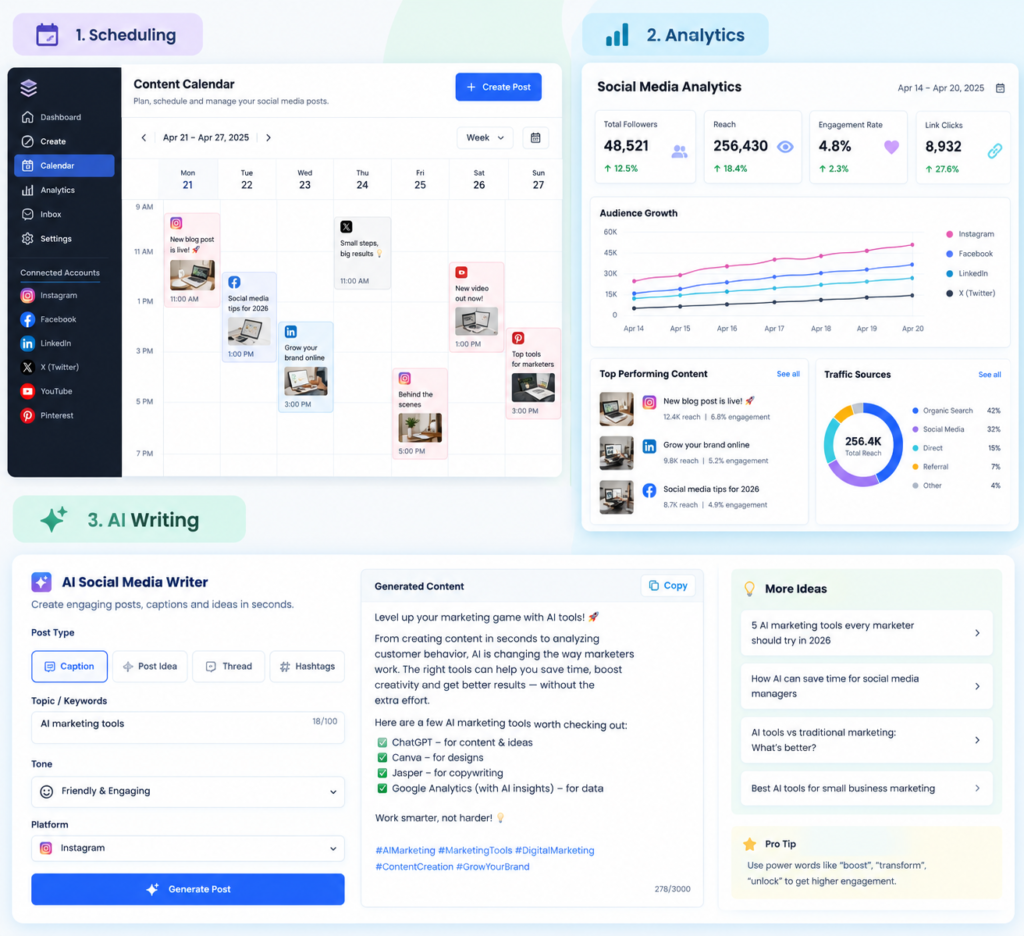
How We Picked AI Social Media Manager Tools
We looked for tools that solve a real bottleneck, not ones that bolt a chatbot onto an existing dashboard and call it AI. Every tool on this list does at least one of three things well: writing and repurposing content, scheduling and publishing at scale, or turning raw engagement data into decisions you can act on. We also weighted tools that have a genuine free tier or trial, because you shouldn’t have to commit to an annual plan just to see if a tool fits your workflow.
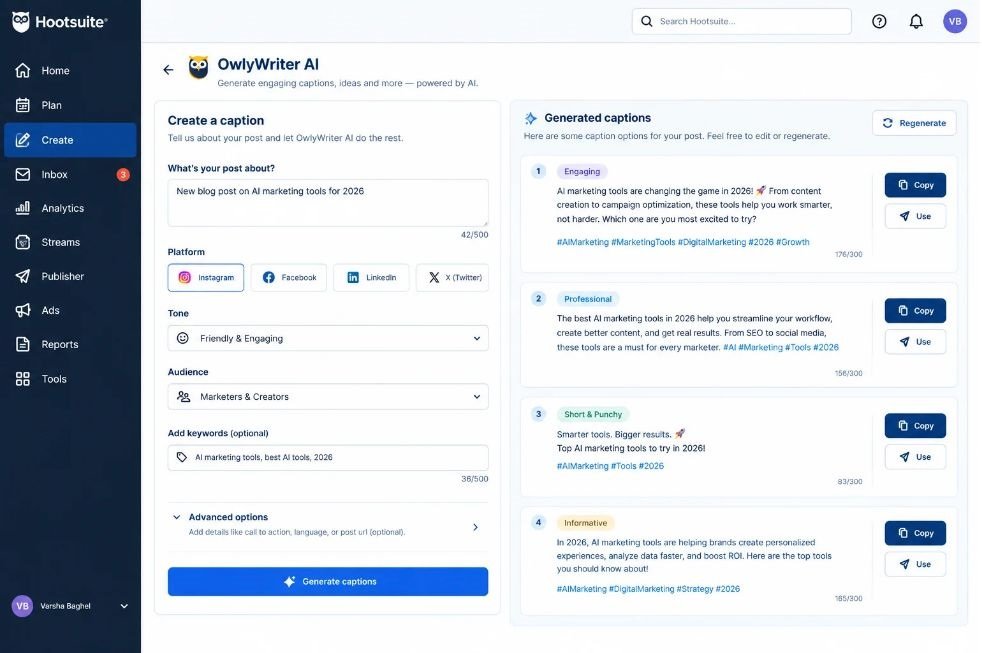
Hootsuite OwlyWriter AI — Best for Teams Already Inside Hootsuite
Hootsuite is one of the oldest names in social media management, and OwlyWriter AI is its built-in content generation layer. It writes captions, repurposes old top-performing posts into new ones, and suggests content ideas based on trending topics in your niche.
What It Does Well
OwlyWriter is genuinely good at recycling content that already worked. Feed it a post that performed well six months ago, and it’ll rework the angle instead of just changing a few words, which is more useful than it sounds when you’re staring down a content calendar with 20 empty slots.
Where It Falls Short
The AI features are locked behind Hootsuite’s higher-tier plans, and the base platform still feels dated compared to newer entrants like Vista Social or Publer. If you’re not already a Hootsuite user, there’s little reason to switch just for OwlyWriter.
Best for: Larger teams that already run their scheduling through Hootsuite and want AI writing without adding another tool.
Pricing (as of 2026): Plans start around $99/month for the Professional tier; OwlyWriter AI features require Team plan or above.
Buffer AI Assistant — Best for Solo Marketers and Small Teams
Buffer built its reputation on being the simplest scheduler on the market, and its AI Assistant keeps that philosophy. You give it a rough idea or a link, and it drafts platform-specific captions in seconds.
What It Does Well
Buffer’s AI Assistant is fast and doesn’t overcomplicate things. It generates several caption variations per platform in one click, which is handy when you’re posting the same update to LinkedIn, Instagram, and X but need three different tones.
Where It Falls Short
It’s a caption generator, not a strategist. Don’t expect it to suggest content ideas or analyze what’s actually driving engagement. For that, you’ll need Buffer’s separate analytics add-on, which costs extra.
Best for: Freelancers and small businesses who just need faster, better-written captions without a steep learning curve.
Pricing (as of 2026): Free plan covers 3 channels; paid plans start at $6/channel/month, with AI Assistant included on all tiers.
Sprout Social — Best for Enterprise Reporting and Social Listening
Sprout Social has always positioned itself toward agencies and enterprise teams, and its AI features reflect that. The standout is its AI-powered social listening, which flags sentiment shifts and emerging conversations around your brand before they blow up into something you need to respond to.
What It Does Well
Sprout’s reporting is arguably the best in this list. Its AI summarizes weeks of engagement data into plain-English takeaways, so you’re not the one manually digging through spreadsheets to explain why last month’s campaign underperformed.
Where It Falls Short
It’s expensive, and the AI writing tools feel like an afterthought compared to dedicated caption generators. You’re paying for the analytics and listening layer, not the content creation.
Best for: Agencies and mid-to-large marketing teams that need defensible reporting for clients or leadership.
Pricing (as of 2026): Starts around $199/month per seat on the Standard plan; enterprise pricing is custom.
Sprout Social’s biggest strength in 2026 is AI-driven social listening and reporting, not content generation. Teams that need to justify social media spend to leadership get more value from Sprout than from tools focused purely on caption writing. It’s the right pick when reporting quality matters more than speed of content production.
Later — Best for Visual Content and Instagram-First Brands
Later started as an Instagram scheduling tool and has expanded its AI features around visual content planning. Its AI Caption Writer and visual content calendar are built for brands where the image or video comes first and the caption comes second.
What It Does Well
The visual content calendar with drag-and-drop grid preview is still one of the best in the category, and Later’s AI now suggests optimal posting times based on your specific audience’s activity, not generic best practices.
Where It Falls Short
Later’s AI features feel thin outside of Instagram and TikTok. If your brand leans heavily on LinkedIn or X, you’ll find fewer AI tools built for those platforms here.
Best for: Ecommerce and lifestyle brands that live on Instagram, TikTok, and Pinterest.
Pricing (as of 2026): Free plan for 1 account; paid plans start at $25/month for Starter.
Vista Social — Best All-Around Value for Growing Teams
Vista Social has quietly become one of the most complete tools on this list, packing AI captions, a visual planner, review management, and social listening into a single, reasonably priced platform.
What It Does Well
The AI caption generator lets you set brand voice guidelines once and applies them consistently across every generated post, which most competitors still don’t do well. It also handles Google Business Profile posts, which is rare in this category.
Where It Falls Short
The interface has a learning curve in the first week, with more menus and settings than tools like Buffer. It rewards the time investment, but it’s not the simplest option out of the box.
Best for: Growing marketing teams that want enterprise-level features without enterprise pricing.
Pricing (as of 2026): Plans start around $39/month for 5 social profiles, with a free trial available.
SocialPilot — Best for Agencies Managing Multiple Clients
SocialPilot is built specifically for agencies juggling dozens of client accounts, and its AI features are designed around that constraint: fast content generation, bulk scheduling, and client-facing reports that don’t require manual formatting.
What It Does Well
Bulk scheduling with AI-suggested captions across up to 500 posts at once is a genuine time-saver for agencies. You can also white-label reports, which matters when clients are seeing the output directly.
Where It Falls Short
The AI writing quality is a step below Buffer or Vista Social. It’s serviceable for volume, less impressive for nuance or brand voice matching.
Best for: Agencies managing 10 or more client accounts who need speed and client reporting over content polish.
Pricing (as of 2026): Starts at $30/month for small teams; agency plans start around $50/month.
Publer — Best Budget Option With Genuine AI Features
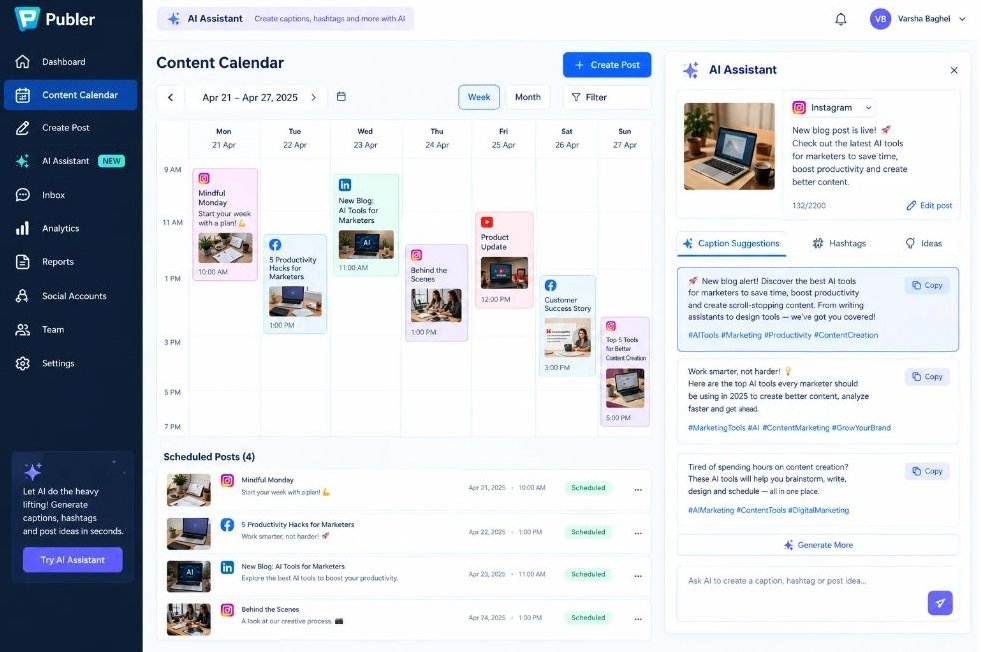
Publer has built a reputation as the tool that packs the most features per dollar, and that hasn’t changed in 2026. Its AI Assistant writes captions, suggests hashtags, and can auto-generate a week’s worth of content ideas from a single prompt.
What It Does Well
Publer’s free tier is unusually generous, and even paid plans undercut most competitors on price while still including AI features that others charge extra for.
Where It Falls Short
Customer support response times lag behind bigger players like Sprout or Hootsuite, and the analytics dashboard, while functional, isn’t going to satisfy a data-heavy team.
Best for: Budget-conscious solopreneurs and small businesses who want AI features without a premium price tag.
Pricing (as of 2026): Free plan available; Professional plan starts at $12/month.
Ocoya — Best for Combining AI Copy and AI Design
Ocoya pairs AI copywriting with built-in AI image generation, so you can create the caption and the accompanying graphic in the same workflow instead of bouncing between tools.
What It Does Well
Generating on-brand graphics and captions together, without switching to Canva, saves real time for lean teams handling both copy and design.
Where It Falls Short
The AI image generation quality is inconsistent, particularly for anything requiring text overlays or precise branding. Most users still end up polishing graphics in a dedicated design tool.
Best for: Solo marketers or small teams without a dedicated designer.
Pricing (as of 2026): Starter plan begins around $19/month.
FeedHive — Best for Predicting Post Performance
FeedHive’s standout feature is its AI performance predictor, which scores a post before you publish it based on patterns from your account’s own history rather than generic benchmarks.
What It Does Well
The predictive scoring is more useful than it sounds once you get 30 to 40 posts of history built up. It catches weak hooks and low-engagement phrasing before they go live, not after.
Where It Falls Short
The prediction accuracy depends heavily on how much historical data you’ve fed it. New accounts won’t get much value in the first month or two.
Best for: Established accounts with consistent posting history who want to reduce guesswork before publishing.
Pricing (as of 2026): Plans start at $19/month for a single user.
Predis.ai — Best for Fast, Platform-Native Video and Carousel Creation
Predis.ai focuses almost entirely on generating ready-to-post creative, including carousels, short-form video, and static graphics, from a URL, product description, or competitor’s post as input.
What It Does Well
Turning a product page into a finished Instagram carousel in under two minutes is genuinely impressive, and it’s one of the few tools here that handles video creation natively rather than pointing you to a separate editor.
Where It Falls Short
The output often needs manual tweaking to match brand fonts and colors precisely, and the free tier is limited enough that you’ll hit the wall quickly if you’re posting daily.
Best for: Ecommerce brands and marketers who need a high volume of visual content fast.
Pricing (as of 2026): Free plan with limited credits; paid plans start at $29/month.
Lately AI — Best for Repurposing Long-Form Content
Lately AI’s entire pitch is repurposing: feed it a blog post, webinar recording, or podcast episode, and it breaks that content into dozens of social posts across platforms, matched to your brand’s tone.
What It Does Well
If you already produce long-form content like blog posts or video, Lately turns one asset into two or three weeks of social posts, which is a meaningful time savings for content-heavy brands.
Where It Falls Short
Lately isn’t a scheduler in the traditional sense. You’ll still need Buffer, Hootsuite, or a similar tool to actually publish what it generates, which means paying for two tools instead of one.
Best for: B2B brands and content marketers with a steady output of long-form content to repurpose.
Pricing (as of 2026): Custom pricing based on team size, generally starting in the $79 to $99/month range for small teams.
Lately AI is built specifically for repurposing long-form content into social posts, not for scheduling or publishing. It works best alongside a separate scheduling tool rather than as a standalone social media manager. Content-heavy B2B teams get the most value because they already have long-form assets to feed the AI.]
ContentStudio — Best for Multi-Platform Content Discovery
ContentStudio combines AI content generation with a content discovery engine that surfaces trending articles and topics in your niche, so you’re never staring at a blank content calendar wondering what to post.
What It Does Well
The trend discovery feature genuinely helps when you’re out of ideas, surfacing relevant industry content you can react to or curate, alongside AI-generated original posts.
Where It Falls Short
With so many features packed in, the interface can feel cluttered for teams that just want to schedule and go. It’s built for people who want to research and create in the same place, not for pure speed.
Best for: Content marketers who want idea generation and scheduling combined.
Pricing (as of 2026): Starts around $25/month for the Starter plan.
Metricool — Best for Combining Analytics With Content Planning
Metricool leans heavily into analytics, and its AI features are built to make sense of that data rather than just generate content. It suggests optimal posting times, flags underperforming content types, and now includes AI caption generation as of its 2025 update.
What It Does Well
The analytics-to-action pipeline is smooth. Metricool doesn’t just show you a chart, it tells you what to do differently next week based on what the numbers show.
Where It Falls Short
The AI writing tools are newer and less refined than dedicated caption generators like Buffer’s, so treat them as a bonus feature rather than the main reason to buy.
Best for: Data-driven marketers who want analytics and content planning in one dashboard.
Pricing (as of 2026): Free plan available for basic use; paid plans start around $18/month.
Agorapulse — Best for Unified Inbox Management With AI
Agorapulse’s core strength has always been its unified social inbox, and it now layers AI on top to draft replies to comments and DMs across every connected platform.
What It Does Well
AI-suggested replies for customer service style comments save real time for brands with high engagement volume. It flags priority messages so your team responds to the right things first.
Where It Falls Short
The content generation side is weaker than the inbox management side. If your main need is caption writing rather than community management, this isn’t the strongest pick on this list.
Best for: Brands with high comment and DM volume that need to manage community engagement at scale.
Pricing (as of 2026): Starts around $69/month for the Standard plan.
Flick — Best for Hashtag and Caption Strategy on Instagram and TikTok
Flick is narrower in scope than most tools here, focusing almost entirely on hashtag research and AI caption writing for Instagram and TikTok specifically.
What It Does Well
The hashtag research tool is one of the most detailed available, showing you which tags your specific audience actually engages with rather than just generic popularity metrics.
Where It Falls Short
It’s not a full scheduler in the way Buffer or Later are, and it doesn’t support platforms outside Instagram and TikTok, so brands with a LinkedIn or X-first strategy will need a second tool.
Best for: Instagram and TikTok-focused creators and small brands who want sharper hashtag targeting.
Pricing (as of 2026): Starts around $18/month for the Solo plan.
How to Choose the Right AI Social Media Manager for Your Team
Picking a tool comes down to which bottleneck is actually costing you time. If you’re spending hours writing captions from scratch, prioritize Buffer, Publer, or Vista Social. If your problem is reporting and proving ROI to leadership, Sprout Social or Metricool are the stronger fits.
An AI social media manager in this context refers to any tool that uses AI to help plan, write, schedule, or analyze social content, rather than a person doing that job manually. That distinction matters because none of these tools replace strategy. They speed up execution.
Consider three things before you commit to a paid plan: how many platforms you actually need to cover, whether you need a real scheduler or just a content generator, and whether your team needs client-facing reporting. Most marketers overpay for features they never touch because they picked based on brand recognition instead of actual workflow fit.
Conclusion
There’s no single best AI social media manager for every marketer. The right pick depends on whether your biggest bottleneck is writing, scheduling, reporting, or repurposing existing content. Start with a free trial on one or two tools from this list that match your actual workflow gap, not the one with the flashiest demo.
If you want to get faster at using any of these tools well, the skill that matters most is writing clear prompts that match your brand voice, and that’s something you can practice in a structured way rather than by trial and error.
Hotskill has hands-on lessons built specifically for marketers learning to work with AI tools like these, not just theory. Download the app on iOS or Android and start your first lesson today at hotskill.co/download.
FAQ
What is an AI social media manager tool?
An AI social media manager tool is software that uses artificial intelligence to help plan, write, schedule, and analyze social media content across platforms. Most combine AI content generation with traditional scheduling and analytics features rather than replacing a marketer’s judgment entirely.
Which is better, Buffer or Hootsuite, for AI content?
Buffer’s AI Assistant is faster and simpler for solo marketers and small teams who mainly need caption writing. Hootsuite’s OwlyWriter AI is stronger for larger teams that already need Hootsuite’s broader enterprise features and are willing to pay for higher-tier plans to unlock the AI.
How do I start using an AI tool for social media captions?
Start by picking one platform you post to most often, connect your account to a tool like Buffer or Publer, and generate three caption variations for your next post. Compare which variation matches your brand voice best, then adjust the tool’s settings based on what worked.
Is it worth paying for an AI social media manager as a solo marketer?
Yes, if you’re spending more than two or three hours a week writing captions manually. Tools like Buffer and Publer have affordable entry tiers specifically because solo marketers and freelancers are a core part of their market.
Do I really need an AI tool if I already have a content calendar?
A content calendar solves organization, not content creation speed. If writing and repurposing posts is your bottleneck, an AI tool complements your calendar rather than replacing it, and most tools on this list include calendar features anyway.
Why isn’t the AI generating captions that sound like my brand?
Most tools need explicit brand voice instructions, not just a general prompt. Vista Social and Buffer let you save brand guidelines once so every generated caption follows them, which produces noticeably better results than a one-off prompt each time.
Do I need to know how to code to use these tools?
No. Every tool on this list is built with a no-code interface designed for marketers, not developers. The most technical skill required is writing a clear prompt, which is a matter of practice rather than technical knowledge.
Can AI tools fully replace a human social media manager?
Not currently. These tools speed up execution, drafting, scheduling, and reporting, but strategy, brand judgment, and community relationships still require a human. Most agencies use these tools to make their team more efficient, not to eliminate the role.
What’s the difference between a scheduling tool and a content repurposing tool?
A scheduling tool like Buffer or Later focuses on publishing content at the right time across platforms. A repurposing tool like Lately AI focuses on turning one piece of long-form content into multiple social posts, and often needs to be paired with a separate scheduler to actually publish.
Which tool on this list is best for a small ecommerce brand?
Vista Social or Predis.ai are the strongest fits. Vista Social covers scheduling, AI captions, and review management in one place, while Predis.ai is faster specifically for turning product pages into ready-to-post visual content.