
You know that moment when you’ve spent hours (and let’s be honest—too much budget) perfecting an ad… and then nothing happens?
No clicks.
No conversions.
Just crickets. 🦗
Most of the time, the problem isn’t the ad.
It’s the audience.
That’s where Facebook Custom Audiences come in. They’re not just another targeting option they’re the bridge between effort and actual results.
If you’ve ever wished you could show ads only to people who already know your brand, visited your site, or interacted with your content—this is for you.
In this guide, you’ll learn:
- What Facebook Custom Audiences are
- The different types (with real examples)
- How to create them step-by-step
- Best practices that actually improve ROI
By the end, you’ll know how to stop wasting ad spend and start targeting with intention.
What Are Facebook Custom Audiences?
At its core, a Facebook Custom Audience allows you to say:
“Meta, show this ad to people who already interacted with my business.”
Instead of guessing interests or demographics, Custom Audiences are built from real user behavior, such as:
- Email lists
- Website visits
- App usage
- Social media engagement
Think of it like following up with warm leads, not cold strangers.
Why Custom Audiences Work So Well
- Built on real data, not assumptions
- Full control over who’s included or excluded
- Works across Facebook, Instagram, Messenger, and Audience Network
When paired with the right funnel and offer, results become predictable—not random.
Types of Facebook Custom Audiences
Meta offers four primary Custom Audience types. Each serves a different purpose—and combining them is where the real power lies.
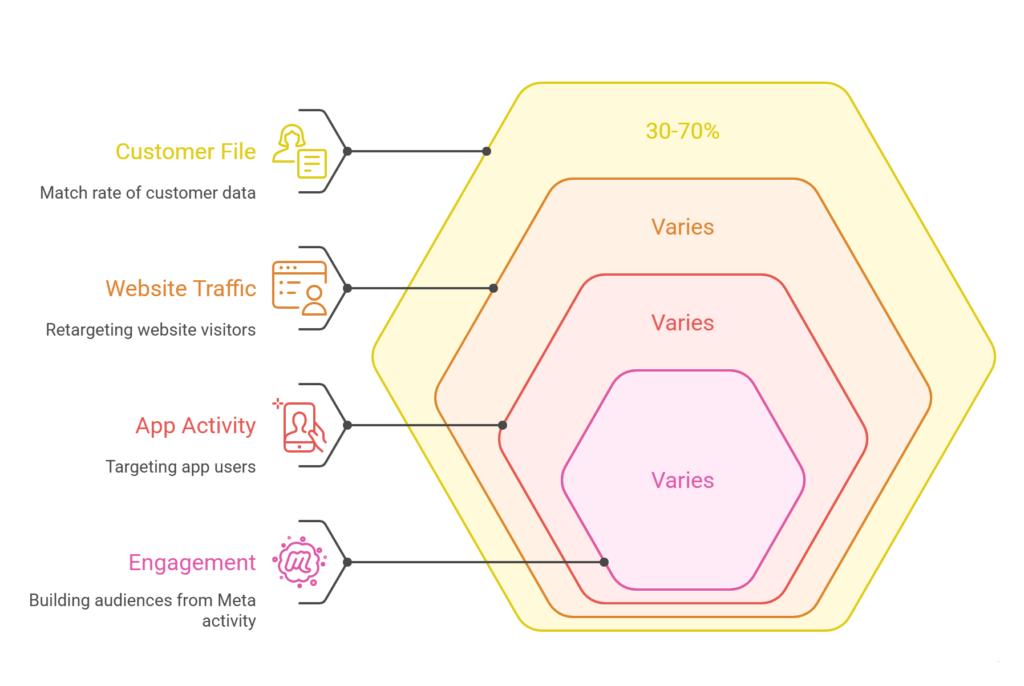
Customer File Audiences
This is your owned data.
Upload customer details like:
- Email addresses
- Phone numbers
- Names
- Past purchase data
Key Details:
- File types: CSV or TXT
- Match rates: Typically 30–70%
- Best use case: Retargeting past buyers or reactivating inactive users
Example:
A fitness brand uploaded past event attendees and ran a “Come Back for 50% Off” campaign—doubling conversions while cutting CPA in half.
Website Traffic Audiences
These audiences are powered by the Meta Pixel.
You can retarget people who:
- Viewed a product page
- Visited pricing
- Spent time on your site
- Abandoned checkout
Best for:
- E-commerce retargeting
- SaaS trial nudges
- Content-based funnels
If you’ve ever browsed a product and then “mysteriously” seen it everywhere—that’s this audience.
App Activity Audiences
Perfect if your business runs on an app.
Create audiences based on:
- App opens
- In-app purchases
- Feature usage
- Inactivity
Best for:
- Subscription upgrades
- Habit-based engagement
- User reactivation
Example:
A wellness app targeted users who meditated 3× last week with a streak reward—boosting engagement by 40%.
Engagement Audiences
This is Meta’s in-platform goldmine.
Build audiences from:
- Video views
- Instagram interactions
- Facebook page activity
- Messages or event responses
Best for:
- Turning viewers into leads
- Retargeting content consumers
- Low-cost mid-funnel campaigns
Pro Tip:
Combine audiences or exclude recent buyers to keep messaging relevant.
Benefits of Facebook Custom Audiences
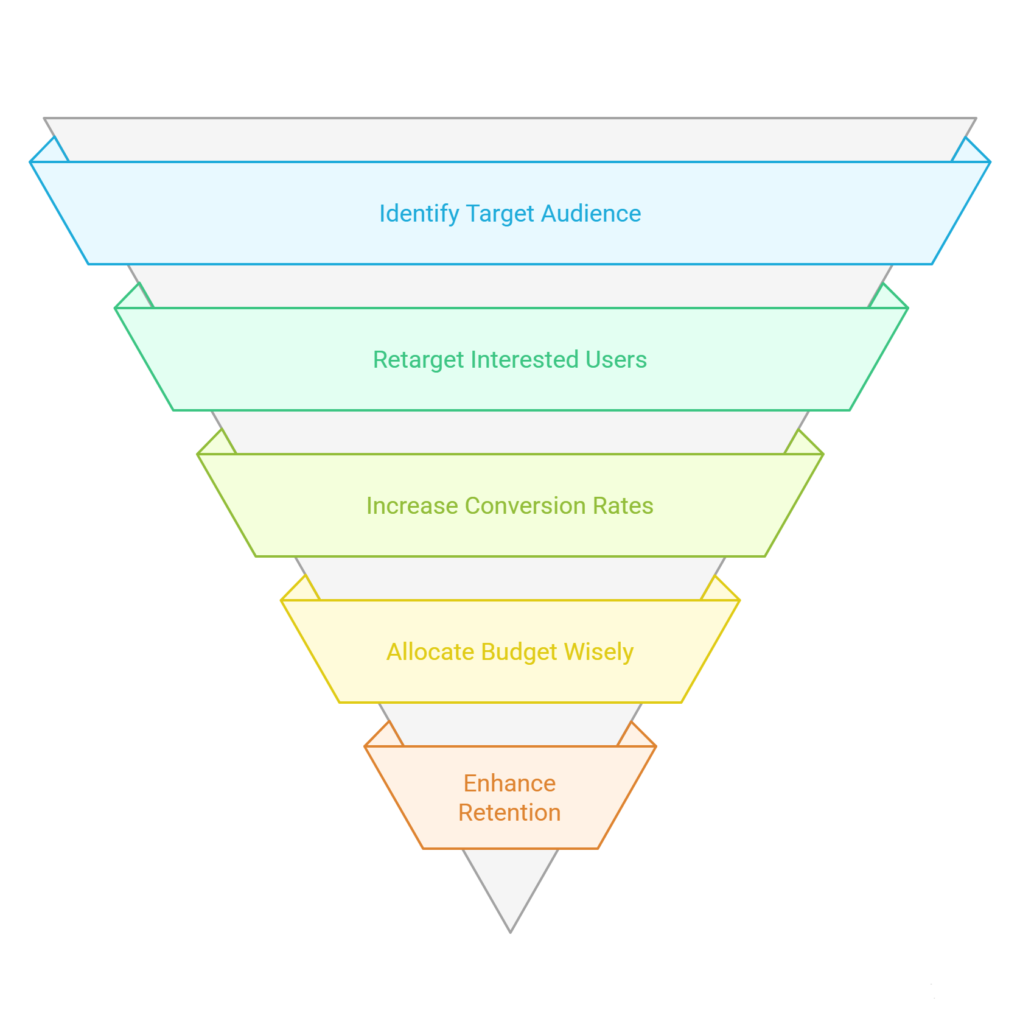
Laser-Focused Targeting
You’re no longer guessing.
Examples:
- Finance brands retarget calculator users
- Clinics retarget service page visitors
You don’t need a massive audience—just the right one.
Higher Conversion Rates
Warm audiences convert better. Period.
- Cart abandoners + discount → +25% conversions
- Past visitors → +15% more sign-ups
Message relevance changes everything.
Smarter Budget Allocation
Why pay to educate people who don’t care?
Custom Audiences prioritize:
- Purchase intent
- Past interest
- Proven engagement
Many brands see 24–40% higher ROAS when campaigns are built around Custom Audiences.
Retention & Repeat Revenue
Custom Audiences shine after the first sale.
- VIP customer campaigns
- Repeat purchases
- Donor re-engagement
Retention-focused campaigns often drive the highest lifetime value.
How to Create Facebook Custom Audiences
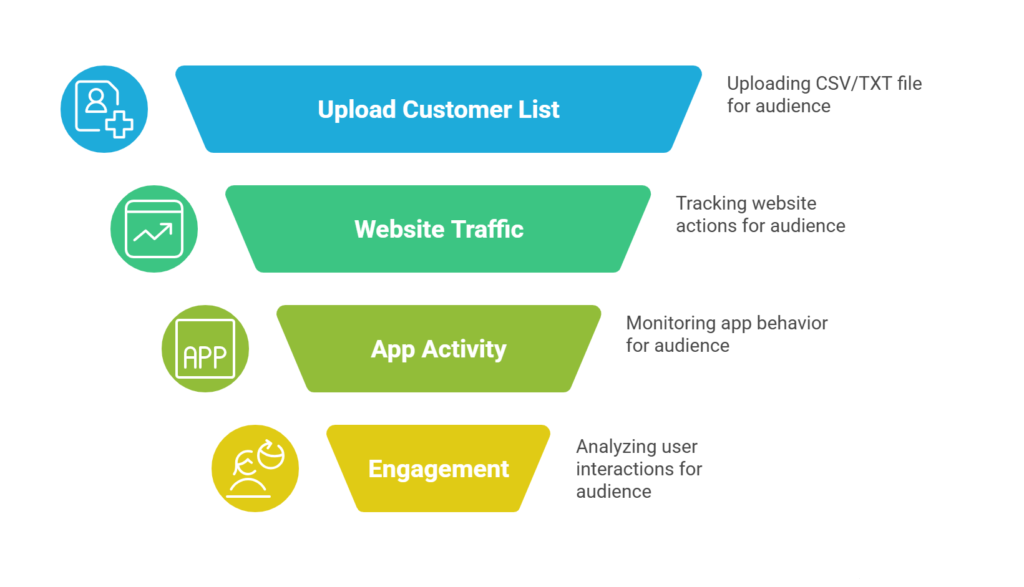
Uploading a Customer List
- Go to Ads Manager → Audiences
- Click Create Audience → Custom Audience
- Choose Customer List
- Upload your CSV/TXT file
- Map the fields correctly
Tip:
Email + phone + name = better match rates.
Website-Based Audiences
- Ensure Meta Pixel is installed
- Select Website Traffic
- Choose actions like:
- Visited checkout
- Viewed key pages
- Time spent on site
- Save and name the audience
App Activity Audiences
- Select App Activity
- Choose your app
- Set behavior rules (opens, purchases, inactivity)
Common in fitness, gaming, and productivity apps.
Engagement-Based Audiences
- Choose Engagement
- Select interaction type:
- Video views
- Instagram actions
- Page engagement
- Set a time window
Perfect for moving users from awareness → conversion.
Best Practices for Facebook Custom Audiences
Respect Privacy & Compliance
- Upload only consensual data
- Follow GDPR, CCPA, and local laws
- Be transparent about data usage
Trust matters—especially in finance, health, and education.
Segment Intelligently
Different users need different messages.
- New visitors ≠ repeat buyers
- Blog readers ≠ cart abandoners
Tailored messaging increases relevance and ROAS.
Pair With Lookalike Audiences
Once a Custom Audience performs:
- Build Lookalikes from high-value users
- Scale while keeping quality intact
Refresh Regularly
- Upload customer lists every 30–60 days
- Update engagement audiences weekly
Fresh data = better performance.
Common Challenges & Fixes
Low Match Rates
- Clean your data
- Add more identifiers
- Standardize formatting
Audience Too Small
- Increase time window
- Combine similar behaviors
- Use Lookalikes
Poor Data Quality
- Remove duplicates
- Sync via CRM tools like HubSpot or Mailchimp
Measuring Success
Track:
- CTR & engagement vs cold audiences
- Conversion rates
- ROAS
Run A/B tests:
- Interest targeting vs Custom Audiences
Connect Meta with GA, Shopify, or your CRM for deeper insights.
Advanced Custom Audience Strategies
Retargeting Funnels
- Day 1: Reminder
- Day 3: Social proof
- Day 5: Offer or urgency
Precision Upsells
- Starter product → premium upgrade
- Intro course → full program
Omnichannel Sync
- Email + retargeting ads
- Push + Instagram reminders
High-Intent Engagement
Focus on:
- 90%+ video viewers
- Multi-page visitors
- High time-on-site users
These users convert best.
Conclusion: Focus Wins
Advertising is louder than ever.
Attention is scarcer than ever.
Focus beats noise.
Facebook Custom Audiences shift you from guessing to strategizing—giving you control over who sees what and when.
As privacy tightens and third-party data fades, your first-party data becomes your biggest asset.
Start small.
Test one audience.
Measure.
Refine.
Scale.
Your best customers already exist—most likely in your data.
Now it’s time to reach them.