

Introduction
You know that moment. You’re scrolling through Google results, barely paying attention—then suddenly, an ad pulls you in. One sharp headline. One meaningful promise. And without thinking, you click.
That’s not luck.
That’s optimization.
Anyone can pay for their ad to show up on Google. Showing up the right way is where the results are.
Google Search Ads are like having a storefront appear exactly where someone is already looking for what you sell. But if the message is boring, unclear, or irrelevant? They’ll scroll right past—and you’ll still pay for that impression.
This guide breaks down exactly how to get more clicks, more engagement, and more ROI from your search ads—step by step.
Understanding Google Search Ads
Before diving into strategy, let’s get the foundation clear.
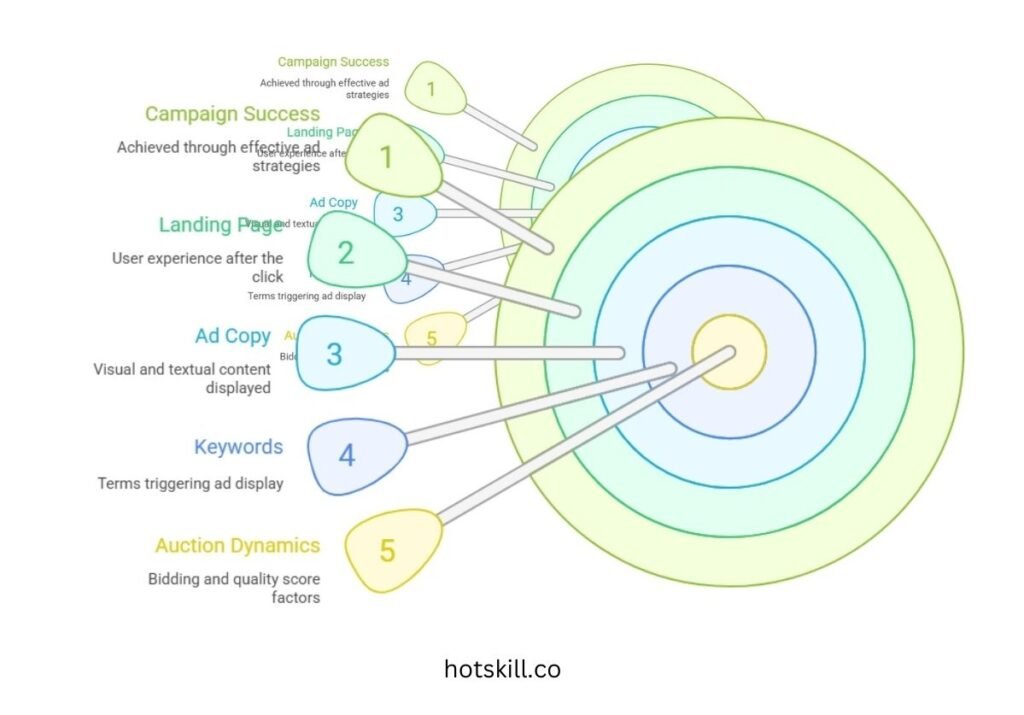
A. What Are Google Search Ads?
Google Search Ads are text-based ads that appear at the top or bottom of SERPs when someone searches for something you’ve bid on—like “best tax accountant near me” or “buy fitness bands online.”
You appear at the exact moment someone is expressing intent. That’s why search ads convert so well.
B. How Do Google Search Ads Work?
Every Google search triggers a lightning-fast auction. Who appears at the top depends on:
- Your bid
- Quality Score (relevance, CTR, landing page experience)
- Ad Extensions & Format Strength
Google rewards relevance. A well-matched ad can beat a higher bidder simply by being more useful.
C. What Makes a Campaign Click?
Three core pillars decide your success:
- Keywords — what the user searches
- Ad Copy — what Google shows them
- Landing Page — where they end up
When these three connect seamlessly, CTR rises automatically.
Setting Clear Goals and Objectives
Before optimizing CTR, define what success actually means for your campaign.

A. Know What You Want
Are you aiming for:
- Leads?
- Phone calls?
- Product sales?
- App downloads?
Your goal shapes your keywords, bidding, landing page, and creative.
B. Align Ads With Business Priorities
If your business wants more demo bookings, don’t run ads about generic features.
Make the ad directly support the KPI.
C. Track the Right Metrics
CTR is great, but it’s not everything.
Track:
- CTR
- Conversion Rate
- CPA
- ROAS
Clicks without conversions = wasted budget.
Keyword Research and Selection
Keyword strategy is where high CTR begins.
A. Why Keywords Matter
They determine:
- Who sees your ad
- How relevant your ad is
- How much you pay
Right keywords = right audience = higher CTR.
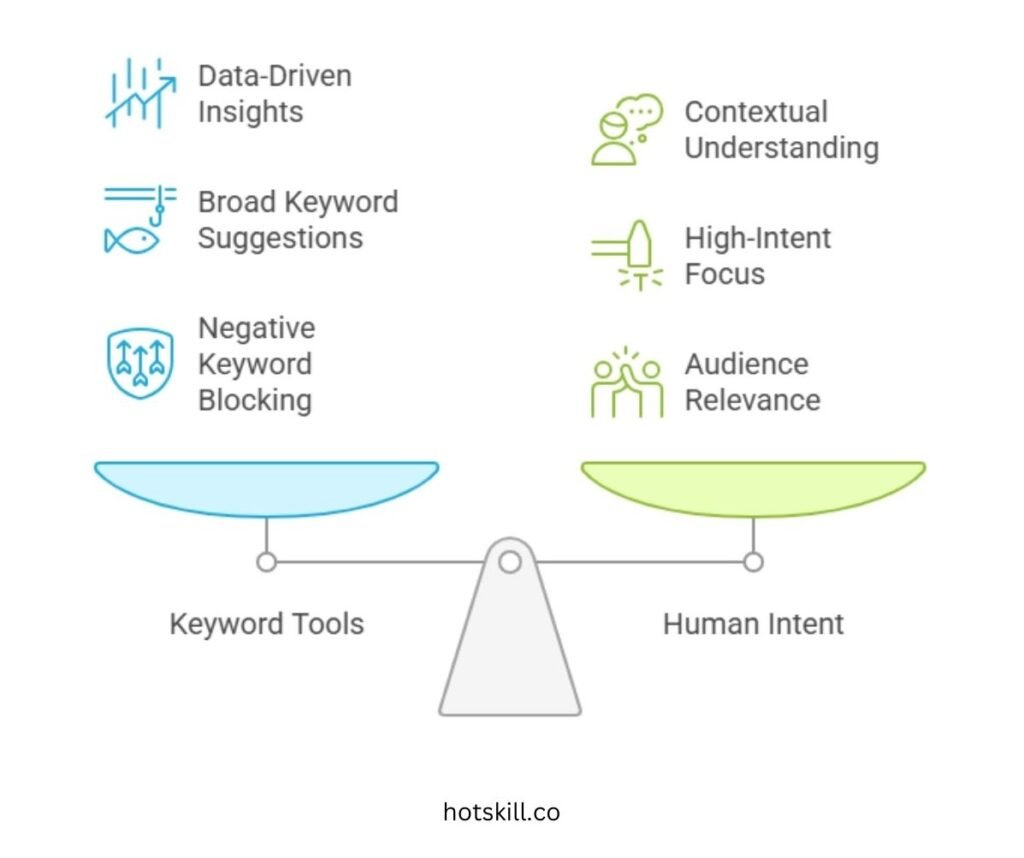
B. Use Tools, But Think Like a Human
Great tools:
- Google Keyword Planner
- SEMrush
- Ahrefs
- AnswerThePublic
But tools don’t understand intent—you do.
Ask:
“Would someone searching this keyword actually want what I’m offering?”
C. Focus on High-Intent Keywords
These keywords show buying or action intent:
- “Buy running shoes online”
- “Emergency dentist near me”
- “Same-day AC repair”
Avoid purely educational queries unless your goal is awareness.
D. Use Negative Keywords Aggressively
Block irrelevant traffic like:
- free
- cheap
- DIY
- jobs
- reviews
Negative keywords protect your budget and improve CTR instantly.
Crafting Effective Ad Copy
This is where you win or lose the click.
A. Write Headlines That Punch
Your headline must:
- Match the user’s search
- Make a promise
- Show a benefit or number
Example:
❌ Reliable Roofing Services
✅ “Get 24/7 Roof Repair | 15-Min Response | Free Quote”
B. Descriptions That Sell
Highlight:
- Guarantees
- Proof
- Offers
- Differentiators
Example:
“No hidden fees. Same-day installation. Rated #1 by 4,200+ homeowners.”
C. Clear CTA = Higher CTR
Use action-heavy phrases like:
- Get a Free Quote
- Book Service Today
- Start Free Trial
- Download Now
Tell users exactly what to do.
D. Add Keywords Naturally
Keywords make ads feel familiar to searchers and improve Quality Score.
Just don’t keyword-stuff.
Structuring Your Campaign and Ad Groups
A clean structure improves relevance, which boosts CTR.
A. Theme-Based Campaigns
Split campaigns by:
- Service types
- Product categories
- Locations
- Audience intent
B. Keep Ad Groups Tight
Each ad group should have one clear intent.
If your group covers too many variations, CTR drops.
C. 5–20 Keywords Per Ad Group
More than 20 = low relevance
Less than 5 = too narrow
Balance is key.
Optimizing Landing Pages
Clicks mean nothing if the landing page fails.
A. Match Ad to Landing Page
If your ad says:
“30% Off Winter Jackets”
Then your landing page MUST show winter jackets and the discount.
B. Prioritize Page Speed
Aim for load time under 2 seconds.
Slow pages crush both CTR and conversions.
C. Design Mobile-First
Most search ad clicks come from mobile.
Ensure:
- Thumb-sized buttons
- Minimal text
- Fast checkout or form
- CTA above the fold
D. Make the CTA Impossible to Miss
One goal. One button. One action.
Using Ad Extensions to Boost CTR
Ad extensions expand your ad and improve visibility.
A. Must-Use Extensions
- Sitelinks — more clickable options
- Callouts — small benefit highlights
- Structured Snippets — product/service lists
- Call Extensions — direct phone calls
- Location Extensions — local visibility
B. Why Extensions Help CTR
They:
- Increase your ad size
- Give quick answers
- Improve relevance
- Boost Quality Score
C. Extension Tips
Use at least 4–6 extensions for best performance.
Bidding Strategies and Budget Management
CTR also depends on smart spending.
A. Choose the Right Bidding Strategy
- Target CPA — best for leads
- Target ROAS — best for ecommerce
- Maximize Clicks — early testing
- Manual CPC — full control
B. Set Budgets Based on Outcomes
Allocate more budget to:
- High-intent keywords
- Best-performing devices
- High-converting locations
- Peak time slots
C. Review & Adjust Frequently
Don’t set-and-forget.
The best campaigns are monitored daily (especially early on).
Monitoring, Testing, and Optimization
Your CTR improves with consistent refinement.
A. Track What Matters
Look beyond CTR:
- Bounce rate
- Time on page
- Conversion volume
- Cost per conversion
B. A/B Test Religiously
Test:
- Headlines
- CTAs
- URLs
- Descriptions
- Extensions
One change can lift CTR by 20–40%.
C. Analyze Search Term Reports Weekly
This reveals:
- What users actually searched
- Which keywords trigger your ads
- Which terms you should add or block
D. Optimize Based on Data, Not Gut Feel
If data says a keyword is underperforming—pause or replace it.
Leveraging Advanced Features
Once the basics work, level up.
A. Audience Layering
Target by:
- Affinity
- In-market behavior
- Past website visitors
- Life events
- Demographics
Layered audiences = sharply higher CTR.
B. Smart Scripts & Automation
Examples:
- Pausing keywords with low CTR
- Increasing bids on top performers
- Boosting budget on high-converting days
Automation saves money and improves consistency.
C. Connect Google Analytics
Track real engagement:
- Scroll depth
- Event conversions
- User intent signals
This tells you why your CTR is behaving the way it is.
Common Mistakes to Avoid
Avoid these CTR killers:
- ❌ Ignoring negative keywords
- ❌ Stuffing too many keywords in one ad group
- ❌ Not testing ad variations
- ❌ Bad mobile landing pages
- ❌ Never checking search terms
- ❌ Weak or vague headlines
Fix these, and you’ll outperform most advertisers instantly.
Conclusion: CTR Is Not the Goal — It’s the Gateway
A high CTR means you’re attracting the right people with the right message. But what matters next is:
- Does your landing page convert?
- Are you profitable?
- Is your ad relevant and helpful?
When your keywords, copy, structure, and landing pages all align—you’re not just running Google Ads.
You’re building a predictable growth engine.
Your breakthrough might be one headline away.
Let’s make it count.