
Graphic design has always evolved alongside technology. From the shift from print boards to Photoshop, to cloud-based collaboration tools like Figma, every major leap has changed how designers think and work. And now we are in the middle of another transformation. AI is no longer experimental. It is operational. It is integrated. And in many cases, it is quietly reshaping creative workflows.
When people talk about AI in creative fields, there is often a mix of excitement and anxiety. Some designers worry about replacement. Others see amplification. The reality, as I have observed across agencies and digital teams, sits somewhere in between. AI is not replacing designers. It is redefining what designers focus on.
In this detailed guide, we will break down what AI really means in design today, the tools that are leading the space, emerging trends, practical applications, and how designers can stay ahead. If you are curious about AI for Graphic Design and how it fits into your career or business strategy, this article will give you clarity and direction.
What Is AI in Graphic Design?
At its core, AI in design refers to systems that can generate, modify, analyze, or enhance visual content using machine learning models. These models are trained on massive datasets of images, layouts, typography, and design patterns. They learn visual relationships and can replicate or reinterpret them based on prompts or instructions.
The rise of AI for Graphic Design is powered by advancements in generative models such as diffusion models and transformer-based systems. Tools now generate high-quality images from text prompts, remove backgrounds instantly, suggest layouts, optimize color palettes, and even adapt creatives for different formats automatically.
But it is important to understand something subtle here. AI does not “understand” design in the human sense. It predicts. It patterns. It statistically models what looks coherent based on training data. The creative direction still comes from humans.
That distinction matters.
The Evolution of Design Workflows
Before we jump into tools, let’s zoom out.
Graphic design traditionally involved ideation, sketching, wireframing, digital production, revisions, client feedback, and final execution. Many of these stages were manual and time-intensive. Even small adjustments required repetition.
Now, AI for Graphic Design is compressing production time dramatically. Concept exploration that once took days can now take hours. Background removal that required detailed masking can be done in seconds. Social media variants can be auto-resized across platforms.
This does not eliminate the need for skill. In fact, it increases the importance of conceptual clarity. Because when production becomes easier, strategy becomes more important.
AI for Graphic Design: The Core Tools Transforming the Industry
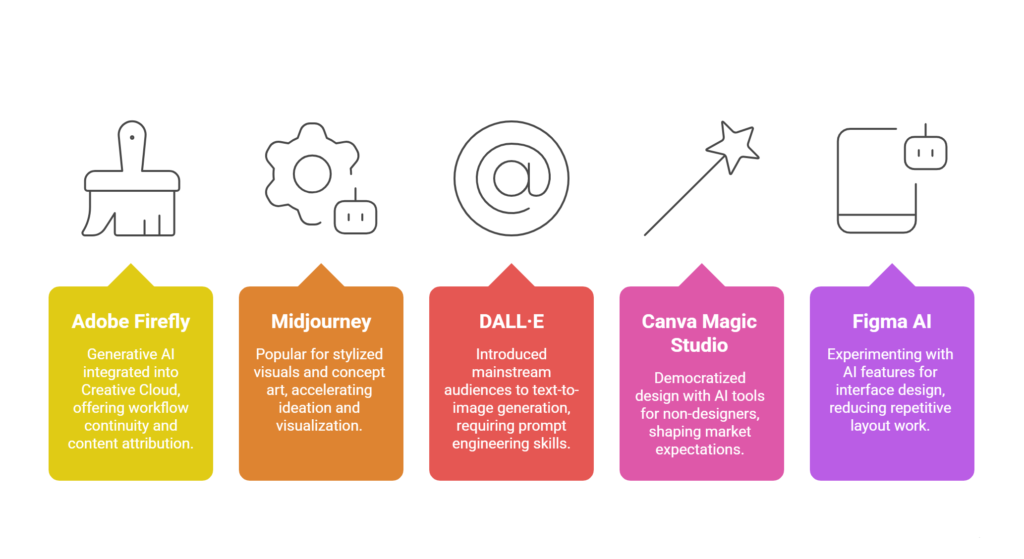
Let’s explore the most impactful tools currently shaping the design landscape.
Adobe Firefly and the AI Integration in Creative Cloud
Adobe has deeply integrated generative AI into its ecosystem. With Firefly, designers can generate images, expand backgrounds, recolor vector graphics, and create text effects inside familiar tools like Photoshop and Illustrator.
The advantage here is workflow continuity. Designers do not need to leave their environment. AI becomes an assistant rather than a separate platform.
What stands out about Adobe’s approach is content attribution. Firefly is trained on licensed and public domain data, addressing copyright concerns that many designers have about generative systems.
Midjourney and Concept Art Acceleration
Midjourney has become popular for generating highly stylized visuals and conceptual imagery. Designers use it for mood boards, inspiration, storyboarding, and campaign visualization.
It is not a replacement for production-ready assets in most cases. But it dramatically accelerates ideation. I have seen agencies use it to pitch visual directions before investing in full production shoots.
This is one of the strongest early use cases of AI for Graphic Design, particularly in branding and advertising.
DALL·E and Prompt-Based Image Generation
DALL·E introduced mainstream audiences to text-to-image generation. Designers can describe a scene, style, or concept and receive multiple variations instantly.
The key skill here becomes prompt engineering. Knowing how to structure descriptions, specify lighting, perspective, mood, and artistic style influences output quality significantly.
Canva Magic Studio and Democratized Design
Canva has embedded AI tools that allow non-designers to create visuals quickly. Features include text-to-image generation, layout suggestions, and automated resizing.
While professional designers may initially dismiss such platforms, they are shaping market expectations. Clients now expect faster turnarounds because AI-assisted tools make design feel instant.
Understanding this shift is essential if you want to remain competitive in the world of AI for Graphic Design.
Figma AI and Interface Design Assistance
Figma is experimenting with AI features that auto-generate layouts, suggest UI components, and transform wireframes into polished mockups.
This reduces repetitive layout work and allows designers to focus on user experience strategy rather than pixel-level duplication.
Key Trends Shaping the Future of AI in Design
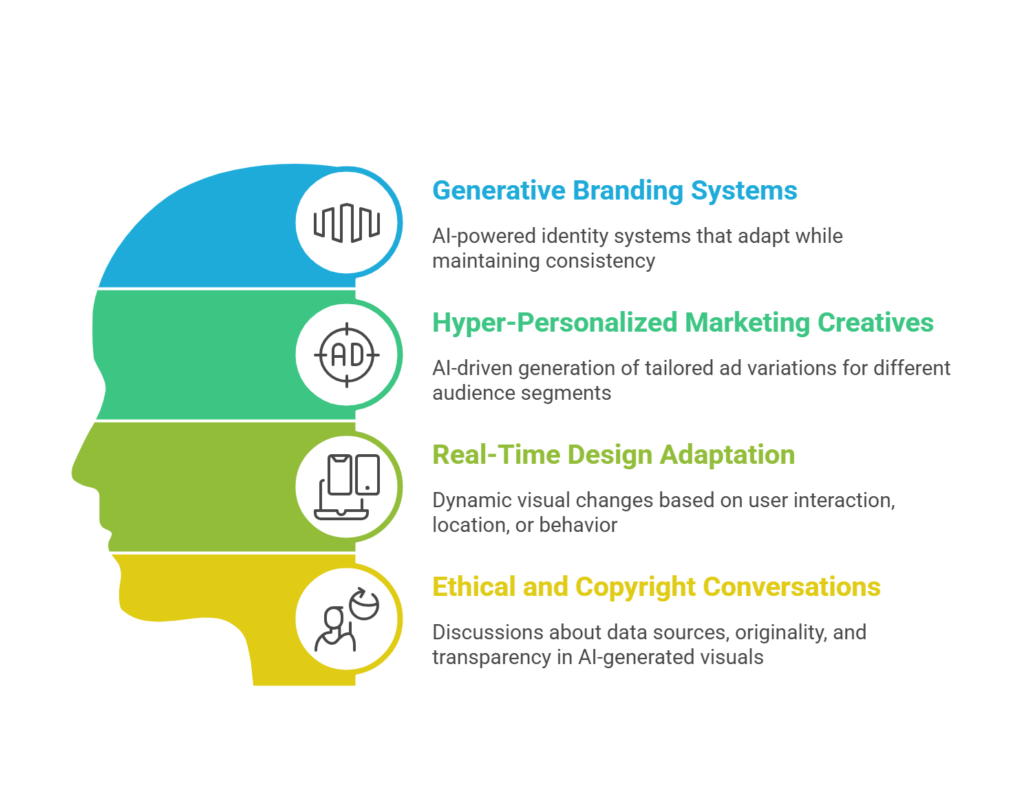
Technology does not move in isolation. It evolves alongside user behavior, business needs, and regulatory frameworks. Here are the most significant trends influencing AI for Graphic Design today.
Generative Branding Systems
Brands are beginning to explore AI-powered identity systems. Instead of fixed logos and static brand books, they are experimenting with adaptive visual systems that generate dynamic variations while maintaining brand consistency.
This could mean automated campaign visuals that adapt based on audience data or personalized graphics for each customer segment.
Hyper-Personalized Marketing Creatives
Performance marketing teams are increasingly using AI to create multiple ad variations tailored to different audience segments.
Instead of designing five banners manually, teams can generate dozens of variations in minutes. The designer’s role shifts toward creative direction and brand alignment.
AI for Graphic Design plays a crucial role in enabling this level of scalability.
Real-Time Design Adaptation
We are moving toward environments where visuals change dynamically based on user interaction, location, or behavior.
Imagine website banners that adjust color schemes based on user preferences or seasonal themes without manual redesign. AI-driven automation makes this feasible.
Ethical and Copyright Conversations
As AI-generated visuals become widespread, ethical considerations are becoming central. Designers must think about data sources, originality, and transparency.
Regulation is still evolving. But agencies and brands are increasingly cautious about how they deploy AI-generated assets.
Practical Applications Across Industries
Understanding theory is helpful. Seeing practical applications is even better.
Advertising and Campaign Creation
Agencies use AI tools to rapidly prototype campaign visuals. Mood boards, poster drafts, social ads, and concept explorations are created quickly for internal review.
This allows creative directors to test more ideas before finalizing one direction.
Social Media Content Production
Social media demands volume. Daily posts, reels, banners, stories. AI tools help generate background variations, stylized imagery, and auto-resized formats.
Designers still refine outputs, but the production load decreases significantly.
E-Commerce and Product Visualization
Brands use AI to create product mockups in different settings without photoshoots. A single product image can be placed in multiple lifestyle environments.
This reduces production cost and increases testing capability.
Web and App Design
AI assists in layout generation, icon creation, and UX copy suggestions. It does not replace UX research or usability testing, but it speeds up early-stage wireframing.
The integration of AI for Graphic Design in UI workflows is particularly strong in fast-paced startup environments.
The Designer’s New Skill Set
With automation increasing, what should designers focus on?
First, conceptual thinking becomes more valuable. AI can generate visuals, but it cannot understand brand nuance the way humans do.
Second, prompt engineering becomes a core skill. Knowing how to communicate effectively with generative systems is almost like learning a new design language.
Third, curation becomes critical. AI produces quantity. Designers provide quality control.
In many ways, AI for Graphic Design turns designers into creative directors of intelligent systems rather than manual executors of every asset.
Limitations You Should Be Aware Of
AI-generated visuals can sometimes lack coherence in typography, perspective accuracy, or brand consistency.
There are also data bias issues. Models trained on skewed datasets may replicate stereotypes or cultural inaccuracies.
Another limitation is originality. Because outputs are based on learned patterns, they may feel derivative if not guided carefully.
So while AI for Graphic Design expands possibilities, it requires critical oversight.
How Agencies and Brands Are Adopting AI
Forward-thinking agencies are integrating AI into internal workflows rather than replacing teams.
Some use it for brainstorming sessions. Others for automated resizing. Many combine AI-generated concepts with traditional design refinement.
Brands in e-commerce, SaaS, and digital media are especially aggressive adopters. The need for constant visual content pushes them toward automation.
However, high-end branding studios still rely heavily on human craftsmanship. They use AI selectively, mainly in exploration phases.
Building an Effective AI-Enhanced Workflow
If you are a designer or creative lead wondering where to start, consider this approach.
Begin with ideation. Use generative tools for mood boards and concept sketches.
Move to refinement. Bring outputs into professional tools like Photoshop or Illustrator for adjustments.
Finally, apply brand guidelines rigorously. AI suggestions must align with your brand’s identity system.
This balanced integration ensures that AI for Graphic Design enhances rather than dilutes creative integrity.
The Economic Impact on the Creative Industry
AI is changing pricing models. When production time decreases, clients expect faster delivery and sometimes lower costs.
This creates pressure. But it also opens new opportunities.
Designers can now handle higher volumes, experiment more, and even create digital products at scale. Those who embrace AI for Graphic Design strategically can increase output without increasing burnout.
Future Outlook: Where Are We Headed?
The next phase will likely involve deeper integration rather than standalone tools.
We may see fully AI-assisted brand management systems that generate campaign visuals automatically based on marketing goals.
Voice-based design commands could become standard. Instead of clicking tools, designers might describe changes conversationally.
At the same time, there will be stronger emphasis on authenticity and human originality. Ironically, the more AI-generated content floods the internet, the more audiences may value distinctly human design.
Final Thoughts
The conversation around AI in design is often framed as a battle between humans and machines. I think that framing is flawed.
AI is a tool. A powerful one. Perhaps the most transformative since digital design software first emerged.
AI for Graphic Design is not about replacing creativity. It is about expanding it. It reduces repetitive tasks, accelerates ideation, and enables scale. But it does not replace taste, strategy, or empathy.
Designers who learn to collaborate with AI will likely thrive. Those who ignore it may struggle to keep pace with industry expectations.
The future of design will not be purely automated. Nor purely human. It will be hybrid.
And maybe that is the most exciting part.