

Students today face a paradox. There are more learning resources available than ever before, but the pressure to produce quality work faster has also never been higher. A five-page essay is due Thursday. A calculus problem set is due Friday. A research paper with 12 citations needs to be in by Sunday.
The right AI homework helper tools don’t do your work for you. What they actually do is cut the time you spend stuck, speed up research, and help you understand concepts that weren’t clicking in class. The difference between useful and useless in this space comes down to whether a tool gives you learning support or just hands you output to copy-paste.
This list covers 20 tools that genuinely help students learn and produce better work. Not every tool fits every student. So for each one, you’ll find an honest look at what it does well, where it falls short, and who it’s actually best for.
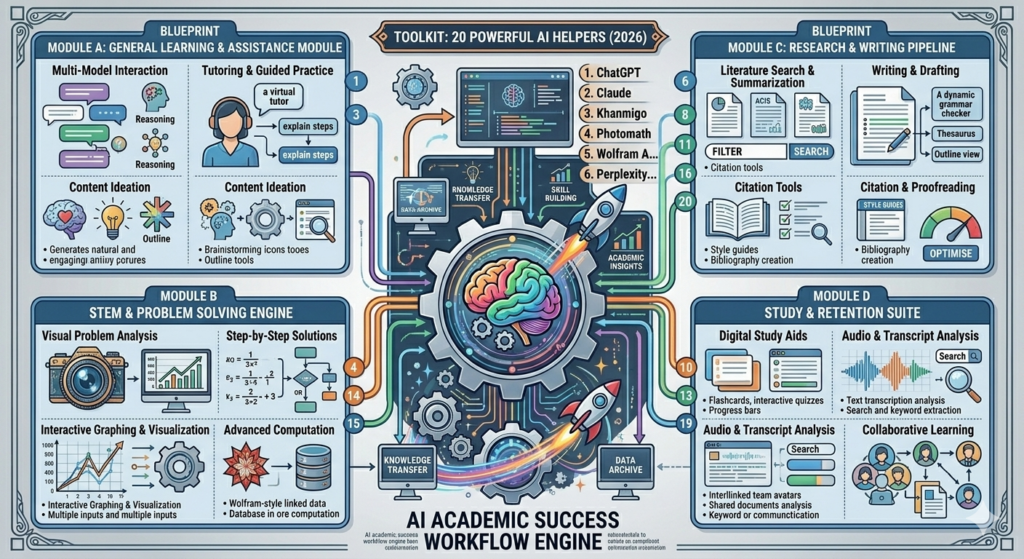
1. ChatGPT — Best All-Round AI Homework Helper Tools for General Subjects
ChatGPT is a large language model built by OpenAI. It takes text-based questions and returns detailed, conversational responses. As of 2026, the GPT-4o model is available free with usage limits and included fully in the Plus plan.
What it does well: ChatGPT handles a huge range of subjects. It can explain a Shakespeare sonnet, walk through a history essay structure, outline both sides of a debate topic, or help you understand why a piece of code isn’t working. The conversational format means you can ask follow-up questions without starting over.
Where it falls short: ChatGPT can produce incorrect information with complete confidence. For anything that requires verified facts or precise mathematics, always cross-check. It’s not a replacement for your textbook or your lecturer.
Best for: Students who need a thinking partner across multiple subjects. It’s particularly good for essay brainstorming and concept explanation.
Pricing: Free tier available (GPT-4o with limits). ChatGPT Plus costs $20/month as of 2026.
ChatGPT is the most versatile general-purpose AI assistant for students in 2026. It handles concept explanation, essay planning, and code review across nearly every subject. Its main weakness is that it can generate plausible-sounding but incorrect information, so factual claims should always be verified against primary sources.
2. Claude by Anthropic — Best for Long Essays and Critical Thinking
Claude is a large language model built by Anthropic. It’s particularly well-regarded for handling long, nuanced tasks that require careful reasoning.
What it does well: Claude handles long-form assignments better than most. If you give it a detailed prompt with your essay question, your thesis, and the key arguments you want to make, it will help you build a structured, well-reasoned response. Claude 3.5 Sonnet is especially strong at following complex instructions without drifting.
Where it falls short: Claude doesn’t have real-time web access by default, so for current events or very recent research, you’ll need to supplement with another tool. It also won’t generate images.
Best for: Students writing analytical essays, literature reviews, or research papers who need help building coherent, structured arguments.
Pricing: Free tier available. Claude Pro costs $20/month as of 2026.
3. Khanmigo by Khan Academy — Best for Guided Learning Without Shortcuts
Khanmigo is an AI tutor built by Khan Academy, trained specifically not to give students the answer directly. Instead, it asks guiding questions that push you toward the solution yourself.
What it does well: This is the most honest AI homework helper for students who actually want to understand, not just submit. When you’re stuck on an algebra equation, Khanmigo won’t hand you the answer. It’ll ask “What do you think the first step is?” and guide you through. In our view at Hotskill, this approach produces better long-term learning than most other tools on this list.
Where it falls short: If you’re under genuine time pressure and need a quick answer, Khanmigo isn’t the right tool. It’s designed to slow you down on purpose.
Best for: Students who genuinely want to understand the material, not just complete the assignment.
Pricing: Available as part of Khan Academy’s parent/teacher subscription. As of 2026, pricing varies by region. Check khanacademy.org for current plans.
4. Photomath — Best AI Homework Helper Tools for Math Problem Scanning
Photomath is a mobile app that lets you point your camera at a handwritten or printed math problem and get a step-by-step solution instantly.
What it does well: The optical character recognition is genuinely accurate on printed problems. The step-by-step explanations are clear enough that you can follow the logic, not just copy the answer. It covers arithmetic, algebra, trigonometry, calculus, and statistics.
Where it falls short: Word problems with ambiguous phrasing can trip it up. It also doesn’t explain the underlying concept, just the steps. Great for checking work. Less great for building understanding.
Best for: Students in middle school through university working on mathematics and who need to check their own working or understand where they went wrong.
Pricing: Free with ads. Photomath Plus (ad-free, with animated tutorials) costs around $9.99/month as of 2026.
5. Wolfram Alpha — Best for Advanced Mathematics and Scientific Calculations
Wolfram Alpha is a computational knowledge engine. You type in a mathematical expression, a scientific query, or a data question, and it computes the answer, not just retrieves it.
What it does well: It’s the most precise math tool on this list. Definite integrals, matrix operations, chemical equations, statistical analysis, unit conversions, and even historical data queries are handled accurately. Wolfram Alpha doesn’t guess. It computes.
Where it falls short: The learning curve is real. If you don’t know how to phrase a query correctly, you’ll get odd results. It’s also less helpful for essay-based subjects.
Best for: Science, technology, engineering, and mathematics students who need a reliable computational tool they can trust.
Pricing: Free for basic queries. Wolfram Alpha Pro costs $7.99/month (student pricing available) as of 2026.
Wolfram Alpha is the most reliable tool for mathematical and scientific computation among all AI homework tools. Unlike language models, it computes answers rather than generating them, making it the best choice for STEM students who need verified, precise results.
6. Perplexity AI — Best for Research With Cited Sources
Perplexity AI is an AI search engine that answers questions by searching the web in real time and citing the sources it used. Think of it as ChatGPT with live search and transparent sourcing.
What it does well: This is genuinely underrated for academic research. When you ask Perplexity a research question, it returns a synthesised answer with numbered source citations. You can click through to the original articles. That makes it far more useful for research papers than a standard language model, where you’d need to verify every claim yourself.
Where it falls short: Source quality varies. Perplexity will sometimes cite news articles, Wikipedia, or forums when you need peer-reviewed papers. For academic work, use it to find directions to explore, not as a final source.
Best for: Students at the early stage of research who need to quickly understand a topic and find credible starting points.
Pricing: Free tier available. Perplexity Pro costs $20/month as of 2026.
7. Quizlet Q-Chat — Best for Active Recall and Test Prep
Quizlet is one of the most-used study apps globally. Q-Chat is its AI tutor layer built on top of ChatGPT, designed to quiz you on your own flashcard sets through conversation.
What it does well: The combination of Quizlet’s existing flashcard library with a conversational quiz mode is genuinely useful for test prep. You can have Q-Chat quiz you, ask it to explain a term you keep getting wrong, and then retry until it sticks. Active recall is one of the most evidence-backed study methods available, and Q-Chat builds it into a chat interface.
Where it falls short: If your subject isn’t well-represented in Quizlet’s existing library, you’ll need to create your own sets first, which takes time. The AI layer doesn’t add much beyond what a simple flashcard review provides if the content isn’t there.
Best for: Students preparing for exams in well-covered subjects like biology, history, foreign languages, and business.
Pricing: Free tier available. Quizlet Plus costs around $35.99/year as of 2026.
8. Notion AI — Best for Organising Notes and Structuring Research
Notion is a note-taking and workspace app. Notion AI is its built-in layer that helps you summarise, rewrite, expand, and organise content within your notes.
What it does well: If you’re drowning in lecture notes, Notion AI can turn a messy dump of notes into a structured outline in seconds. It can summarise long documents, suggest follow-up questions, and help you build structured study plans within your workspace. It’s the best tool on this list for the organisation side of studying.
Where it falls short: It works with content you already have in Notion. If you don’t use Notion as your note-taking app, the value is limited without switching your whole workflow.
Best for: Students who already use Notion or who are willing to centralise their notes there. Ideal for research-heavy projects and dissertation work.
Pricing: Notion AI is an add-on at $10/month per user as of 2026. The base Notion free plan does not include AI.
9. Grammarly — Best for Grammar, Clarity, and Writing Quality
Grammarly is a writing assistant that checks spelling, grammar, punctuation, style, and tone. The AI-powered version also offers sentence rewrites, tone adjustments, and full-essay feedback.
What it does well: Every student writing in a second language should use this. Even native English speakers produce unclear sentences under time pressure. Grammarly catches the errors most people miss and explains why something reads awkwardly. The real-time browser extension makes it useful across Google Docs, university portals, and email without any extra steps.
Where it falls short: Grammarly sometimes over-corrects. It will flag stylistic choices as errors when they’re intentional. Treat its suggestions as options, not instructions. It also won’t fix a weak argument, only weak wording.
Best for: Any student who writes assignments in English, particularly those working in their second language.
Pricing: Free tier covers basic grammar. Grammarly Premium costs $12/month as of 2026.
10. Socratic by Google — Best AI Homework Helper for Visual Learners
Socratic is a Google app that lets students photograph a homework question and get back an explanation, related videos, and step-by-step breakdowns. It works across subjects including maths, science, history, and literature.
What it does well: The visual explanation approach is genuinely better for some learners than plain text. Socratic pulls from Khan Academy videos and curated web resources rather than just generating text, which makes the explanations more varied and often more trustworthy. It’s excellent for students who get more from diagrams and visual walkthroughs than text explanations.
Where it falls short: The quality depends heavily on what resources exist for your query. Niche topics or advanced university-level subjects can return thin results.
Best for: Secondary school students and early university students who want visual explanations for science and maths concepts.
Pricing: Free. Available on iOS and Android.
Socratic by Google is one of the best free options for secondary school students because it pairs AI-powered subject detection with curated video and visual resources rather than relying purely on generated text. It’s particularly strong for students who find visual explanations easier to follow than written ones.
11. Explainpaper — Best for Breaking Down Academic Papers
Explainpaper lets you upload a research paper as a PDF and then highlight any section you don’t understand. The AI explains it in plain language instantly.
What it does well: Academic papers are notoriously hard to read, even for postgraduates. Explainpaper solves a specific problem: you’re trying to read a paper for your literature review, you hit a paragraph full of jargon, and you have no idea what it’s saying. Highlight it, and you get an explanation within seconds. It’s not trying to summarise the whole paper, just the bit you’re stuck on. That narrow focus makes it genuinely useful.
Where it falls short: It’s one-dimensional. It explains language, not whether the methodology is sound or the conclusions valid. You still need to evaluate the paper critically yourself.
Best for: University students doing literature reviews or working with primary research sources.
Pricing: Free plan available. Explainpaper paid plans start at around $12/month as of 2026.
12. Elicit — Best for Finding and Summarising Research Papers
Elicit is an AI research assistant that searches academic databases, pulls relevant papers, and summarises findings across multiple studies at once. It’s built specifically for academic research workflows.
What it does well: If you need to find five or six papers on a specific research question and understand what each one found, Elicit cuts that from a multi-hour task to under 20 minutes. It reads abstracts and extracts key information such as sample size, method, outcomes, and conclusions in a structured table format.
Where it falls short: The depth of coverage varies by field. It’s stronger in the life sciences and social sciences than in humanities or very recent fields. And like all AI tools, it can misread methodology if you don’t verify against the original.
Best for: Graduate students and researchers building literature reviews and systematic reviews.
Pricing: Free plan available with limited queries. Elicit Plus is around $12/month as of 2026.
13. Otter.ai — Best for Transcribing Lectures and Meetings
Otter.ai is an AI transcription tool that records and transcribes audio in real time. Students use it to capture lectures, study group discussions, and recorded class sessions.
What it does well: The accuracy on clear audio is excellent. It timestamps the transcript so you can jump to specific moments. It also identifies different speakers in group settings. If you’re a student who struggles to take notes while also paying attention, Otter.ai handles the transcription so you can focus on listening.
Where it falls short: Accuracy drops with strong accents, background noise, or fast speech. It also doesn’t understand subject-specific terminology well, so you’ll see some odd transcription errors in technical subjects.
Best for: Students who attend lectures in person or online and want a searchable record of what was said.
Pricing: Free plan gives 300 minutes/month. Otter.ai Pro is $16.99/month as of 2026.
14. Mathway — Best Quick Math Solver Across Multiple Topics
Mathway is a maths problem-solver that covers basic arithmetic, algebra, trigonometry, precalculus, calculus, statistics, and more. You type or photograph a problem and get an instant answer.
What it does well: The subject coverage is broader than Photomath. Mathway handles statistics and finite maths, which are common in business and social science degrees but often missed by pure maths apps. The interface is clean and fast.
Where it falls short: Step-by-step solutions require a paid subscription. The free version shows the answer only, which limits its learning value. If you just want an answer, it’s free. If you want to understand, you’ll pay.
Best for: Students who need a quick check on maths answers across a wide range of subjects. Worth upgrading for the step-by-step if you’re studying maths regularly.
Pricing: Free for final answers. Mathway Premium costs $19.99/month or $79.99/year as of 2026.
15. Chegg — Best for Textbook Solutions and Expert Q&A
Chegg is a study platform with a textbook solutions library, expert question-and-answer sessions, and AI writing tools bundled into one subscription.
What it does well: The textbook solutions library is the reason most students try Chegg. If your professor assigns problems from a widely-used textbook, Chegg often has worked solutions. The AI writing tools are basic but useful for outlining and grammar checking.
Where it falls short: Chegg’s value depends entirely on whether your specific textbook and edition are covered. And the AI features are not as capable as standalone tools. It’s a bundle that’s convenient rather than best-in-class at any one thing.
Best for: Students assigned from popular university textbooks in STEM, business, or economics.
Pricing: Around $19.95/month as of 2026. Textbook coverage varies.
16. Scribbr AI Writing Assistant — Best for Academic Writing and Citation
Scribbr is a platform built specifically for academic writing. Its AI assistant checks for grammar, clarity, and academic tone, and its citation generator supports APA, MLA, Chicago, and other citation styles.
What it does well: The citation generator is the strongest feature. Paste a URL, DOI, or ISBN, and it produces a correctly formatted citation. For students managing a bibliography with 20+ sources, this saves serious time. The grammar checker is also calibrated for formal academic writing, which means it doesn’t flag technical language as an error.
Where it falls short: It won’t write your essay for you. It’s a refinement tool, not a generation tool. Some students want more from it than it’s designed to give.
Best for: University students writing research papers and dissertations who need reliable citation formatting and academic proofreading.
Pricing: AI tools are free. Editing services (human proofreaders) are priced per word.
17. Cram.com AI Flashcards — Best for Fast Study Set Creation
Cram.com uses AI to generate flashcard sets from any topic or document you provide. You can paste in your notes, and it creates a study set automatically.
What it does well: The AI flashcard generation from notes is fast and reasonably accurate. For students who know they should use flashcards but hate making them manually, this removes the barrier. The platform also has a large existing library of pre-made sets.
Where it falls short: The AI-generated sets sometimes pull in too many minor details while missing the most important concepts. Always review what it generates before you start studying from it.
Best for: Students in content-heavy subjects like medicine, law, and history who need to memorise large amounts of material.
Pricing: Free plan available. Cram.com Pro is around $5/month as of 2026.
18. Consensus — Best for Evidence-Based Answers From Scientific Research
Consensus is an AI tool that answers your question using findings from peer-reviewed research papers, not the open web. When you type a question, it finds relevant studies and shows you what the scientific consensus actually is.
What it does well: For students who need to answer research questions backed by science, this is one of the most trustworthy tools on the list. It shows you how many studies support a claim versus how many challenge it. The “consensus meter” is a useful quick signal, even if you should still read the actual papers.
Where it falls short: It’s limited to subjects with a strong body of academic research. For humanities, creative subjects, or emerging fields, coverage is thin.
Best for: Science, health, psychology, and social science students who need to understand the research landscape on a specific question.
Pricing: Free plan available. Consensus Pro is around $9.99/month as of 2026.
Consensus is one of the most underused AI tools for academic students. Unlike general-purpose chatbots, it answers research questions using peer-reviewed studies and shows agreement or disagreement across the literature. For evidence-based assignments, it’s significantly more trustworthy than using a language model alone.
19. StudyFetch — Best AI Tool for Turning Notes Into Study Materials
StudyFetch is an AI study platform that takes uploaded notes, lecture slides, or PDFs and generates quizzes, flashcards, summaries, and practice tests from them automatically.
What it does well: It handles multiple file formats and generates several types of study material from a single upload. Upload a set of lecture slides and you get a quiz, a summary, and a flashcard set without doing anything manually. For students preparing for exams with large volumes of material, that automation saves hours.
Where it falls short: The quality of output depends on the quality of your input. Messy or incomplete notes produce messy or incomplete study materials. Garbage in, garbage out applies here.
Best for: Students with large amounts of lecture content who want to turn passive notes into active study tools without doing it manually.
Pricing: Free plan available. StudyFetch Pro pricing varies; check studyfetch.com for current plans.
20. SciSpace — Best for Reading and Discussing Scientific Literature
SciSpace (formerly Typeset.io) is an AI tool for reading scientific papers. It lets you highlight text, ask questions about the paper’s methodology and results, and get plain-language explanations of complex sections.
What it does well: The question-and-answer feature is the highlight. If you’re reading a neuroscience paper and don’t understand what “BOLD signal” means in context, you highlight it and ask. SciSpace answers based on the paper itself, not a generic web search. It also lets you search across a large database of academic papers by topic.
Where it falls short: The AI explanations can occasionally oversimplify, which matters when you’re writing a paper that requires precise understanding of methodology. Verify your interpretation against the original before citing.
Best for: Postgraduate students and researchers who regularly read and cite scientific literature.
Pricing: Free plan available. SciSpace Premium is around $12/month as of 2026.
How to Choose the Right AI Homework Helper for Your Needs
Not every tool will fit every student. Here’s a fast way to narrow it down.
If you’re stuck on a maths problem, start with Wolfram Alpha for precision or Photomath for a quick visual scan. If you’re writing a long essay, Claude or ChatGPT will give you the best thinking support. For research-heavy assignments, Elicit and Consensus are far more reliable than general chatbots because they work from actual academic literature.
For exam prep, the combination of Quizlet Q-Chat for active recall and StudyFetch for turning your notes into quiz material will serve you better than any single tool alone. And if writing quality matters, always run your final draft through Grammarly before submitting.
The students who get the most out of these tools are the ones who use them to understand, not to shortcut. Use AI as a thinking partner, not a ghostwriter.
Choosing Your Stack and Getting Started
Trying to use all 20 of these tools at once won’t help anyone. Start with two or three that match your most common study problems.
If you write a lot of essays, pair Claude or ChatGPT with Grammarly and Scribbr for citations. If you’re in STEM, Wolfram Alpha and Photomath will solve most problems faster than any other combination. If exam season is your weak point, StudyFetch for generating materials and Quizlet Q-Chat for active recall is a solid combination.
The best students aren’t the ones who use the most tools. They’re the ones who know exactly which tool to reach for and why. Pick your stack, learn it properly, and you’ll see the difference immediately.
If you want to build sharper AI skills beyond homework help, Hotskill has structured learning tracks that teach you how to get better outputs, write stronger prompts, and use AI tools across every area of your work. Download the app on iOS or Android, and start your first lesson today.
Frequently Asked Questions
What are AI homework helper tools and how do they work?
AI homework helper tools are software applications that use artificial intelligence, typically large language models or specialised machine learning systems, to assist students with understanding and completing academic work. They work by processing your question or uploaded content and returning explanations, solutions, summaries, or structured study materials. Different tools are specialised for different tasks, such as maths computation, research summarisation, or grammar checking.
Which AI homework helper is best for maths?
For precise computation, Wolfram Alpha is the most reliable. It calculates rather than generates, so answers are accurate. Photomath is the better option if you’re scanning handwritten problems and want step-by-step solutions you can follow visually. Mathway is a good middle ground with broader subject coverage than Photomath.
Are AI homework helper tools considered cheating?
This depends on how you use them and what your institution’s academic integrity policy states. Using an AI tool to understand a concept, check your working, or improve the clarity of your writing is generally considered legitimate study support. Submitting AI-generated text as your own work without disclosure is considered academic dishonesty at most institutions. Always check your university or school’s specific policy before using any AI tool for graded work.
Can I use these tools for university-level assignments?
Yes, most of these tools work well at university level, though their usefulness varies by subject. Claude and ChatGPT handle complex essay questions well. Elicit, Consensus, and SciSpace are specifically designed for academic research at degree level. Wolfram Alpha covers advanced mathematics and science. The key is using them to support your thinking, not replace it.
Do any of these AI tools cite sources automatically?
Perplexity AI cites sources by default on every search result. Consensus links to peer-reviewed papers that support its answers. Elicit shows source details for every paper it summarises. Scribbr has a dedicated citation generator for APA, MLA, and other formats. General-purpose chatbots like ChatGPT and Claude don’t reliably cite sources and can produce inaccurate references, so don’t rely on them for bibliography work.
Are there free AI tools for homework help?
Yes. ChatGPT, Claude, Perplexity, Photomath (with ads), Socratic by Google, Grammarly (basic), and Consensus all have free tiers that cover most student needs. Khanmigo and Wolfram Alpha have limited free access. The paid plans on these tools are generally worth it only if you use them heavily and regularly, not for occasional use.
What’s the best AI tool for reading academic papers?
SciSpace and Explainpaper are built specifically for this. SciSpace lets you ask questions about specific sections of a paper and search across its academic database. Explainpaper is faster for a single paper where you just want to understand confusing sections quickly. Both are significantly better than pasting paper excerpts into ChatGPT, which can misread technical methodology.
Why isn’t my AI tool giving me good results?
Almost always, the issue is how you’re asking. Vague questions get vague answers. Instead of “explain photosynthesis”, try “explain the light-dependent reactions of photosynthesis as if I’m a second-year biology student who understands cellular respiration but not the electron transport chain.” The more context you give, the more relevant the output. Also check that you’re using the right tool for the task. ChatGPT won’t calculate a derivative as reliably as Wolfram Alpha.
Is it safe to upload my notes or assignments to AI tools?
Read the privacy policy of any tool before uploading personal or institutional documents. Most major tools like Claude, ChatGPT, and Notion do not train on your inputs if you opt out, but this varies by plan and region. If your notes contain sensitive information, such as medical or legal material from placement programmes, check whether your institution has specific guidance on third-party AI tools.
Do I need to know coding to use these AI homework tools?
No. Every tool on this list is designed for general students and requires no technical background. You type a question or upload a file, and the tool responds. Some advanced features in tools like Wolfram Alpha have a steeper input format to learn, but there’s no coding involved in any of them.