
Speechify built its name on one promise: paste in text, hit play, and listen instead of read. It’s still a solid app. But if you’ve priced it out recently, you know the friction. According to Kveeky’s 2026 Speechify alternatives guide, Speechify’s Premium plan runs about $29 a month, and the free tier caps you at roughly 220 words per minute with only 10 voices. That’s a rough deal once you compare it against what the rest of the market now offers.
We spent time testing and researching Speechify Alternatives across every category people actually search for, from mobile reading apps to production-grade voice studios to raw developer APIs. Whether you found this page by searching for apps like Speechify, tools like Speechify, websites like Speechify, or you’re comparing Speechify competitors one option at a time, you’re probably chasing the same thing: a tool that reads text aloud without the price tag or the usage caps. Some people search for Speechify similar apps purely for accessibility reasons. Others just want cheaper, better, or more specialized.
This list covers all of it. Fifteen tools, real pricing as of 2026, and an honest read on where each one wins and where it falls apart.
Read More: 15 Powerful AI Mockup Generator Tools for Fast and Professional Results
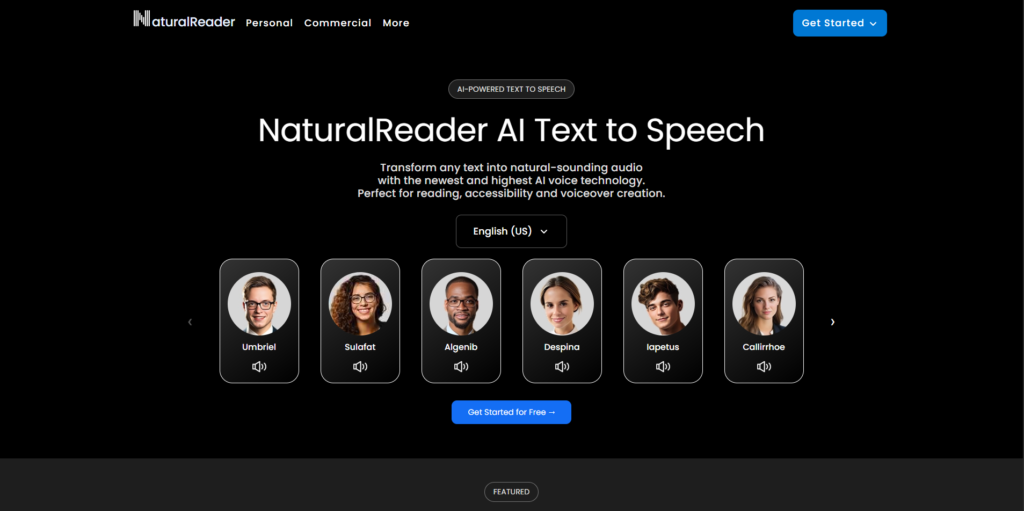
NaturalReader — Best for Reading Documents and PDFs Aloud
NaturalReader is the closest thing to a direct swap for Speechify’s core reading experience. You drop in a PDF, Word doc, or web page, and it reads the text back with decent AI voices, OCR for scanned pages, and support for more than 40 languages.
What it does well: The Chrome extension is genuinely useful for reading web articles on the fly, and the OCR scanning handles printed text and image-based PDFs that trip up simpler readers. It also has a real commercial product, called AI Voice Generator, if you want to export MP3s for other projects.
Where it falls short: NaturalReader confusingly sells two separate products with two separate pricing pages: a “Personal” reading tool and a “Commercial” voice generator, and buying one doesn’t unlock the other. The free plan also caps you at 20 minutes of listening per day, which is tight if you’re working through a full textbook chapter.
Best for: Students and professionals who mainly need documents and PDFs read aloud, and don’t need voiceover files for external projects.
Pricing (as of 2026): Free tier at 20 minutes/day. Personal plans run $20.90 to $25.90/month depending on tier ($119 to $159/year billed annually). Commercial plans start around $16.50/month and scale with credit volume.
ElevenLabs — Best for Ultra-Realistic Voice Quality and Cloning
ElevenLabs is the current quality benchmark in AI voice synthesis. AI text-to-speech is a broad category, but ElevenLabs sits at the top of it for realism, largely because of how well it handles pacing, emotion, and multilingual pronunciation.
What it does well: Voice cloning is the standout. You can clone a voice from as little as 30 seconds of audio, and the Professional Voice Cloning tier gets close to indistinguishable from a real recording. The API is also available starting on the cheapest paid tier, which matters if you’re building this into a product rather than just narrating articles.
Where it falls short: Character limits on lower tiers are stingy for high-volume use, and the free plan grants no commercial rights at all. If you’re generating an audiobook’s worth of content every month, you’ll likely need Creator or Pro, and costs climb fast at the API level.
Best for: Content creators, developers, and anyone who needs voiceover quality closer to a human recording than a synthesized one.
Pricing (as of 2026): Free tier with 10,000 characters/month, no commercial use. Starter around $5–$6/month (30,000 characters, commercial rights). Creator around $22/month. Pro at $99/month, Scale at $299/month, Business at $990/month.
ElevenLabs remains the quality leader among Speechify Alternatives in 2026, largely on the strength of its voice cloning and emotional realism. It’s the most affordable entry point for commercial-grade AI voice among premium studios, starting around $5–6 a month, though heavy API users will pay significantly more than flat-rate reading apps like Speechify or NaturalReader.
Read More: 10 Best AI Ad Testing Tools to Boost Your Campaign Performance in 2026
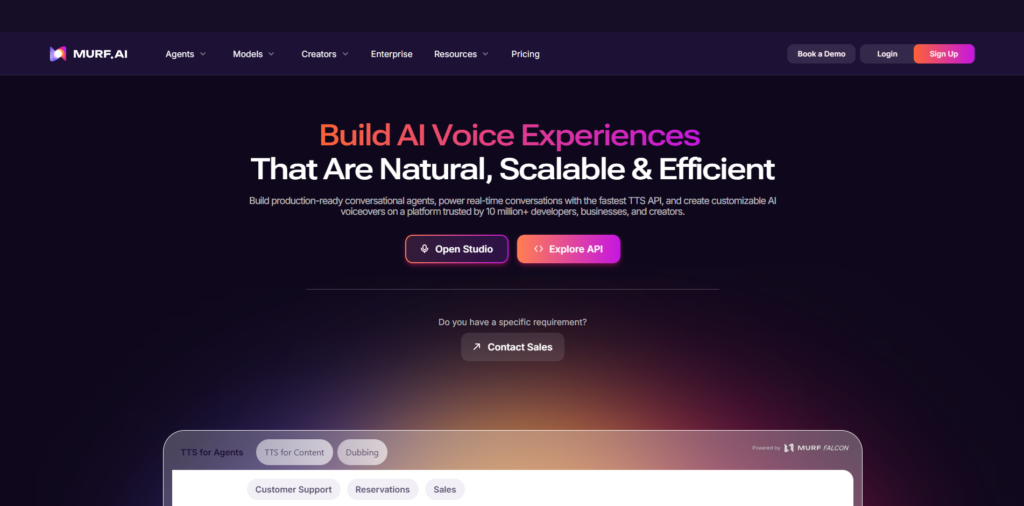
Murf AI — Best for Business Voiceovers and Marketing Content
Murf is built for people producing polished audio for video, e-learning, or ads rather than just listening to articles.
What it does well: The studio interface makes it easy to sync narration to a video timeline, adjust pitch and pacing at the word level, and pull from a large library of voices across languages. Team collaboration features and enterprise security certifications also make it a safer pick for companies than a solo-creator tool.
Where it falls short: Murf bills by Voice Generation Time (VGT), meaning you’re charged for the actual duration of audio you generate, not the length of the text or how many drafts it took to get there. Burn through your VGT and generation just stops until the next cycle.
Best for: Marketing teams and video creators who need voiceover synced to visuals, not just narration for reading.
Pricing (as of 2026): Plans start around $19–$26/month, with Business tiers up to roughly $39/month and custom enterprise pricing above that.
LOVO AI — Best for Video Creators and Emotional Delivery
LOVO, built around its Genny platform, blends text-to-speech with basic video editing, and it leans hard into emotional tone control.
What it does well: LOVO gives you access to 500-plus voices across 100-plus languages, along with emotional delivery presets like upbeat, calm, or urgent. A marketing team could generate the same ad script in five emotional tones to test which one performs best before locking in a final cut.
Where it falls short: Some non-English voices still sound noticeably robotic, and the emotional range on certain accents is limited compared to premium competitors like ElevenLabs.
Best for: Social media and video teams who want emotional variation baked into voice generation without hiring a voice actor.
Pricing (as of 2026): Free tier available. Paid plans start around $24–$29/month, with Pro and Business tiers scaling up from there.
Read More: 15 Best AI Animation Generator Tools to Create Stunning Videos in Minutes
Amazon Polly — Best for Developers Building at Scale
Amazon Polly is Amazon Web Services’ text-to-speech engine, and it’s the pricing baseline most developers compare everything else against.
What it does well: Polly’s Neural TTS engine covers 20-plus languages, and pricing is genuinely cheap at volume. It also supports SSML (Speech Synthesis Markup Language, a standard for controlling pronunciation, pausing, and emphasis in generated speech) and Speech Marks for timing metadata, which is useful for synchronized captions or animation.
Where it falls short: Standard-tier voices sound noticeably more robotic than premium consumer tools, and getting started requires comfort with AWS infrastructure. This isn’t a drop-in reading app; it’s a building block.
Best for: Developers who need speech generation embedded directly into a product or workflow.
Pricing (as of 2026): Standard TTS at $4 per million characters, Neural TTS at $16 per million characters. Free tier includes 5 million standard or 1 million neural characters per month for the first 12 months.
Google Cloud Text-to-Speech — Best for Multilingual Coverage at Scale
Google’s TTS API offers one of the broadest model ladders in the industry, from budget-friendly standard voices up to premium Studio voices for high-end production.
What it does well: Pricing starts at the same $4-per-million-character rate as Amazon Polly for Standard and WaveNet voices, and Google’s language coverage and pronunciation accuracy across non-English languages are consistently strong.
Where it falls short: Like Polly, this is API infrastructure, not a consumer app. You’re building the reader, the interface, and the review workflow yourself.
Best for: Developers and businesses that need reliable multilingual narration inside their own software.
Pricing (as of 2026): Standard/WaveNet from $4 per million characters up to Studio voices around $160 per million characters, depending on tier.
Read More: AI Video Editing Tools: Features, Benefits, and Best Platforms in 2026
Microsoft Azure AI Speech — Best for Maximum Voice and Language Coverage
Azure’s speech service has the largest voice library on the market: 400-plus neural voices across 140-plus languages, according to Oakgen’s 2026 text-to-speech comparison.
What it does well: Azure’s standout feature is viseme support, which returns facial animation data synchronized to the audio. That’s a real advantage if you’re building anything involving avatars, virtual characters, or lip-synced video, something none of the other cloud APIs on this list do natively.
Where it falls short: Per-character costs run higher than Polly or Google Cloud, and Custom Neural Voice (training a fully bespoke voice) is gated behind enterprise agreements.
Best for: Developers building apps that need lip-sync or avatar animation alongside speech, or teams needing the widest possible language coverage.
Pricing (as of 2026): Comparable per-character rates to Google and Polly at entry level, rising for premium neural and custom voice tiers; enterprise volume pricing is negotiated separately.
Read More: 15 Best AI Video Generator Tools to Create Stunning Videos in Minutes
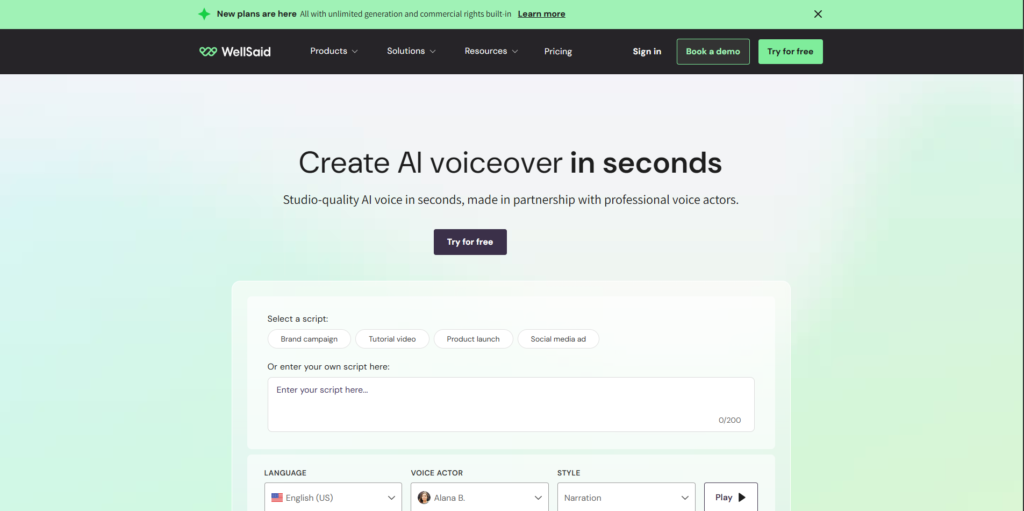
WellSaid Labs — Best for Enterprise Brand Voice Consistency
WellSaid Labs targets companies that need the same consistent, on-brand voice across every piece of content they produce, from training videos to product explainers.
What it does well: The Studio includes team collaboration tools, version control for voice assets, and compliance features built for regulated industries. Voice quality is genuinely strong for corporate and e-learning narration specifically.
Where it falls short: There’s no real consumer plan, language support is narrower than Azure or ElevenLabs, and pricing is clearly built for teams with budget, not solo creators experimenting on a Tuesday afternoon.
Best for: Enterprise learning and development (L&D) teams and corporate communications departments that need a consistent brand voice at scale.
Pricing (as of 2026): Maker tier around $49/month (250 downloads, 24 voice avatars). Creative tier around $99/month. Team and Enterprise pricing is custom and seat-based.
Descript (Overdub) — Best for Podcasters and Video Editors
Descript isn’t a pure text-to-speech app. It’s a transcript-based audio and video editor with Overdub, a voice cloning feature, built in for fixing mistakes without re-recording.
What it does well: Descript lets you edit audio and video by editing the transcript text itself, which is a genuinely faster workflow for interview or dialogue-heavy content. Overdub means you can literally type a corrected sentence and have it spoken in your own cloned voice instead of re-recording a take.
Where it falls short: Descript switched to a credit-based system in 2025, and AI features like Overdub and Studio Sound draw from a separate credit pool that can run out faster than expected. It’s also not built for narrating documents or articles; it’s built around content you already recorded.
Best for: Podcasters, YouTubers, and video editors who need to fix recordings without re-recording, not people looking for a pure reading app.
Pricing (as of 2026): Free plan with 1 hour of transcription/month, watermarked exports. Hobbyist around $12–$16/month. Creator/Pro around $24–$35/month with full Overdub access. Business around $50–$65/month.
Voice Dream Reader — Best for Mobile and Offline Accessibility Reading
Voice Dream Reader is a longtime favorite in accessibility circles, particularly for readers with dyslexia or low vision, and it’s been an Apple Design Award winner.
What it does well: It reads an unusually wide range of formats, including PDFs, DOCX, PowerPoint, EPUB ebooks, DAISY audiobooks, and Bookshare titles, and it works fully offline once content is loaded. VoiceOver integration and Apple Watch support make it a strong pick for iOS accessibility users specifically.
Where it falls short: This is an iOS and Mac-first product. Its original Android app has been discontinued, so Android users need to verify current availability before buying. Voice naturalness also lags behind newer neural-voice competitors.
Best for: iOS users, particularly students and readers with dyslexia or vision impairment, who need offline, format-flexible reading.
Pricing (as of 2026): Subscription around $79.99/year, with legacy one-time-purchase users grandfathered on older pricing.
Listnr — Best Budget All-in-One Voice Platform
Listnr positions itself as a lower-cost alternative with a large voice library and built-in podcast hosting on top of standard text-to-speech.
What it does well: Listnr’s library covers 1,000-plus voices and 142-plus languages, which is a lot of range for the price. The free tier gets you 1,000 words with no credit card required, which is enough to sample the voice quality before committing.
Where it falls short: Reviews are mixed. Multiple users report that premium voices sometimes fail mid-generation while still consuming credits, and refund and support response times have drawn real criticism. Treat lifetime deals with caution and read the terms carefully.
Best for: Budget-conscious podcasters and content creators who want a large voice library and don’t need enterprise-grade reliability.
Pricing (as of 2026): Free tier at 1,000 words. Paid plans start around $7.50–$16/month depending on billing structure.
TTSMaker — Best Completely Free Option
TTSMaker strips text-to-speech down to the basics: no account, no credit card, paste your text, pick a voice, click generate.
What it does well: It’s genuinely free with no watermark on the downloaded MP3, and there’s no daily usage timer the way NaturalReader’s free tier has. For quick, one-off conversions, it removes essentially every barrier to entry.
Where it falls short: Individual conversions are capped at around 3,000 characters (roughly 500 words) on the free tier, so it’s not built for long documents or ongoing reading workflows. Voice quality is also noticeably behind premium neural voices.
Best for: Anyone who needs a quick, free, one-time audio file and doesn’t want to sign up for anything.
Pricing (as of 2026): Free, with per-conversion character limits. No paid tier at time of writing.
Notevibes — Best for Voice Customization on a Mid-Range Budget
Notevibes leans into character and emotional range, with more than 550 voices and 18-plus emotional styles you can apply to narration.
What it does well: You can add nuance like joy, excitement, sadness, or even non-verbal sounds like laughing or sighing, which most budget tools don’t offer. It’s a genuinely fun tool for casting character voices in creative or narrative projects.
Where it falls short: Pricing runs expensive relative to competitors on a per-character basis. The Personal tier’s 6 million credits works out to roughly 100 hours of audio, but Murf and other alternatives often beat it on cost per hour at comparable quality.
Best for: Creative projects, character-based content, and anyone who wants expressive, emotion-tagged narration without a full production studio.
Pricing (as of 2026): Free plan with limited monthly downloads. Personal around $15.83/month. Pro around $32.99–$82.50/month depending on volume. Business tiers scale up from there.
Balabolka — Best Free Desktop App for Windows
Balabolka is a free, no-frills Windows desktop application that’s been around for years and has quietly stayed useful.
What it does well: It supports an unusually wide range of input formats, including DOC, PDF, HTML, and EPUB, and it can save output as MP3, WAV, or several other audio formats. Because it’s a local desktop app rather than cloud-based, there’s no subscription and no data leaving your machine for the core functionality.
Where it falls short: Voice quality depends entirely on whatever voices are installed on your Windows system, so out of the box it can sound dated unless you add better third-party voice packs. It’s also Windows-only, with no native Mac or mobile version.
Best for: Windows users who want a free, offline, no-subscription tool for converting documents to audio files.
Pricing (as of 2026): Completely free.
Resemble AI — Best for Developer-Grade Voice Cloning and Security
Resemble AI has shifted its entire pricing model in the past year, moving from flat subscription tiers to consumption-based pricing.
What it does well: Resemble pairs voice cloning with genuine security features most competitors skip entirely, including PerTh audio watermarking and deepfake detection. That combination matters for brands worried about their cloned voice being misused elsewhere.
Where it falls short: It’s not a voice-agent platform for live phone conversations; it generates voice, and you’d need to pair it with something like a conversational AI layer for real-time use. The pay-per-use model also means costs are harder to predict than a flat subscription.
Best for: Developers and security-conscious brands who need voice cloning with watermarking and authentication built in.
Pricing (as of 2026): Flex (pay-as-you-go) starting at $0.0005 per synthesis second, with voice clones around $2–$5/month each and team seats around $20/month per user. Enterprise pricing is custom.
Among Speechify Alternatives built for developers, the choice largely comes down to job type. Amazon Polly and Google Cloud Text-to-Speech win on raw per-character cost for high-volume narration, Microsoft Azure wins when lip-sync or the widest language coverage matters, and Resemble AI wins when voice cloning needs to come with watermarking and deepfake protection built in.
How to Choose the Right Speechify Alternative
Here’s the thing: there isn’t one best pick, because “text-to-speech” covers three genuinely different jobs.
If you just want to listen to articles, PDFs, or textbooks, you want a reading app like NaturalReader, Voice Dream Reader, or TTSMaker. If you’re producing voiceover for video, ads, or e-learning that other people will hear, you want a studio like Murf, LOVO, or WellSaid Labs. And if you’re building speech into a product or app, you want an API like Amazon Polly, Google Cloud, Azure, or Resemble AI.
Match the tool to the job first. Then compare price. Picking ElevenLabs to read your Kindle books is overkill. Picking TTSMaker to voice a client’s product demo is a mistake in the other direction.
Final Thoughts
Fifteen tools, three real categories, and no single winner for everyone. If you’re just trying to get through your reading list faster, NaturalReader or Voice Dream Reader will do it for less than Speechify charges. If you’re producing voiceover people will actually hear, ElevenLabs or Murf earn their price. And if you’re building speech into software, skip the consumer apps entirely and go straight to Amazon Polly, Google Cloud, or Azure.
Pick based on the job, test the free tier first, and don’t pay for features you won’t use.
If you want to get sharper at picking and actually using AI tools like these instead of just collecting subscriptions, Hotskill breaks down real workflows in structured, bite-sized lessons built for busy professionals. Download the app on iOS or Android at hotskill.co/download.
FAQ
What is the best free Speechify alternative?
TTSMaker and Balabolka are the strongest completely free options. TTSMaker works entirely in the browser with no account needed, while Balabolka is a free Windows desktop app with no subscription at all. Both trade some voice quality for zero cost.
Speechify vs NaturalReader: what’s the real difference?
Speechify is stronger for mobile, on-the-go listening with OCR camera scanning and Kindle integration. NaturalReader is more document-focused, with a separate commercial product for exporting downloadable audio files. If you mainly read on your phone, Speechify’s app experience is smoother; if you’re reading PDFs at a desk, NaturalReader is comparable at a lower price.
How do I convert text to speech using an AI tool?
Open your chosen tool, paste or upload your text, select a voice from the library, adjust the reading speed if needed, and click generate. Most consumer apps let you listen directly in-browser; production tools like Murf or ElevenLabs also let you export the file as an MP3 or WAV.
Is ElevenLabs worth it for a solo content creator?
For most solo creators producing videos or short audio content monthly, yes. The Creator plan at around $22/month covers a reasonable volume of high-quality narration with commercial rights, and the voice cloning is currently the best available at that price point.
Do I need to know how to code to use these tools?
No, not for the consumer-facing apps. NaturalReader, Speechify, Murf, LOVO, and similar tools have point-and-click interfaces built for non-technical users. Coding knowledge is only needed for the developer APIs like Amazon Polly, Google Cloud, and Azure.
Why does my AI-generated voice sound robotic even on a paid plan?
This usually comes down to voice tier, not the platform overall. Most tools separate “standard” or “basic” voices from premium neural voices, and the natural-sounding ones are often gated behind a higher plan. Check whether you’re actually using the premium voice tier before assuming the whole product is weak.
Do I really need a paid tool if I already use my phone’s built-in text-to-speech?
If you’re just skimming short articles occasionally, your phone’s native reader is fine and free. But built-in system voices are noticeably more robotic, don’t handle OCR or complex PDFs well, and don’t sync progress across devices. A dedicated tool earns its cost once you’re reading regularly or need better voice quality.
Can I get commercial usage rights on a free plan?
Almost never. ElevenLabs, Murf, Descript, and Play.ht-era competitors all restrict their free tiers to personal, non-commercial use. If you plan to publish generated audio publicly, budget for at least the cheapest paid tier of whichever tool you choose.
Which tool is best for voice cloning specifically?
ElevenLabs currently leads on pure realism for voice cloning, with Resemble AI as the strongest option if you also need watermarking and deepfake detection built in. Descript’s Overdub is a solid middle ground if you mainly need it to fix your own recordings rather than clone someone else’s voice from scratch.
Are any of these Speechify alternatives better for accessibility than Speechify itself?
Voice Dream Reader is arguably stronger for accessibility specifically, with deeper VoiceOver integration, DAISY audiobook support, and offline reading built for readers with dyslexia or low vision. It’s iOS-focused, though, so Android users needing similar accessibility support may be better served by NaturalReader’s Chrome extension instead.