
Kling AI earned its reputation the hard way. Type a prompt, upload a reference image, and a few minutes later you have a clip with physics that actually hold up. Kling 3.0, which launched in February 2026, still tops most benchmark leaderboards for photorealistic motion.
But a top benchmark score doesn’t fix a workflow problem. Maybe you’ve burned through your credit allowance twice this month. Maybe you needed a talking presenter and Kling handed you a gorgeous, empty scene. Maybe you just want to know what else is out there before you renew. That’s usually what sends people looking for Kling AI alternatives in the first place, and the market has gotten crowded enough that picking the wrong one wastes real time and money.
This guide breaks down 15 tools worth testing in 2026, what each one actually does well, where it falls short, and who it’s built for. No single tool wins every category, so the goal isn’t crowning a winner. It’s matching the tool to the job in front of you.
Read More: AI Video Editing Tools: Features, Benefits, and Best Platforms in 2026
Why Creators Look for Kling AI Alternatives
Kling generates scenes, environments, and motion sequences. It doesn’t generate a scriptable human presenter, and it doesn’t come with an editing timeline. If your project needs a spokesperson explaining a product or a full script-to-export pipeline, Kling hands you raw footage and nothing else.
Credit burn is the other recurring complaint. Kling AI’s Standard plan runs about $6.99 a month, but a single 10-second 1080p clip with native audio can eat 100+ credits depending on the model, according to pricing trackers that reviewed Kling’s membership page in mid-2026. Run three or four takes to get the motion right, which most creators do, and a light monthly plan disappears fast.
Kling AI is a credit-metered platform, not a flat subscription. Kling 3.0 costs roughly 6 to 12 credits per second depending on resolution and whether native audio is enabled, and there’s no unlimited tier at any price point as of mid-2026. Creators who need audio, a presenter, or a full edit timeline typically end up pairing Kling with a second tool rather than replacing it outright.
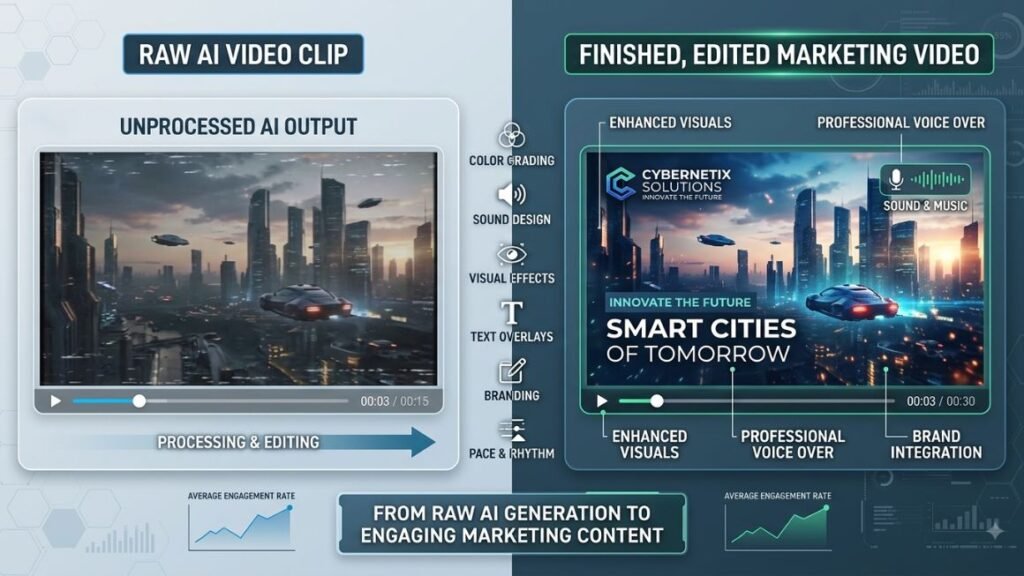
The AI video generator market has split into two clear lanes: raw clip generators that compete on motion quality, and full production platforms that take you from script to finished, publishable video. The 15 tools below cover both lanes, so you can pick based on the actual gap in your workflow rather than switching blind.
Read More: 15 Best AI Video Generator Tools to Create Stunning Videos in Minutes
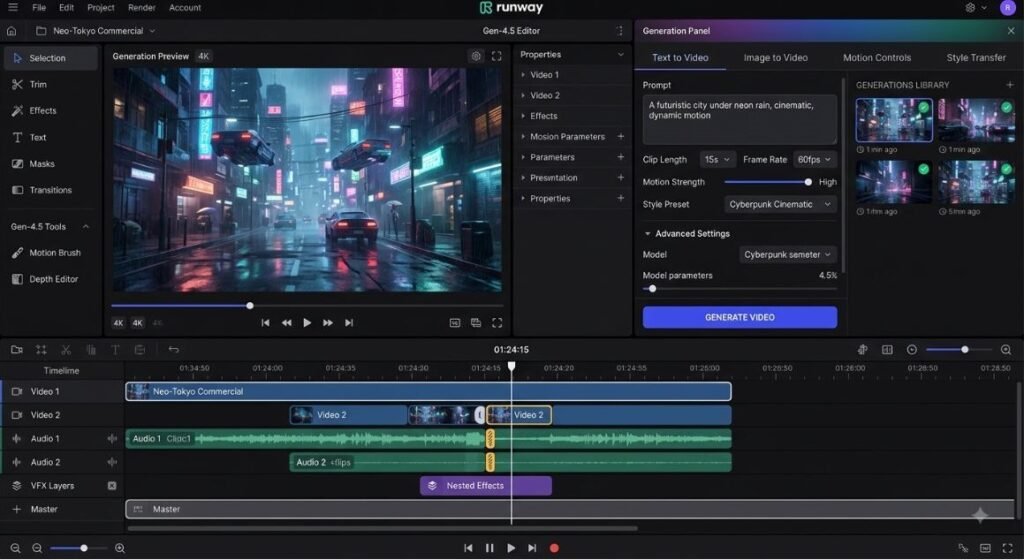
Runway — Best for Full Production Workflows
What it does: Runway pairs its Gen-4.5 generation model with a real editing environment, so you can generate, trim, layer, and finish a video without leaving the platform.
What it does well: Runway’s Aleph tool edits existing footage instead of just generating new clips, and Act-Two handles performance capture for character animation. As of mid-2026, a single Runway subscription also gives you in-dashboard access to Google Veo 3.1, Kling 3.0 Pro, and Seedance, so you’re not juggling five separate logins.
Where it falls short: The credit system is confusing at first. Gen-4.5 burns 25 credits per second, which means the $12/month Standard plan only covers about 25 seconds of flagship-quality video a month before you’re topping up or upgrading.
Best for: Freelancers and small teams who need a real editor, not just a generation button.
Pricing (as of 2026): Free (125 one-time credits), Standard $12/month annual, Pro $28/month (2,250 credits), Max $76/month (9,500 credits), Enterprise custom.
Read More: 10 Best AI Video Ads Generator Tools for Better Campaigns
Google Veo 3.1 — Best for Native Audio and Cinematic Realism
For creators who need dialogue, sound effects, and ambient noise generated in the same pass as the video, Google Veo 3.1 is currently the strongest option among AI video generation tools. It’s Google DeepMind’s flagship model, accessible through the Gemini app, the Flow filmmaking tool, and the Vertex AI developer platform.
What it does well: Veo 3.1 generates 8-second clips up to 1080p with synchronized dialogue and sound design built in. You don’t need a separate audio pipeline, which most competing models still require.
Where it falls short: Clip length tops out at 8 seconds per generation, shorter than Sora or Kling. Access is also split across confusing channels, Gemini app, Flow, and the API, each with different pricing and quotas.
Best for: Anyone who wants finished, audio-complete clips without stitching a separate sound layer afterward.
Pricing (as of 2026): Google AI Pro at $19.99/month includes 1,000 monthly credits; API access on Vertex AI runs from about $0.15 to $0.70 per second depending on tier and resolution.
Read More: 20 Best AI Product Video Generator Tools to Boost Online Sales (2026)
Luma AI Dream Machine — Best for Character Consistency
If your project needs the same character to show up believably across multiple shots, Luma is one of the stronger image-to-video AI tools available right now. Image-to-video generation takes a still image as a starting point and animates it into motion, rather than generating a scene from text alone.
What it does well: Luma’s Ray 3 model handles reference-image handling particularly well, which matters if you’re building a campaign or short film where a character needs to look the same from scene to scene.
Where it falls short: No native audio generation as of 2026, and the credit system is opaque compared to Runway’s published per-second math. You can’t easily forecast your monthly spend the way you can elsewhere.
Best for: Creators building multi-shot sequences around a consistent character or product.
Pricing (as of 2026): Free tier with 30 daily generations; Dream Machine Plus or Luma Agents Plus around $30/month with roughly 10,000 credits; Pro tier around $90/month.
Read More: 15 Best AI Video Upscaler Tools to Enhance Video Quality in 2026
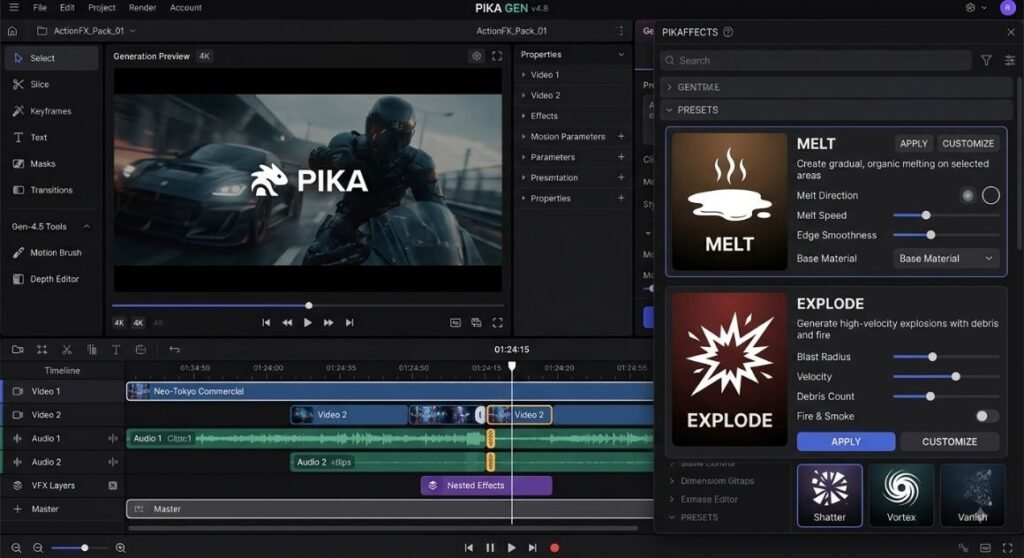
Pika — Best for Fast, Effects-Driven Social Clips
Pika leans hard into speed and novelty rather than photorealism. Among text-to-video AI tools built for short-form content, it’s consistently the fastest to a finished clip.
What it does well: Pikaffects (melt, explode, inflate) and Pikadditions (inserting characters into real footage) are genuinely unique, and nothing else in this list replicates them well. Generation typically finishes in under 90 seconds.
Where it falls short: Pika trails Runway and Veo on photorealism, and clips cap around 10 seconds. It’s also not built for narrative or cinematic work, so pair it with a proper editor if you need more than a single clip.
Best for: Social media creators who need punchy, visually creative clips fast.
Pricing (as of 2026): Free (80 monthly credits, 480p, watermarked), Standard $8/month, Pro $28/month, Fancy $76/month.
Hailuo AI (MiniMax) — Best Budget Physics Engine
Hailuo AI, built by MiniMax Group, has become the go-to budget option among best AI video generators for anyone who wants realistic motion physics without paying premium rates. MiniMax completed a $619 million Hong Kong IPO in January 2026 at a roughly $4 billion valuation, according to reporting on the listing.
What it does well: Hailuo generates 1080p clips up to 10 seconds long in as little as 30 to 90 seconds, and it’s frequently cited for accurate rendering of complex physical movement like gymnastics and fast action.
Where it falls short: As a China-based platform, Hailuo’s privacy policy states that data may be stored and processed in China, which comes with different data protection standards than the US or EU. Worth weighing before you upload proprietary client footage or unreleased product images.
Best for: Budget-conscious creators who need physics-heavy motion without cinematic-tier pricing.
Pricing (as of 2026): Standard plan around $9.99/month for roughly 1,000 credits; Unlimited plan around $94.99/month.
Read More: What Is an AI Agent for Video Marketing? Benefits, Use Cases & Tools
PixVerse — Best for Anime and Stylized Motion
PixVerse has carved out a specific niche: fast, cheap, stylized output, especially anime and semi-realistic character animation, that outpaces most competitors on price per clip.
What it does well: At roughly $0.30 per 5-second 1080p clip, PixVerse is among the cheapest options in the category, and its style presets are genuinely strong for social-first, anime-influenced content.
Where it falls short: It doesn’t compete with Veo or Runway on straight photorealism, and clip length is limited to 5 to 8 seconds per generation.
Best for: Creators making anime-style content, effects-driven shorts, or high-volume social posts on a tight budget.
Pricing (as of 2026): Free tier available; paid plans start around $10/month.
Read More:
Vidu AI — Best Value for Money
Vidu, developed by Shengshu AI, is one of the more aggressive value plays in the category. Vidu Q3, released in January 2026, supports up to 16 seconds of native audio-video generation in a single pass.
What it does well: On the Pro plan, 60 seconds of finished video at standard quality runs roughly $0.90 to $2 depending on the quality tier, meaningfully cheaper than most cinematic-focused competitors.
Where it falls short: Output quality at the entry tiers doesn’t match Veo or Runway, and the free tier is limited to short, lower-resolution clips.
Best for: Creators and small studios who need high volume without a premium budget.
Pricing (as of 2026): Free tier available; Standard under $10/month; Pro under $30/month; Enterprise custom.
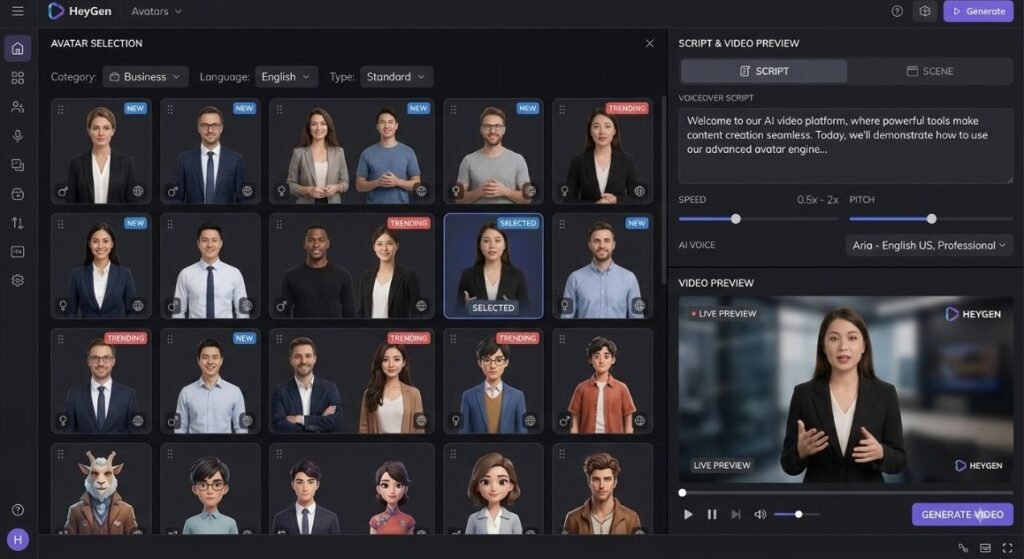
HeyGen — Best for Talking-Head Presenter Video
This is the gap Kling can’t fill on its own. HeyGen is a dedicated AI video generator for presenter-led content: product demos, training videos, and sales outreach where a human-looking spokesperson needs to deliver a script on camera.
What it does well: HeyGen’s avatar realism is consistently rated the strongest in its category, and it supports translation and lip-sync across 175+ languages, useful for global marketing teams producing localized versions of the same video.
Where it falls short: The credit system punishes heavy use of the premium Avatar IV feature, which burns 20 credits per minute. Creator plan’s 200 monthly credits cover only about 10 minutes of premium avatar video before you’re topping up.
Best for: Marketing, sales, and L&D teams that need a scripted human presenter, not a generated scene.
Pricing (as of 2026): Free (3 videos/month, watermarked), Creator $29/month, Pro $49 to $99/month, Business $149/month + $20/seat, Enterprise custom.
Synthesia — Best for Enterprise Training Video
Synthesia is the most established name in AI avatar video, with more than 50,000 business customers as of 2026 according to the company’s own published figures. It’s built for corporate training and internal communications rather than social content.
What it does well: Synthesia supports 120+ languages and over 140 pre-built avatars, and its custom avatar feature lets you build a digital likeness from a 15-minute recording of a real person, useful for consistent brand-voice training content.
Where it falls short: Pricing is minute-metered rather than credit-based, and the entry Starter plan caps at around 10 minutes of video per month. Teams that need more than that jump straight to a much pricier Creator tier.
Best for: L&D and internal communications teams producing polished, multilingual training content at scale.
Pricing (as of 2026): Free (limited minutes, watermarked), Starter around $18 to $29/month, Creator around $64 to $89/month, Enterprise custom.
LTX Studio — Best for Script-to-Video Production
LTX Studio, built on Lightricks’ LTX-2.5 model, takes a fundamentally different approach from Kling. Instead of generating one clip per prompt, it’s structured around multi-shot continuity, meaning it can maintain the same characters and setting across an entire sequence rather than a single isolated clip.
What it does well: LTX-2.5 is the only open-weights model with native audio-video generation in a single forward pass, and it ships with editing tools for existing footage, not just fresh generation. Commercial use is free under $10 million in annual revenue.
Where it falls short: The production-pipeline approach has a steeper learning curve than a simple prompt box, and self-hosting the open-weights version requires serious GPU resources.
Best for: Teams building multi-scene projects who need consistency across shots rather than one-off clips.
Pricing (as of 2026): Hosted API from roughly $0.09/second at 720p to $0.37/second at 4K; self-hosting is free beyond hardware cost.
InVideo AI — Best for Template-Driven Marketing Video
InVideo AI sits closer to a traditional video editor with generative features layered on top, rather than a pure generation model. It’s built around scripts, templates, and stock footage rather than photorealistic scene generation.
What it does well: InVideo bundles iStock footage access, voice cloning, and AI script generation into one workflow, which makes it fast for turning a blog post or product description into a publishable marketing video.
Where it falls short: The credit pools are split across AI minutes, stock downloads, and voice clones separately, and they don’t roll over, so one pool can run dry while others sit unused.
Best for: Marketing teams who want a fast script-to-video pipeline without learning prompt engineering.
Pricing (as of 2026): Free (watermarked), Plus around $25/month, Max around $60/month, Generative around $120/month (bundles Sora and Veo access).
Wan (Alibaba) — Best Open-Source Model
If licensing cost or data control is the real problem, not clip quality, Wan is the answer. Released by Alibaba’s Tongyi team under an Apache 2.0 license, it’s one of the most widely deployed AI video creation tools in the open-source community.
What it does well: Wan handles text-to-video, image-to-video, and video editing in a single unified model, and because it’s genuinely open weights, you can fine-tune it or run it entirely on your own hardware with zero per-generation fees. The newer Wan 2.6/2.7 releases added native audio and lip sync.
Where it falls short: Full-quality output needs a serious GPU, generally 16GB+ VRAM at minimum, and lighter 8GB configurations mean noticeably lower quality. There’s also no polished consumer interface; this is a developer-facing tool.
Best for: Technical teams and developers who want full control, no vendor lock-in, and no recurring subscription.
Pricing (as of 2026): Free and open-source (Apache 2.0); hosted API access from roughly $0.09/second depending on provider.
Adobe Firefly Video — Best for Commercially Safe Output
Adobe positions Firefly as the safest option for enterprise use because its models are trained exclusively on licensed content, avoiding the copyright ambiguity that shadows most competitors.
What it does well: Firefly integrates directly into the Creative Cloud ecosystem, Photoshop, Premiere, Express, so teams already inside Adobe’s tools can generate video without switching platforms. It also gives buyers a documented, licensed-data commercial safety story.
Where it falls short: The credit system depletes fast on video specifically. Standard plan’s 2,000 credits get consumed quickly once video generation is involved, and reviewers on G2 consistently flag the credit ceiling as the top reason people upgrade.
Best for: Agencies and enterprises that need airtight commercial licensing and already work inside Adobe’s ecosystem.
Pricing (as of 2026): Standard $9.99/month, Pro $19.99/month, Premium $199.99/month (unlimited video generation).
How to Choose the Right Kling AI Alternative
Most AI video creation tools fall into one of three camps: raw clip generators, presenter-led production platforms, and full editing suites. Figure out which camp your project actually needs before you compare pricing.
If cinematic realism and native audio matter most, Veo 3.1 and the open Sora 2 API are your strongest options. If your project needs a scripted human presenter, Kling can’t help you at all, HeyGen or Synthesia will. If budget and iteration speed matter more than polish, Hailuo, PixVerse, and Vidu give you the most attempts per dollar. And if you need a full script-to-export pipeline instead of isolated clips, LTX Studio and Runway are built for exactly that.
There’s no single best AI video generator in 2026 because the category has split into distinct use cases: raw scene generation, presenter-led production, budget iteration, and full editing pipelines. Matching the tool to the specific gap in your workflow matters more than chasing the highest benchmark score.
Some of the Kling AI similar tools on this list use the same core approach, prompt in, photorealistic clip out. Others solve a completely different problem, like adding a presenter or an editing timeline. Knowing which gap you’re actually trying to close will save you a subscription you don’t end up using.
Final Thoughts
Kling AI still leads on raw photorealistic motion, and there’s no reason to abandon it if that’s genuinely what your work needs. But most of the frustration that sends people searching for Kling AI competitors comes down to three specific gaps: no native presenter, credit costs that don’t match iteration-heavy workflows, and no built-in editing timeline.
Pick based on the gap, not the hype. If you need a scripted spokesperson, start with HeyGen. If you need cinematic audio in the same pass as the video, test Veo 3.1. If you’re building a multi-scene project with a consistent character, LTX Studio or Luma are worth the learning curve. Most working creators end up running two tools side by side rather than one that does everything.
FAQ
What is the best free alternative to Kling AI?
Pika and Vidu AI both offer usable free tiers for testing quality before you commit to a paid plan. Pika’s free plan gives you 80 monthly credits at 480p, while Vidu’s free tier allows casual experimentation at lower resolution. Neither free tier is suitable for commercial use since both apply a watermark.
Kling AI vs Runway — what’s the actual difference?
Kling focuses on generating a single photorealistic clip from a prompt, while Runway wraps generation inside a full editing environment with timeline, layering, and performance-capture tools. If you need to build a finished, edited video rather than a raw clip, Runway is the stronger starting point.
How do I use these tools for a product demo video?
Start with HeyGen or Synthesia to script and generate a presenter delivering your pitch, then use Runway or InVideo to add b-roll, captions, and branding around the presenter footage. This two-tool combination covers the gap that Kling and most pure generation models leave open.
Is switching from Kling AI worth it for a solo content creator?
It depends on what’s frustrating you. If credit costs are the issue, Vidu or Hailuo offer more attempts per dollar. If you’re missing audio or a presenter, no amount of Kling credits will solve that, you genuinely need a different tool for that specific gap.
Do I really need a separate tool if I already have Kling AI?
Not necessarily. Many creators keep Kling for its photorealistic motion and pair it with HeyGen for presenter shots or Runway for editing, rather than replacing it outright. The question is whether your workflow needs capabilities Kling structurally doesn’t offer, not whether Kling is bad at what it does.
Why isn’t my AI video generator giving me good results?
Most quality issues trace back to vague prompts or trying to force a single tool to do a job it wasn’t built for, like asking a raw generator for a scripted presenter. Being specific about camera movement, lighting, and subject action in your prompt, and picking a tool built for your actual output type, fixes most of this.
Do I need to know how to code to use these AI video generation tools?
No. Runway, Pika, HeyGen, Synthesia, Luma, and InVideo are all built around a prompt box or script field with no coding required. Coding only becomes relevant if you want API access for automated, high-volume pipelines, or if you’re self-hosting an open-source model like Wan.
Which tool is best for a marketing team on a tight budget?
Vidu AI and Hailuo both offer strong value per clip, and InVideo AI bundles stock footage with generation for teams that need volume without cinematic polish. Pair either budget generator with a free editing pass in Runway or InVideo if the raw clips need trimming and branding.
What happened to Sora as a Kling AI competitor?
OpenAI discontinued the standalone Sora consumer app on April 26, 2026, and as of mid-2026, ChatGPT Plus and Pro no longer include Sora video generation as a plan benefit. The model is still accessible through OpenAI’s developer API, but it’s no longer a simple subscription option for non-technical creators.
Is an open-source model like Wan a realistic alternative for non-developers?
Not really, at least not directly. Wan requires GPU hardware and a comfort level with tools like ComfyUI to run locally, which puts it out of reach for most non-technical creators. It’s a strong option for developers or technical teams who want zero per-generation cost and full data control, not for someone who just wants a prompt box.