

Working solo means you’re the writer, the accountant, the project manager, and the salesperson, often all before lunch. There’s no team to hand off the boring parts to, and no one else catching your mistakes before a client does. That’s exactly where the best AI tools for freelancers earn their place, not as a novelty, but as the closest thing a one-person business has to a support staff.
The problem isn’t finding an AI tool. It’s finding the right one without burning a weekend testing eight apps that all promise to “10x your productivity.” Most freelancers don’t need ten tools. They need three or four that actually fit how they work, and a clear idea of what each one is genuinely good at.
This guide breaks down eight tools worth your time in 2026, what they do well, where they fall short, and who should actually pay for them. No fluff, no affiliate-driven hype. Just what works.
Why Solo Freelancers Need a Different AI Toolkit Than Teams Do
Most “best AI tools” lists are written for marketing teams or agencies with five people splitting the work. A freelancer doesn’t have that luxury. You’re switching between writing a proposal, chasing an invoice, and prepping for a client call, sometimes within the same hour.
That changes what actually matters. A freelancer needs tools that reduce context-switching, not add another dashboard to check. Cost matters more too, since there’s no company card covering a dozen software subscriptions. And reliability matters most of all, because if a tool produces a bad output on a client-facing document, there’s no colleague to catch it before it goes out.
Solo freelancers need AI tools that reduce context-switching and stay affordable on a single income, unlike team-oriented tools built for shared workflows and split costs. The tools that matter most handle writing, admin, and scheduling, the three areas where solo workers lose the most unpaid time.
Read More: AI for Graphic Design: Tools, Trends, and Practical Applications
Claude: Best for Client Writing, Research, and Contract Review
Claude is Anthropic’s AI assistant, built for handling long documents and detailed instructions without losing track of what you asked for. That last part matters more than it sounds. It’s the reason freelancers who write proposals, reports, or long-form content tend to stick with it.
What It Does Well
Claude holds up well on long, structured tasks. Feed it a messy client brief and ask it to turn it into a clean proposal, and it generally keeps the actual details straight instead of drifting into generic filler. It’s also genuinely useful for a first-pass read of a contract, flagging vague payment terms or scope language worth asking about before you sign. That’s not legal advice, and it shouldn’t replace a lawyer for anything high-stakes, but for a quick sanity check on a standard freelance contract, it holds up.
Here’s a real example: paste a 3-page client brief into Claude and ask, “Turn this into a 400-word proposal covering scope, timeline, and price, in my usual direct tone.” You’ll get something close to a first draft, not a finished one, but close enough to save real time.
Where It Falls Short
Claude doesn’t have the plugin ecosystem or third-party integrations that ChatGPT has built up. If you want an AI tool wired directly into a dozen other apps, this isn’t it. It’s also more conservative than some competitors on certain requests, which occasionally means more back-and-forth to get exactly the tone you want.
Best For
Freelance writers, consultants, and anyone who deals with long documents, contracts, or detailed client briefs regularly.
Pricing
Claude has a free tier with usage limits, and Claude Pro is $20/month as of 2026 for higher usage limits and access to more capable models.
Claude is the strongest choice for freelancers who work with long documents, since it tracks detailed instructions across contracts, briefs, and proposals better than most general-purpose chatbots. It’s not built for integrations, so pair it with dedicated tools for invoicing or scheduling.
Read More: 10 Best AI Graphic Design Tools to Transform Your Creativity in 2026
ChatGPT-5: Best All-Rounder for Brainstorming and Client Communication
ChatGPT-5 is OpenAI’s flagship chatbot, and it’s still the default most freelancers reach for first, mostly because it does a lot of things at a “good enough” level. That’s not an insult. For a solo operator juggling ten different tasks a day, “good enough at everything” beats “excellent at one thing” more often than you’d expect.
What It Does Well
ChatGPT is fast for brainstorming client pitches, drafting outreach emails, or rewriting a message that came out sounding too stiff or too casual. Its voice mode and mobile app make it genuinely useful for thinking through a problem while walking or commuting, not just at a desk. The custom GPTs feature also lets you build a reusable assistant trained on your own writing style or service packages, which saves setup time on repeat tasks like client onboarding emails.
A practical example: build a custom GPT with your rate card, service descriptions, and past proposal examples loaded in. Then every new inquiry gets a first-draft response in your voice in under a minute, instead of twenty.
Where It Falls Short
ChatGPT can get confidently wrong on niche or highly specific factual claims, so anything client-facing needs a human check before it goes out. It also tends to produce noticeably “AI-sounding” phrasing by default unless you push it on tone, which is a real problem if you’re using it to write content under your own name.
Best For
Freelancers who need one flexible tool for a wide mix of tasks, from client emails to quick research to content brainstorming.
Pricing
Free tier available with GPT-5 access at limited usage; ChatGPT Plus is $20/month as of 2026 for higher limits and priority access to newer models.
Notion AI: Best for Managing Projects Without a Team
Notion is a workspace app for notes, docs, and project tracking, and Notion AI is the assistant built directly into it. If you’re already using Notion to track clients and deadlines, the AI layer is the upgrade that turns a static workspace into something that actively helps you stay on top of things.
What It Does Well
Notion AI is strongest at summarizing your own notes and turning messy meeting scribbles into a clean action list. Ask it to summarize a client call you logged, and it’ll pull out deliverables and deadlines without you re-reading the whole thing. It also handles database queries in plain language, so you can ask “which client projects are overdue” instead of building a filter manually.
Where It Falls Short
Notion AI is only as good as the notes and structure you’ve already put into Notion. If your workspace is disorganized, the AI layer won’t fix that for you, it just works faster within whatever mess already exists. It’s also an add-on cost on top of your existing Notion plan, which stings if you’re only using a fraction of its features.
Best For
Freelancers already using Notion for client and project tracking who want less manual summarizing and searching.
Pricing
Notion’s core plans start free for individuals; Notion AI is an add-on at roughly $8-10/month per member as of 2026, depending on billing terms.
Read More: What Is Generative AI in Marketing? A Simple Guide for Beginners
Bonsai: Best for Invoicing, Contracts, and Proposals
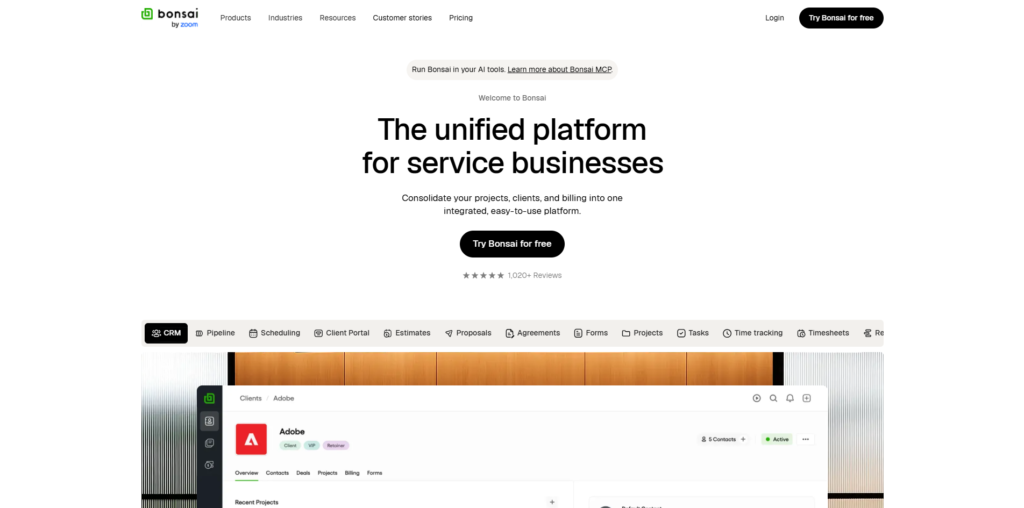
Bonsai is a business management platform built specifically for freelancers, covering contracts, proposals, invoicing, and time tracking in one place, with AI features layered into the writing side of things.
What It Does Well
This is the tool that handles the part of freelancing nobody enjoys. Bonsai’s AI-assisted proposal and contract templates are built around freelance-specific scenarios, so you’re not adapting a generic business template that doesn’t account for milestone payments or scope creep clauses. Recurring invoices and automatic late-payment reminders alone save hours a month for anyone billing multiple clients.
Where It Falls Short
Bonsai’s AI writing features are narrower than a general assistant like Claude or ChatGPT. It’s built to fill in templates, not to brainstorm or handle open-ended writing tasks. It’s also overkill if you only have one or two steady clients and don’t need the full contract-and-invoicing suite.
Best For
Freelancers juggling multiple clients who need contracts, invoices, and proposals handled without stitching together separate tools.
Pricing
Plans start around $17-24/month as of 2026 depending on the tier, with a limited free trial.
Canva Magic Studio: Best for Design Work Without a Designer
Canva Magic Studio is Canva’s suite of AI design features, covering everything from AI image generation to automatic background removal and text-to-design tools, built into the design platform most freelancers already know.
What It Does Well
Magic Studio is genuinely useful if design isn’t your core skill but you still need decent-looking client decks, social posts, or one-page proposals. The Magic Design feature turns a rough prompt into a usable layout in seconds, and background removal alone saves the trip to a separate photo editing app.
Where It Falls Short
Don’t expect professional-grade custom branding or complex layouts. It’s built for speed and “good enough” visuals, not for freelancers whose actual service is high-end design work, who’ll want more control than Magic Studio gives them.
Best For
Non-designer freelancers who occasionally need clean visuals for proposals, social content, or client presentations.
Pricing
Free tier available with limited AI credits; Canva Pro is around $15/month as of 2026 with expanded Magic Studio access.
Otter.ai: Best for Turning Client Calls Into Usable Notes
Otter.ai is a transcription tool that records and transcribes meetings in real time, then summarizes them into notes and action items.
What It Does Well
If you’re on client calls regularly, Otter removes the awkward choice between actively listening and frantically taking notes. It transcribes the call live, then generates a summary with key points and action items right after you hang up. That summary becomes a quick reference for scope discussions later, which matters when a client claims they “never agreed to that” three weeks in.
Where It Falls Short
Accuracy drops with strong accents, overlapping speakers, or poor call audio, so it’s not a substitute for actually paying attention. It also only covers the meeting itself, not the follow-up work of turning notes into an actual project plan.
Best For
Freelancers who run frequent client calls and need a reliable record of what was actually agreed to.
Pricing
Free tier covers limited monthly transcription minutes; paid plans start around $10-17/month as of 2026 depending on usage needs.
Zapier AI: Best for Automating the Repetitive Admin Work
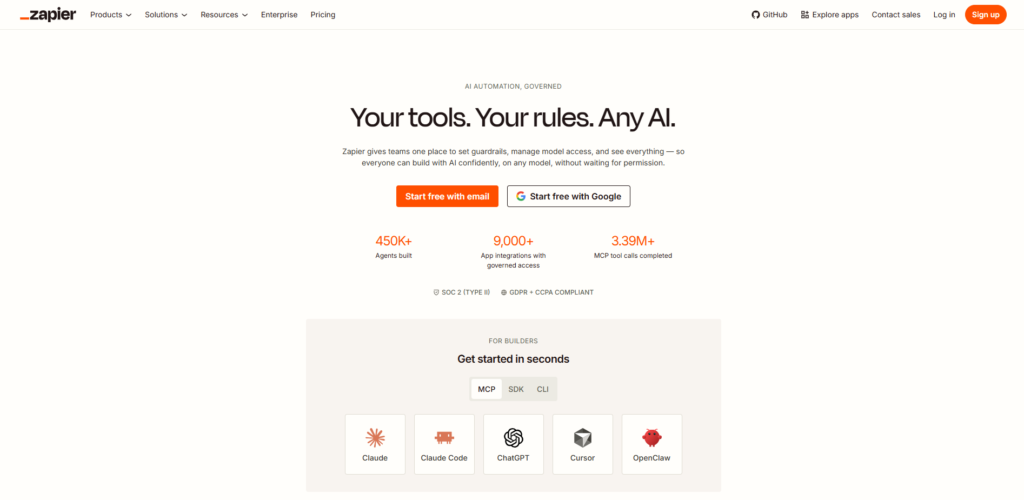
Zapier connects different apps together so an action in one triggers a task in another, and its AI features now let you build these automations using plain-language instructions instead of manual logic steps.
What It Does Well
This is the tool that quietly removes small annoying tasks. A new client inquiry form submission can automatically create a project folder, send a templated response, and add a task to your project tracker, all without you touching anything. Zapier’s AI Actions feature also lets you describe what you want in a sentence, and it builds the automation logic for you instead of making you drag and drop steps manually.
Here’s a concrete setup: connect your inquiry form to Gmail and Notion, so every new lead gets an instant auto-reply and a new entry in your client tracker at the same time. That’s the kind of thing that used to require either a virtual assistant or twenty minutes of manual copying.
Where It Falls Short
There’s a real learning curve to get automations set up correctly the first time, even with AI-assisted building. And it’s easy to over-automate things that actually needed a human touch, like a first response to a high-value client inquiry.
Best For
Freelancers with repetitive admin tasks across multiple apps who want fewer manual steps between “new inquiry” and “organized in my system.”
Pricing
Free tier covers limited monthly tasks; paid plans start around $20-30/month as of 2026 for higher automation volume.
Grammarly: Best for Catching Mistakes Before Clients Do
Grammarly is a writing assistant that checks grammar, tone, and clarity across whatever you’re writing, from emails to client-facing documents, and its AI features now go beyond basic spellcheck into tone and clarity suggestions.
What It Does Well
This is the safety net for anything going out under your name. Grammarly catches the small errors that slip through when you’re moving fast between five different client threads, and its tone detector flags when an email reads more abrupt or more uncertain than you intended. That matters more for freelancers than employees, since a typo-riddled email to a client reads as a lack of professionalism with no colleague around to soften the impression.
Where It Falls Short
The AI rewrite suggestions can flatten a distinctive writing voice into something generic if you accept every recommendation without editing. It’s a proofreading layer, not a writing tool, and treating it otherwise leads to bland output.
Best For
Any freelancer sending client-facing emails, proposals, or content who wants a final check before hitting send.
Pricing
Free tier covers basic grammar checks; Grammarly Pro is around $12-30/month as of 2026 depending on billing term, with added tone and clarity features.
How to Actually Pick the Right Tools for Your Workflow
You don’t need all eight of these. Here’s how to narrow it down without overthinking it:
- Identify your biggest time drain first. If it’s writing, start with Claude or ChatGPT. If it’s admin, start with Bonsai or Zapier.
- Pick one writing tool and one admin tool. Running both Claude and ChatGPT rarely adds value, pick one based on the examples above.
- Add automation only once you have a repeatable process. Zapier is wasted effort if your workflow changes every week.
- Test on a free tier for two weeks before paying. Every tool on this list has one, and two weeks is enough to know if it actually fits how you work.
That’s really it. The freelancers who get the most out of AI tools usually run three, maybe four, not ten.
The Bottom Line for Solo Freelancers
The tools that make the biggest difference for solo freelancers aren’t the flashiest ones. They’re the ones that quietly remove friction from writing, admin, and client communication, the three places where solo workers lose the most unpaid hours. If you take one thing from this list of the best AI tools for freelancers, it’s this: start with one writing tool and one admin tool, run them for a few weeks, and only add more once you’ve actually outgrown what you have.
If you want to get sharper at using these tools instead of just collecting subscriptions, that’s exactly what Hotskill’s app is built for. Structured, bite-sized lessons on the AI tools freelancers actually use, no fluff. Download it on iOS or Android at hotskill.co/download.
FAQs
What are AI tools for freelancers, and why do solo workers need them?
AI tools for freelancers are software applications that use artificial intelligence to help with tasks like writing, research, scheduling, invoicing, and client communication. Solo workers need them more than teams do because there’s no colleague to split the admin work with, so automating even small tasks adds up to real time saved every week.
Claude vs ChatGPT-5, which is better for freelance writing and research?
Claude tends to hold up better on long documents like contracts, proposals, and detailed briefs, since it tracks specific instructions more consistently over long text. ChatGPT-5 is more flexible for quick brainstorming, outreach emails, and general-purpose tasks. Most freelance writers benefit from picking one as a primary tool rather than switching between both for every task.
How do I start using Claude or ChatGPT for client proposals?
Paste your client’s brief or notes directly into the chat and ask for a proposal draft covering scope, timeline, and pricing in your usual tone. Review the draft for accuracy and specifics the AI may have generalized, then edit it into your final voice before sending. This typically turns a 45-minute proposal draft into a 10-minute editing job.
Is Notion AI worth paying for if I already use Google Docs?
It depends on whether you’re already using Notion for project tracking, not just notes. If your client work, deadlines, and notes already live in Notion, the AI add-on saves real time on summarizing and searching. If you’re only using basic docs with no project structure, a general assistant like ChatGPT will likely cover your needs without the extra subscription.
Do I really need Bonsai if I already send invoices manually?
If you’re only working with one or two steady clients, manual invoicing is probably fine and Bonsai’s full suite is more than you need. Once you’re juggling multiple clients with different payment schedules, the automatic reminders and contract templates start saving enough time to justify the cost.
Why isn’t my AI-generated content getting approved by clients?
This usually comes down to generic prompts producing generic output that lacks the client’s actual voice or specific details. Feed the AI more context, like past approved samples, brand guidelines, or specific client language, and always edit the draft rather than sending raw AI output. Tools like Grammarly’s tone check can also catch phrasing that reads as flat or overly formal before a client sees it.
Do I need to know coding to use Zapier’s AI automations?
No. Zapier’s AI Actions feature lets you describe what you want in plain language, and it builds the automation logic for you. You’ll still need to understand which apps you’re connecting and what trigger you want, but no coding knowledge is required to set up most freelance automations.
Which AI tool is best for a freelancer just starting out on a tight budget?
Start with the free tiers of ChatGPT or Claude for writing and research, since both offer meaningful free usage before you need to pay. Add a paid tool only once you’ve identified a specific recurring task, like invoicing or automation, that’s actually costing you hours each week.
Can AI tools replace a virtual assistant for solo freelancers?
AI tools can handle a lot of the repetitive tasks a virtual assistant would, like drafting emails, summarizing calls, and automating admin workflows. They can’t fully replace judgment calls, relationship management, or anything requiring real context about a specific client, so most freelancers end up using AI tools to delay hiring help, not eliminate the need for it entirely.
How much time can AI tools actually save a freelancer each week?
This varies by workflow, but freelancers using a combination of a writing assistant and an automation tool commonly report cutting several hours of admin and drafting time per week. The biggest gains usually come from proposal drafting, meeting notes, and invoicing, the three tasks that eat the most unpaid hours for solo workers.