
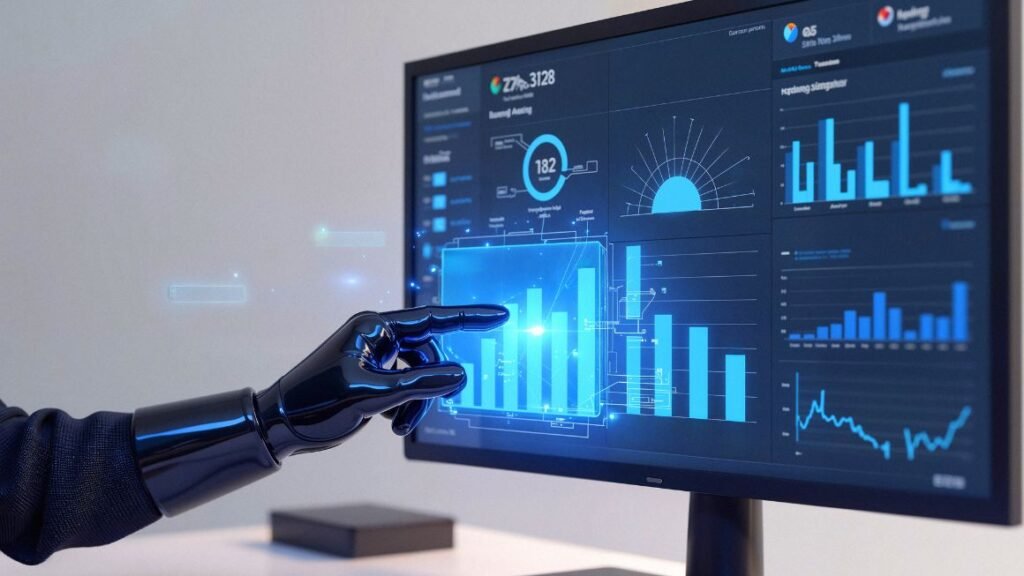
Most businesses still find out about a demand spike after the shelves are already empty. A planner opens last week’s spreadsheet, spots the pattern, and by then the moment to act on it has passed. An AI Agent for Predictive Analytics closes that gap. It watches the data continuously and acts on what it sees, often before a human ever opens a dashboard.
That shift, from reporting on what happened to acting on what’s about to happen, is the entire reason this category of software exists. In the next few sections, you’ll see what these systems actually do, how they differ from the forecasting dashboards you’ve probably already used, and where real companies are running them today.
What This Technology Actually Does With Your Data
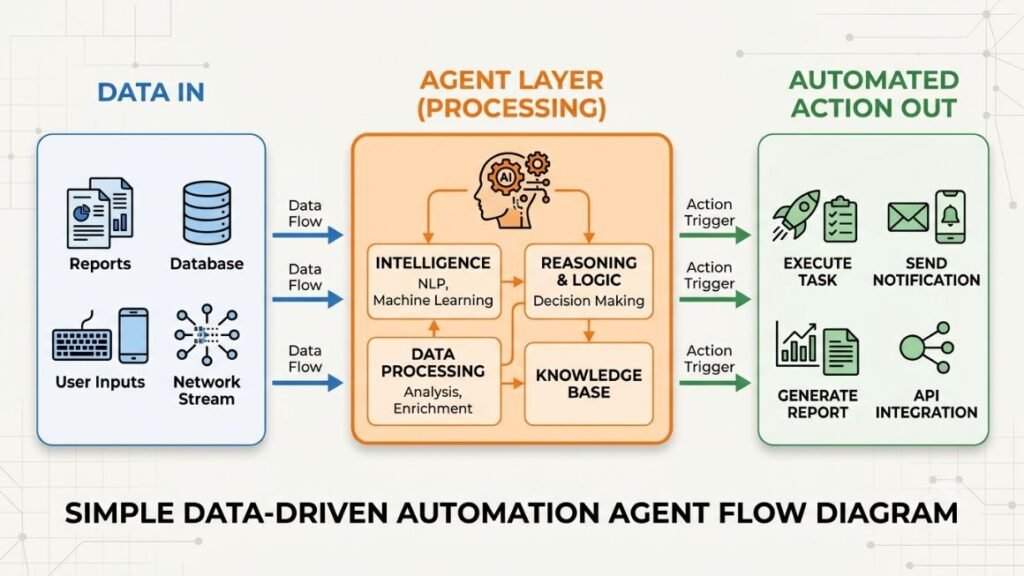
An AI Agent is software that can pull in data, reason about it, and take action on its own, without a person manually running a report each time. That’s the piece most dashboards never had: the ability to act, not just display.
Predictive Analytics is the practice of using historical and real-time data to estimate what’s likely to happen next, whether that’s next week’s demand, next quarter’s churn, or which machine is about to fail. On its own, it produces a forecast. It doesn’t do anything with that forecast.
Put the two together and you get a system that doesn’t just tell a planner “demand is rising in this region.” It reorders stock, flags the anomaly to the right team, or adjusts a pricing rule, all before the human catches up. Honestly, that’s the part most explanations of this technology skip past too quickly.
How These Systems Turn Raw Numbers Into Forecasts
The forecasting layer usually isn’t new. Time-series models like ARIMA, gradient boosting, and LSTM networks have been used for demand and risk prediction for years. What’s changed is what sits on top of them.
The agent layer ingests data from point-of-sale systems, weather feeds, loyalty programs, and even social sentiment, then decides what the forecast actually means for the business. A drop in predicted demand doesn’t just get logged. It might trigger a lower ad spend recommendation, a price adjustment, or a supplier alert, depending on rules the business has set.
That closed loop, forecast to action without a human clicking through five screens, is what IBM’s February 2026 framing describes as agents operating across demand forecasting, inventory management, production, and logistics planning, combining historical and real-time signals, machine learning, predictive models, and reasoning. It’s a meaningfully different architecture than a static report that sits in someone’s inbox on Monday morning.
An AI Agent for Predictive Analytics differs from a traditional dashboard by closing the loop between forecast and action. Instead of showing a planner that demand is about to spike, the system reorders stock, adjusts pricing, or reroutes shipments on its own, and only escalates to a person when the decision genuinely needs judgment.
Read More: 15 Best AI Agents for Email Marketing to Boost Engagement in 2026
Where Companies Are Already Using This Right Now
This isn’t theoretical. Quick-commerce platforms in India run on exactly this pattern because they don’t have the luxury of weekly forecasting cycles.
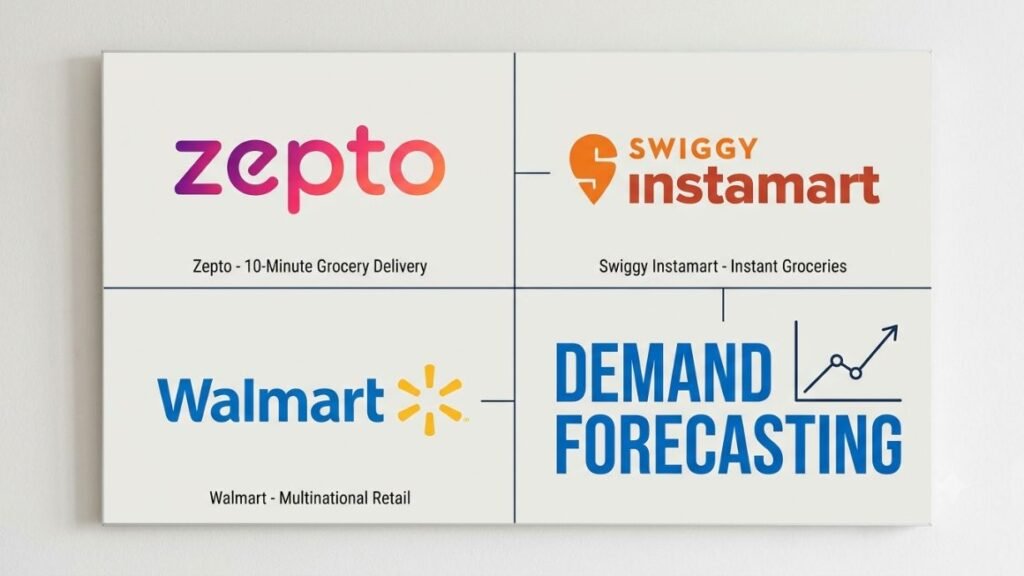
Zepto uses real-time demand forecasting across its dark store network so that AI predicts which items will be needed and where, helping prevent stockouts during peak demand. Swiggy Instamart leans on similar AI-driven stock prediction to cut waste across its hyperlocal hubs, according to a 2025 review of quick-commerce trends. Neither platform can afford to wait for a planner to open a spreadsheet. Orders move in minutes, not weeks.
The pattern holds outside quick commerce too. Walmart uses predictive analytics in its inventory system to forecast demand, factoring in historical weather data to improve accuracy. On the enterprise side, Walmart, Target, Amazon, UPS, Coca-Cola, Unilever, and Zara all run live deployments combining structured AI with generative AI for demand sensing, supplier negotiation, and store-level planning. This may not apply the same way to a five-person D2C brand running its inventory off a shared sheet, but the direction is the same regardless of scale: forecasting that acts, not just reports.
Why This Beats Static Dashboards and Manual Forecasts
A dashboard shows you a number. It never asks what you should do about it. That’s the whole limitation, right there.
The financial case is well documented. McKinsey research shows that AI-powered forecasting reduces forecast errors by 20 to 50 percent, lowers product unavailability by up to 65 percent, and cuts inventory costs by 10 to 15 percent. Those aren’t small improvements. A 65 percent drop in stockouts is the difference between losing a sale and keeping a customer.
That’s the core promise of putting an AI Agent for Predictive Analytics in the loop instead of a static model: the system doesn’t just show you the risk, it responds to it. A traditional forecast might flag a coming dip in demand and stop there. An agent-driven system goes further, adjusting pricing, throttling ad spend, or reshuffling inventory allocation across locations, all without waiting for the next planning cycle.
To be fair, the underlying math isn’t magic. It’s still regression models and neural networks doing the heavy lifting underneath. What’s genuinely new is giving that math the authority to act.
Read More: AI Agent for Content Marketing: Automate Content Creation, Distribution, and Optimization (2026)
What You Need Before You Roll One Out
Getting this right isn’t just a software purchase. It’s a data and process decision first.
- Audit your data sources. Sales history, inventory levels, and any external signals (weather, seasonality, local events) all need to sit somewhere the system can actually reach, not buried across five disconnected tools.
- Pick one decision to automate first. Reorder points or basic price adjustments are a safer starting point than anything customer-facing or high-risk.
- Set clear guardrails. Define exactly which actions the agent can take on its own and which ones still need a human sign-off.
- Run it in shadow mode. Let the system make recommendations without acting for two to four weeks, and compare those recommendations against what actually happened.
- Expand scope gradually. Add one new decision type at a time once the first one is holding up under real conditions.
Small and mid-sized teams often skip step one and go straight to buying a tool. From what we’ve seen with YUP learners working through analytics case studies, that’s almost always where the rollout stalls, not because the software fails, but because the underlying data was never in one place to begin with.
Common Mistakes and Limitations to Watch For
Not every deployment goes smoothly, and it’s worth being upfront about why.
Most failures aren’t a model problem. They’re a trust and governance problem. Teams hand over too much decision authority too fast, without the guardrails to catch a bad call before it reaches a customer. Gartner has gone as far as predicting that over 40% of agentic AI projects may be cancelled by the end of 2027, largely because of exactly this gap between ambition and governance.
There’s also a data quality ceiling here that no amount of clever modelling gets around. A system trained on three years of clean sales history will struggle the first time it hits a genuinely unprecedented event, a new competitor, a regulatory change, a viral moment nobody planned for. This works well for steady, pattern-driven demand. It’s a different story for genuinely novel disruptions, and pretending otherwise sets teams up to over-trust a forecast that was never built to handle the outlier.
Read More: AI Agents for Performance Marketing: Automate, Optimize, and Scale
Where This Is Headed Next
The scaling curve here is unusually steep. Gartner predicts that 40% of enterprise applications will be integrated with task-specific AI agents by the end of 2026, up from less than 5% in 2025. That’s not a niche adoption curve. That’s most enterprise software rebuilding around this pattern within a single budget cycle.
Multi-agent setups are the next layer. Rather than one system handling forecasting in isolation, businesses are moving toward agents that hand off between forecasting, procurement, and logistics automatically, so a revised forecast triggers a purchase order update without a person relaying the message between three tools.
Gartner projects that 40% of enterprise applications will embed task-specific AI agents by the end of 2026, up from under 5% in 2025. For predictive analytics specifically, that shift means forecasting stops being a report someone reads and becomes a decision the system makes and executes on its own.
Where does that leave a smaller business watching from the sidelines? Probably not rushing to build a custom multi-agent stack tomorrow. But it does mean the gap between “we have a forecast” and “our forecast acts on our behalf” is closing fast, and waiting too long to start experimenting has a real cost.
Read More: AI Agent for Lead Generation: How to Automate Prospecting and Sales Outreach
Bringing It Together
The businesses winning with this right now aren’t the ones with the fanciest model. They’re the ones that started small, picked one repetitive decision worth automating, and let the system earn trust before expanding its scope.
If there’s one takeaway to act on this week, it’s this: don’t start by shopping for a platform. Start by auditing whether your sales, inventory, and demand data actually live in one place a system could reach. That single step decides whether your first rollout works or stalls in month one.
If you want to go deeper on building and prompting AI systems like this one for your own business, automation content inside the Hotskill app walks through exactly this kind of implementation, from data audits to setting the right guardrails before you hand over any decision authority.
Frequently Asked Questions
What is an AI Agent for Predictive Analytics in simple terms?
It’s software that combines a forecasting model with the ability to act on what it predicts. Instead of just showing you a demand estimate, it can reorder stock, adjust pricing, or alert a team automatically based on that forecast.
How is this different from a regular predictive analytics dashboard?
A dashboard displays a number and stops there. An agent-based system takes the next step and executes a decision, like triggering a reorder or flagging a risk, without waiting for someone to act on the report manually.
Do I need a data science team to use one?
Not necessarily. Many platforms now package the forecasting models behind a simpler interface, though you still need clean, centralised data for the system to work with. Without that, even the best model produces unreliable output.
Which businesses benefit most from this technology?
Businesses with frequent, high-volume decisions, like retail demand planning, inventory management, or subscription churn prediction, see the fastest returns. A business making one big forecasting decision a year has less to gain.
Is it actually worth the investment for a smaller company?
It depends on your order volume and how costly a bad forecast is for you. If stockouts or overstock regularly eat into your margins, the payback period is usually short. If your demand is small and stable, a simpler forecasting tool may be enough.
What data do I need before I start?
At minimum, historical sales or transaction data, current inventory or capacity levels, and any relevant external signals like seasonality or local events. Fragmented data across disconnected spreadsheets is the most common blocker teams run into.
Can it replace my planning team?
No, and treating it that way is a common mistake. It’s built to handle routine, repetitive decisions so your team can focus on the exceptions, new products, unusual events, and strategic calls that still need human judgment.
What happens when the forecast is wrong?
Every model has an error margin, and this technology is no exception. Good implementations include guardrails, caps on automated actions, and alerts when a prediction falls outside expected bounds, so a bad forecast doesn’t cascade into a bad decision unchecked.
How long does it take to see results?
Most teams run a shadow period of two to four weeks first, comparing recommendations against real outcomes before letting the system act independently. Full impact on metrics like stockouts or forecast accuracy usually shows up within one to two quarters.
Why do so many of these projects get cancelled or stall?
Usually it’s not the model. It’s messy underlying data, unclear rules about what the agent can and can’t do on its own, or handing over too much decision authority before the system has earned that trust through a proven track record.